
Hi Mina, I’m trying to sync bubble and supabase auth without success. The problem is password reset - if the user is authorized in bubble and supabase and they go to change their password, bubble requires a password reset link and as far as I can see there is no update password field action for the supabase plugin so that I can update a password for a user based on their email address. You can only reset password either on bubble only or supabase only once at a time. How do you suggest doing the syncing?
Hi @arensbpa ,
Thanks for getting back to us and explaining the situation! 
From what I understand, once the user receives the password reset link via email and follows it, they’ll be redirected to the URL specified in your Supabase project settings. After they update their password on the Bubble side, they should be logged out of Supabase automatically.
At that point, the user can simply log in again with the new password, and everything should remain in sync between Bubble and Supabase.
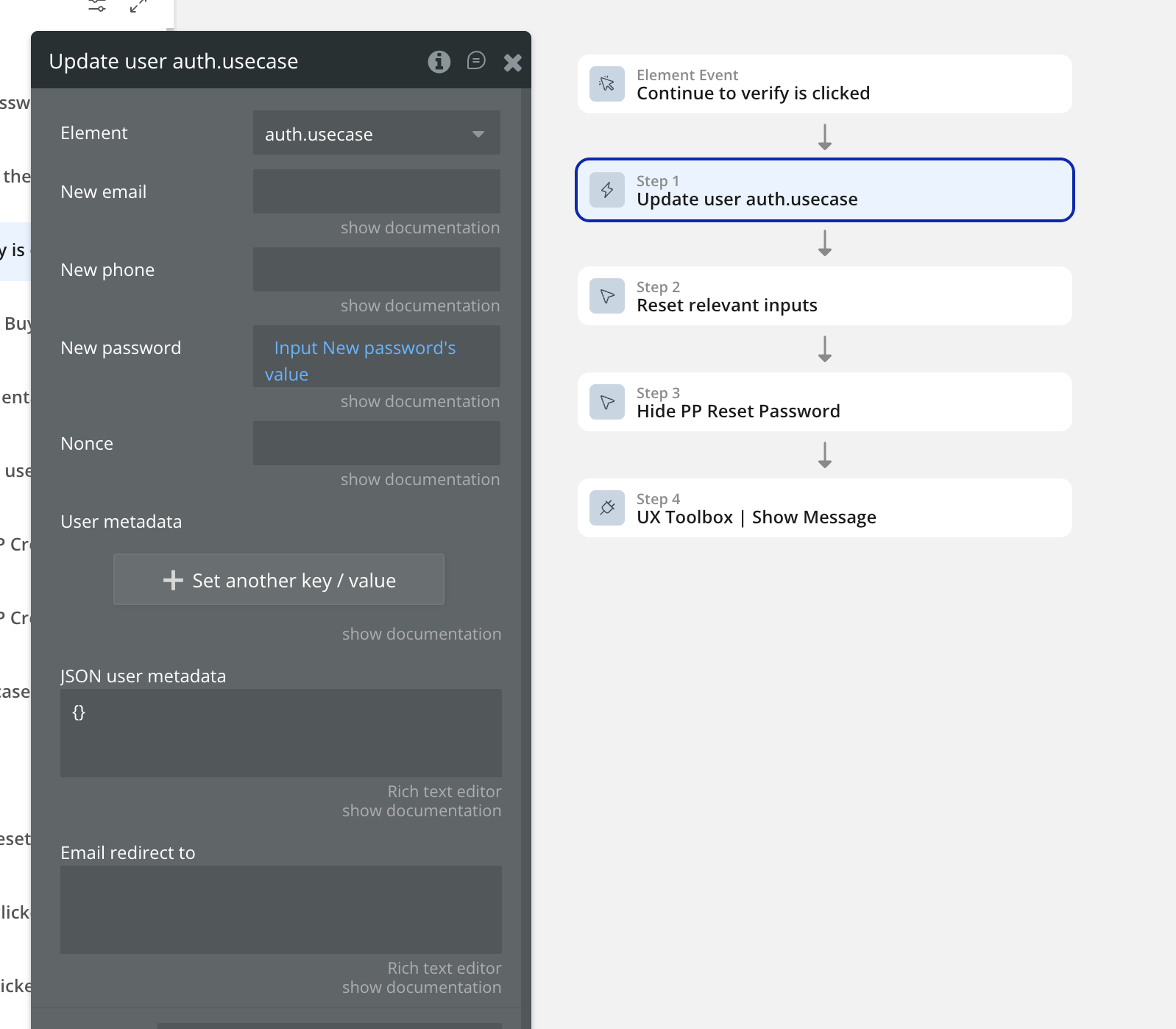
So essentially, the sync happens through the logout/login flow after the password change.
Looking forward to your reply.
Best regards,
Support Team
Browse all Zeroqode Plugins for bubble

1 Like
Hi @mina.rotari thanks for getting back to me! I only want to send one password reset email. It would be crazy to require the user to open 2 emails (one from bubble and one from supabase). I assume we’re on the same page about that - so you’re saying to use the supabase “Send password reset request SupabaseAuth A” instead of the the bubble “Send password reset email” action and in that action you’d redirect them to your password reset page in your bubble app. This would allow me to reset their supabase password. But since the user is not logged into their bubble account, I cannot update their bubble password. So their bubble and supabase passwords are not in sync.
If I were to use just the bubble “Send password reset email” action and they were logged out of supabase, I’d have no way of syncing up the new password with a supabase account because the update user auth > new password field would only work if they were already logged into supabase.
What am I missing?
Hi @arensbpa,
Thanks for the clarification!
Unfortunately, a full, seamless sync using just a single password reset email isn’t directly possible. This is due to how Bubble and Supabase handle authentication separately for security reasons:
- Bubble requires either the old password or its own reset flow, which sends a separate email.
- Supabase uses token-based password recovery.
You can’t bypass this without custom hacks, which could compromise security or create a poor UX.
One potential workaround would be:
- After the user resets their password in Supabase, trigger a backend workflow in Bubble.
- Send a custom “sync link” via email to the user.
- When they click it, it triggers a Bubble password reset to match the Supabase password.
This still involves multiple steps/emails, but it allows you to keep the account in sync safely.
Best regards,
Support Team
Browse all Zeroqode Plugins for bubble
1 Like
Ok and so when you send the sync link email via a backend workflow are you suggesting you would include the password in a url parameter? How would you actually pass the new supabase password to that bubble reset password action?
Hi @arensbpa,
Thanks again for your patience and for sharing that detailed reference.
We took a closer look at the feature you mentioned from the other Supabase plugin, and while it’s a useful approach, it’s unfortunately not something we can implement on our side at the moment.
For now, the best workaround we can suggest is to create a backend workflow that updates the password by calling the API endpoint right after the password is changed in Supabase.
We’ll keep your suggestion noted for future consideration though, it’s definitely something that could improve the integration long term.
Best regards,
Support Team
Browse all Zeroqode Plugins for bubble
Hi everyone,
I’m currently working on a Bubble application that uses the Supabase Pro Kit plugin. I’m trying to find the best strategy for data fetching in a one-page app.
From what I understand, there are two main approaches:
- Fetch on Page Load: This loads all the data upfront when the page is first opened. It can make navigation smoother, but it might increase initial load time and network usage, especially with large datasets.
- On-Demand Fetching: This fetches data as needed, for example, when the user navigates to different tabs or performs actions. This can reduce initial load time but may require multiple fetches and could impact performance if not managed carefully.
I’m looking for advice on the best practice to balance performance and scalability. Specifically, I’m wondering:
- Will using “fetch on page load” cause scalability issues with many concurrent users?
- Is it more efficient to rely on on-demand fetching, or is there a middle-ground approach that works best?
Any insights, experiences, or recommendations would be greatly appreciated!
Thank you!
Hey @GeoBKS ,
For a Bubble one-page app using the Supabase Pro Kit, the best approach is usually a hybrid strategy rather than “load everything on page load” or “only on-demand.”
1) Fetch on page load (use sparingly):
It’s great for small, essential data that the app needs immediately (e.g., current user profile, roles/permissions, small counters/summary). Loading large lists upfront increases initial load time and Supabase usage. With many concurrent users, this can become costly and make the app feel slow.
2) On-demand fetching (best for heavier data):
For tab content, feeds, tables, and anything potentially large, fetch only when the user opens the tab or triggers an action. To keep navigation smooth, cache the results (e.g., store them in custom states / reusable element state) so switching back doesn’t re-fetch unnecessarily.
3) Middle ground that works well:
- Limit payloads: always filter server-side and only fetch the fields you need
- Paginate: “load more” or page-based loading instead of pulling everything
- Prefetch smartly: after the initial screen is shown, you can prefetch the most likely next tab (still paginated)
- Avoid accidental re-fetches: debounce search inputs and avoid re-running queries on every small UI change
Have a nice day! 
Best Regards,
Anton