Hi @pwharker
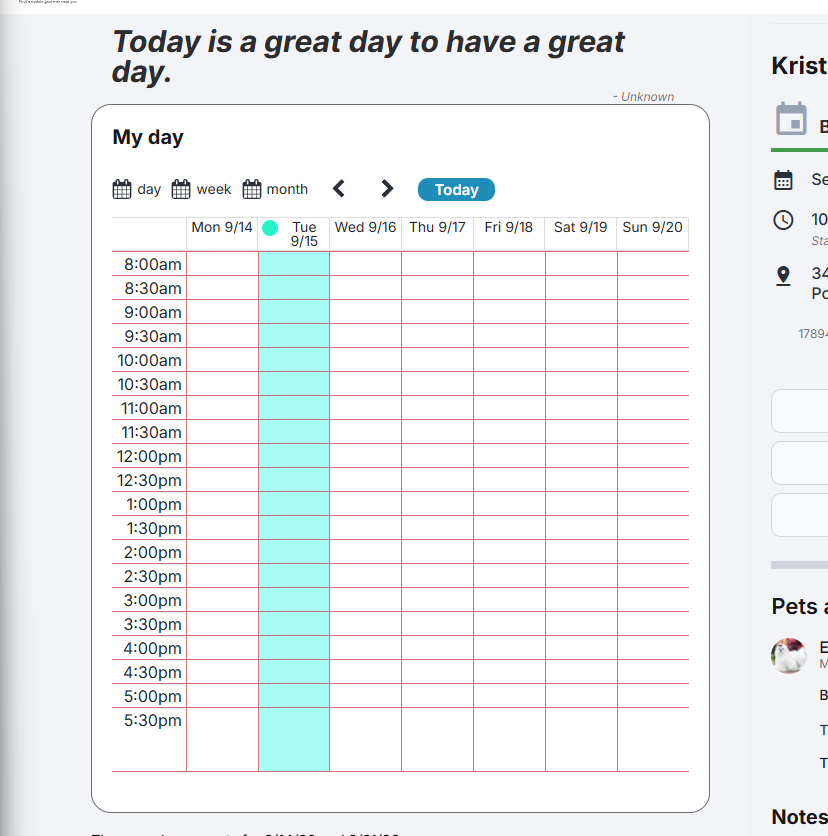
Thank you for reaching out to Zeroqode Support. We are here to help resolve this issue with your calendar grid.
We encourage updating to the latest version (currently 2.144.0) to ensure your application benefits from all recent fixes, performance improvements, and feature updates.
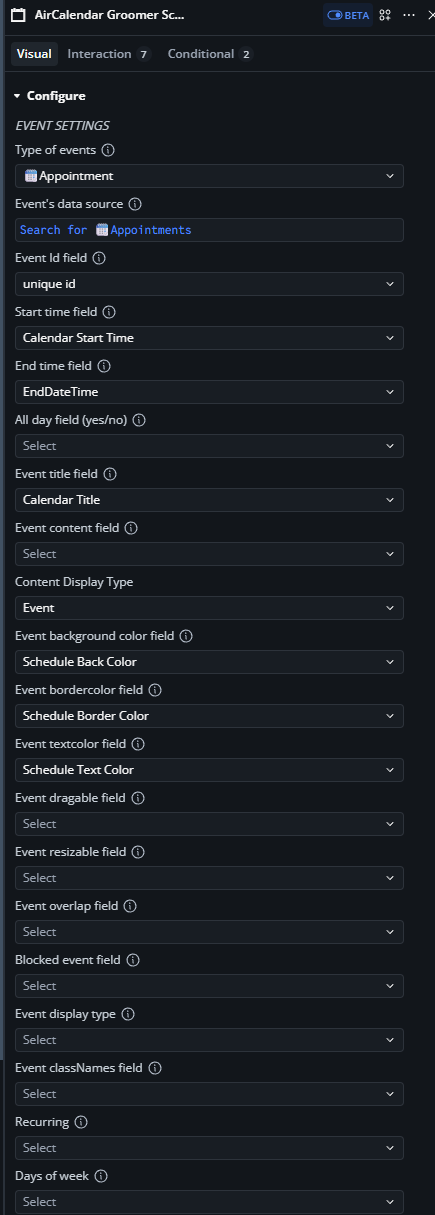
When upgrading across major plugin versions, field requirements and expected formats for custom views can change. Based on your element configuration, there are a few key properties preventing the grid from rendering:
Identify Misconfigured Fields
-
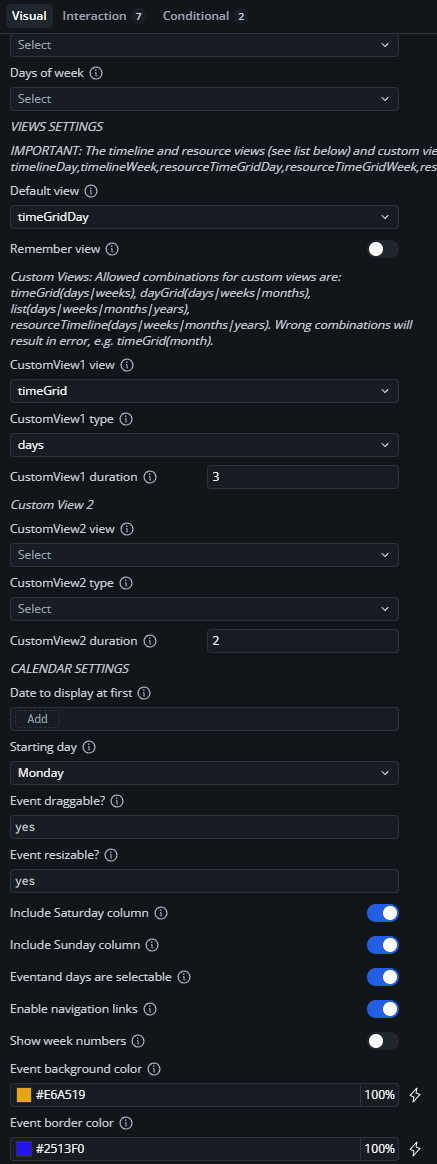
Invalid Custom View Setup: Under View Settings, CustomView1 view is set to
timeGrid and CustomView1 type is set to days. As noted in the element properties, allowed combinations for custom views are strict (timeGrid requires specific duration parameters, or standard named views). Setting timeGrid without a matching predefined layout or using incorrect custom view parameters can cause rendering errors.
-
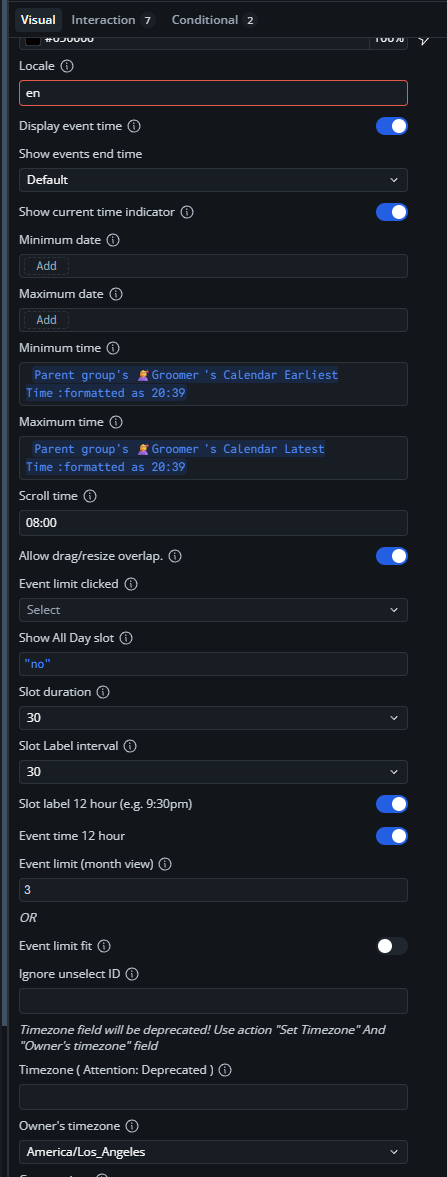
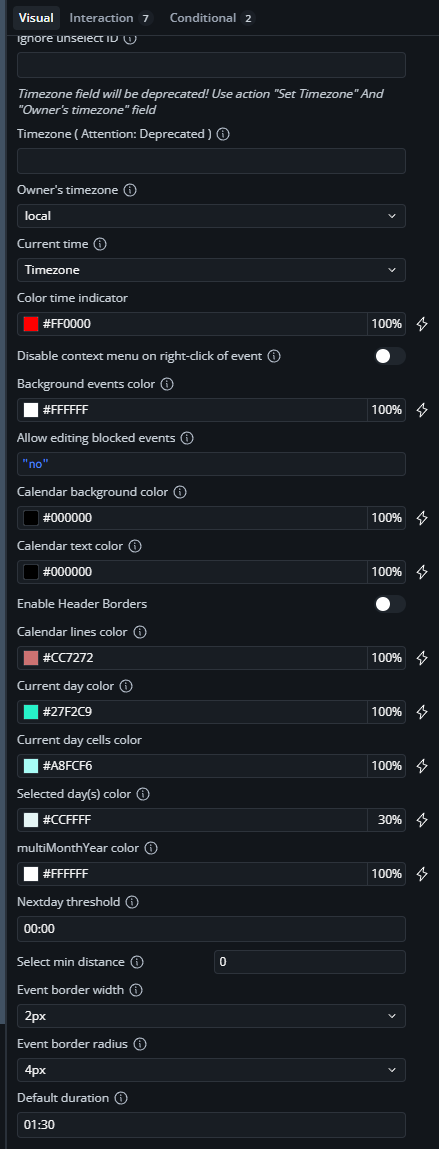
Deprecation & Timezone Mismatches: Under Calendar Settings, Owner’s timezone is currently set to
local on one configuration frame and America/Los_Angeles on another. Ensure the Set Timezone action or single consistent timezone option is used.
-
Missing Required Color/Style Formats: Verify that dynamic date inputs such as Minimum time and Maximum time return valid formatted date/time strings or dates without returning null values during initialization.
Configuration Warning
Incorrect combinations in Custom View fields (e.g. setting an unsupported combination like timeGrid with days) will break calendar grid rendering across updated plugin versions.
To resolve this issue and bring your plugin up to date, follow these step-by-step instructions.
1.Update Plugin Version: Prerequisite.
Upgrade the Air Calendar plugin in your Bubble editor to the latest version (2.144.0).
2.Reset Custom Views: 1 min.
In the Air Calendar element inspector, go to VIEWS SETTINGS. Set CustomView1 view and CustomView1 type back to Select (empty) temporarily to clear potential view mismatches.
3.Verify Default View: 1 min.
Set Default view to timeGridDay or dayGridMonth from the dropdown menu.
4.Test Calendar Rendering: Verification.
Preview your application page in your browser. Verify if the grid loads correctly.
To confirm that the issue is resolved, verify that the calendar grid, time slots, and header controls render completely in your live browser preview after refreshing.
For further reference on field definitions, view types, and configuration rules, check out our official Air Calendar Documentation.
If the issue persists after testing these steps, please let us know:
- Are there any specific error messages appearing in your browser console (F12 > Console tab) when loading the page?
- Does the grid render if you temporarily remove the dynamic expressions from Minimum time and Maximum time?
Best regards,
Support Team
Browse all Zeroqode Plugins for bubble