Services Plugins FAQs

Bug - apple sign in plugin

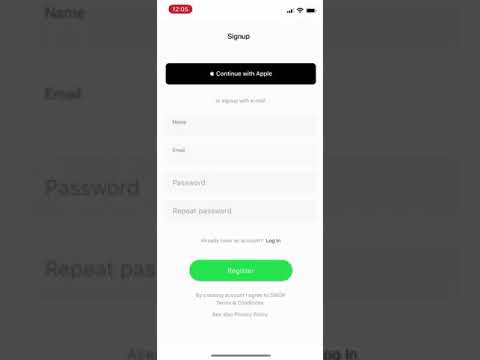
Guys I used your plugin “apple sign in”. My app was rejected because of the functionality that you offer in this plugin. Check out the attached video, user tries to login with apple in it. After apple sign in, user is not directed back to the app, user remains in the apple page and is require to write apple id.

This is new issue, I didn’t see it previously. I was able to login with apple and be directed back to app.

This issue is an edge case.

Hello, @rossandnickeev
Thanks for reaching out.

In order to provide you the solution for your case, can you please let us know the next information:

  • Does your app was rejected by the marketplace (App store or Google store)? Does your application was converted into the native?
  • Please note that entering the Apple ID is an obligatory procedure with the plugin. The possible reason for being edirected to your application is an automated introducing of the Apple ID, or using it before.

Thus, in order to check your settings and the exact issue, can you please add our Support Team email to the list of collaborators to your application and provide me a link to your application? This will allow us to check your settings and run some tests to fix the mentioned problem.

To add our Support Team as a collaborator, you need to do the following steps in the Bubble Editor:

Settings > Collaboration > Add email support@zeroqode.com

Note: avoid the warning message regarding the plan, as we are an agency and you can easily add us to your collaborators.

Looking to hear you soon.
Regards,

  1. App was rejected by App Store. App was converted into Native using BDK Native.
  2. Did you saw the video? User finished “Apple Sign In” using his finger, BUT the functionality of your plugin DIDN’T return the user back to the app, it made the user to remain on the page and forced him to provide Apple ID. That’s why our app was rejected after Apple Review.

Added you to collaborators and sent link to Editor via private messages on the forum.

1 Like

Hello, @rossandnickeev
Thanks for this information and for the access to your application.

Please allow me to note that your application and issue is already under investigation. We need to check some features and analyze the compatibility of the plugin with the wrapper.

I will revert to you with an update immediatelly after receiving a result.
Thanks for the understanding.

Best regards,

Hello, @rossandnickeev

By this message, I would like to provide you with some points regarding the Sign In with Apple plugin and the reason for the appeared situation.

First of all, after careful analysis of your app and the plugin code, I would like to note that our plugin doesn’t support the Touch ID / Face ID, so this is why it behaves in a wrong way for your side (as shown in the provided video) :pray:

However, the plugin will work properly in case of manually typing the Apple ID and password, so the user will be redirected back to your native application.

Additionally, please allow me to point out that:

  • All our plugins (except for Air Native Plugin) are designed for the Bubble platform, meaning they are web-based, so they will work perfectly in the browser;
  • We cannot guarantee that any plugin will work well in the native application with the native wrappers;
  • We managed to test the **Sign in with Apple plugin with BDK wrapper preview, and the plugin seems to be working well (it redirects you back to the native app after logging in with Apple ID);

We understand your concern and are sorry for the situation, but the rejecting of the app can be caused not only for the plugin, but any incomplete functionality (or even incomplete UI, or any other thing that doesn’t comply with their App Store review guidelines)

The best solution to properly use this plugin in the native apps is manually signing in (just as in a web browser).

Hope our investigation will be helpful for you.
Best regards,