Services Plugins FAQs

Google sheets plugin help

I am trying to pull data from a cell in google sheets and have the plugin and API key set up. I am looking at the example bubble.io webpage and copied the workflow in button search row as well as the repeated group with the states in the design but am having trouble getting it to work.

Do I need to replicate the Allow Spreadsheet access first?
Is this under page is loaded workflow? Or is there some other required workflow.

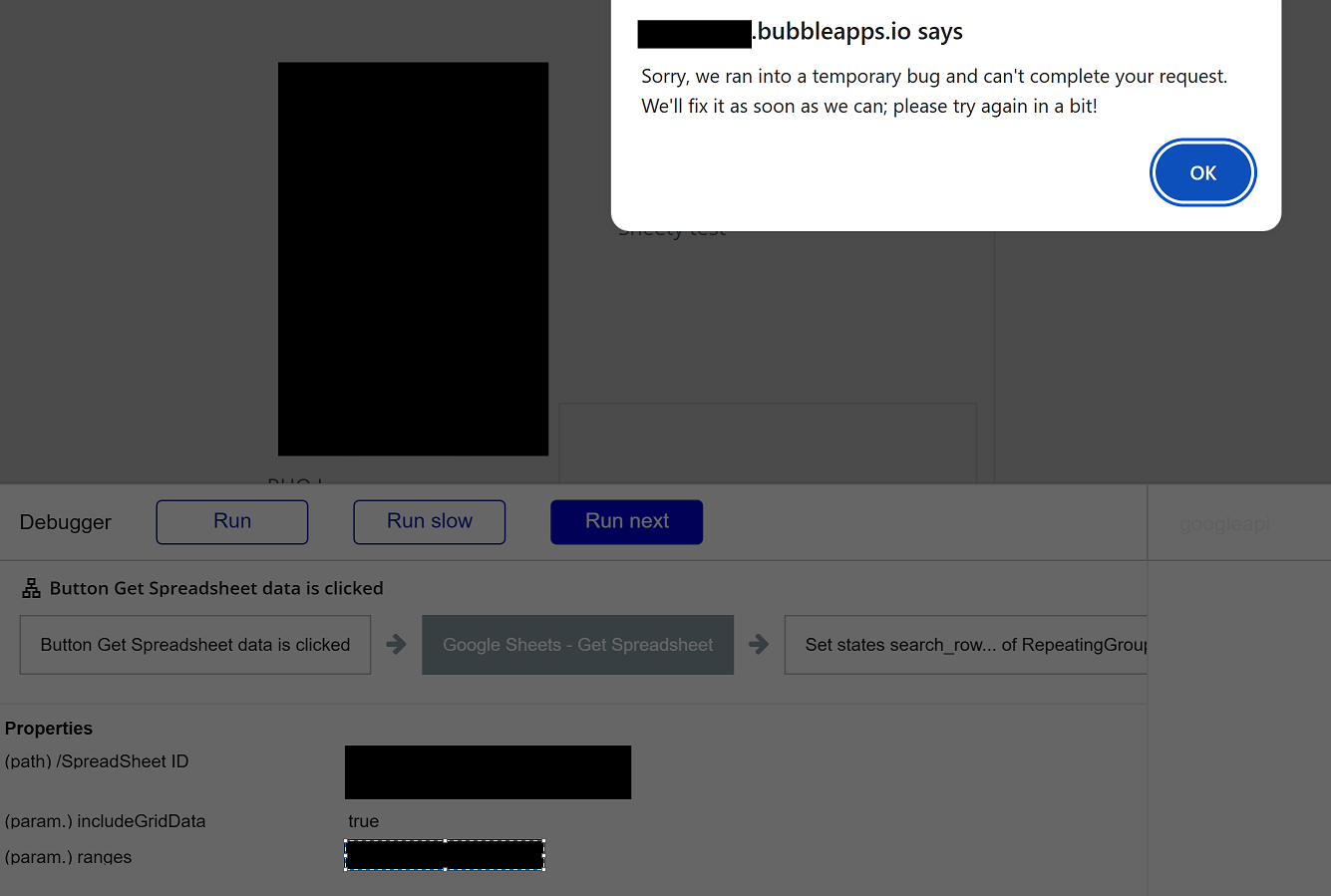
The error says “Sorry, we ran into a temporary bug and can’t complete your request. We’ll fix it as soon as we can; please try again in a bit!” It has been 24 hrs

Helli @iriw ,

Happy to help, but we’ll need a bit more detail to pinpoint where it’s failing.

Could you please share:

  1. Screenshots of the plugin setup + configuration
  • The plugin’s settings in the on-page element + any relevant settings from the Plugins tab.
  1. Screenshots of all relevant workflows
  • The workflow that triggers the request (e.g., button click / page load).
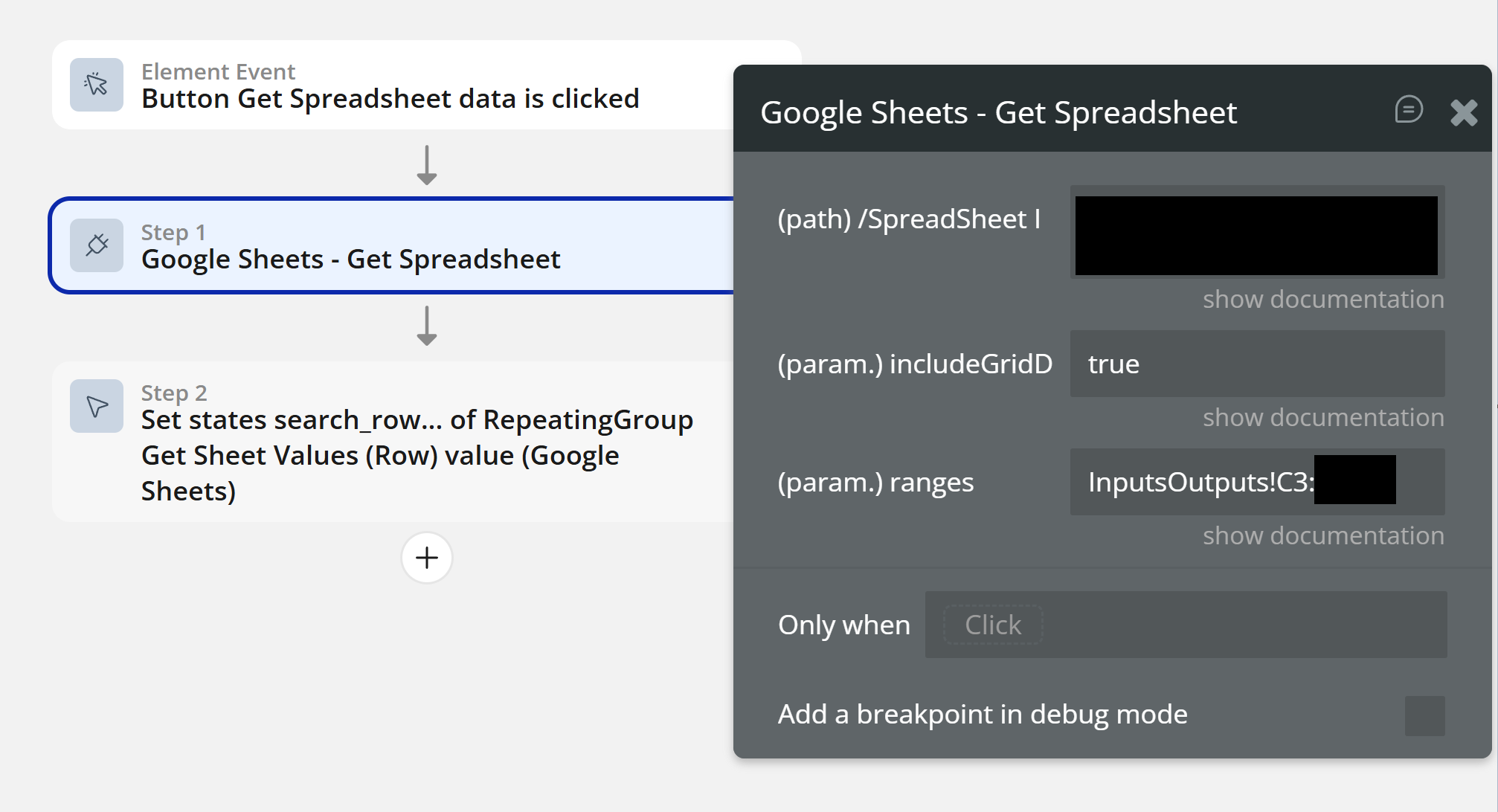
  • The exact plugin action(s) being used and their parameters.
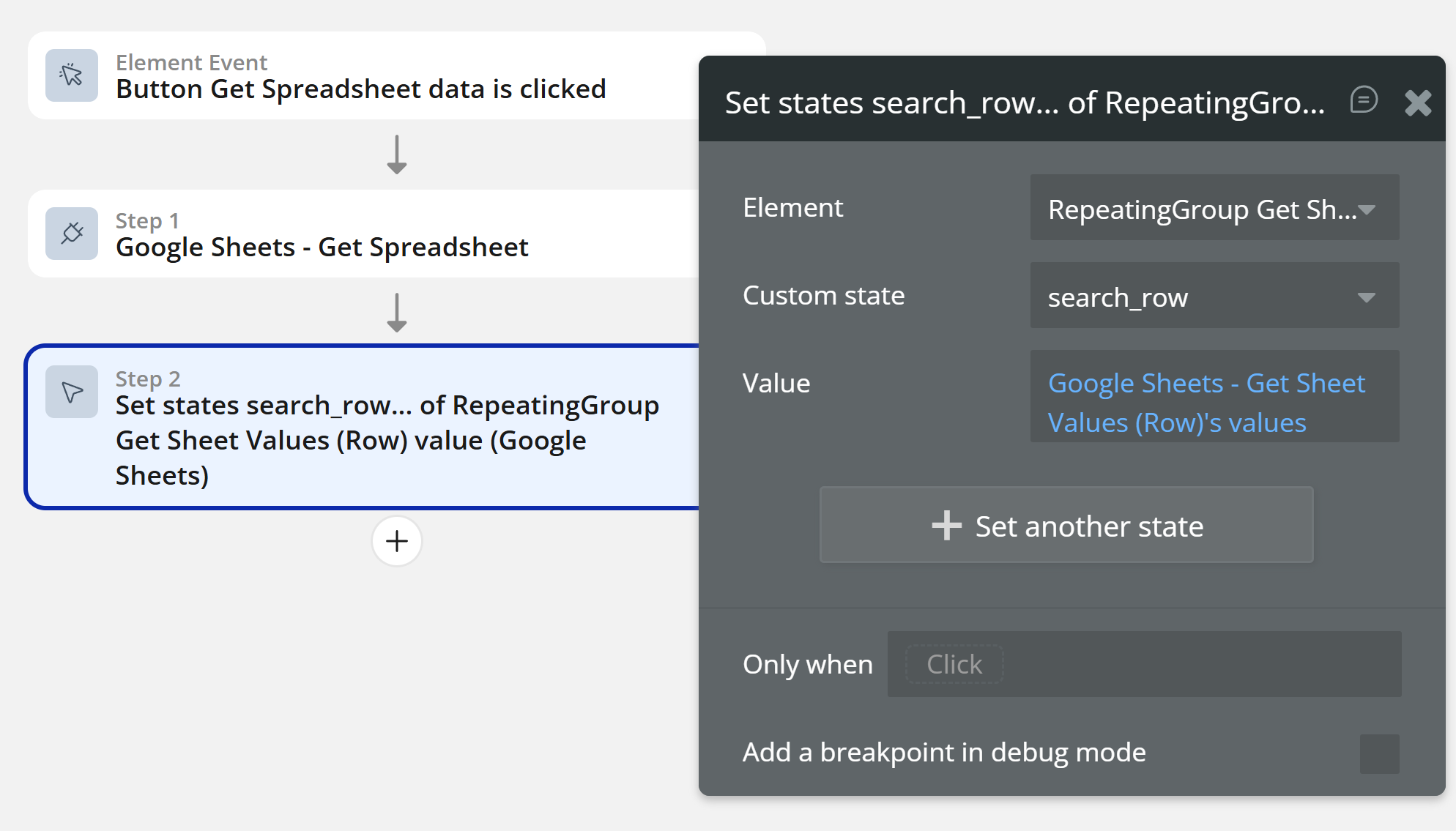
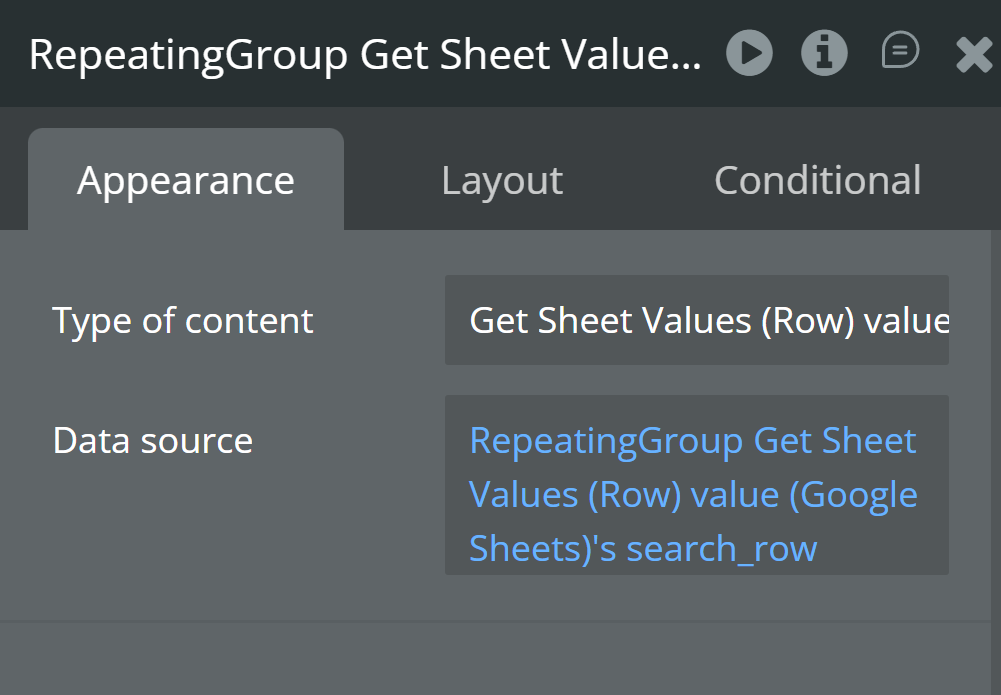
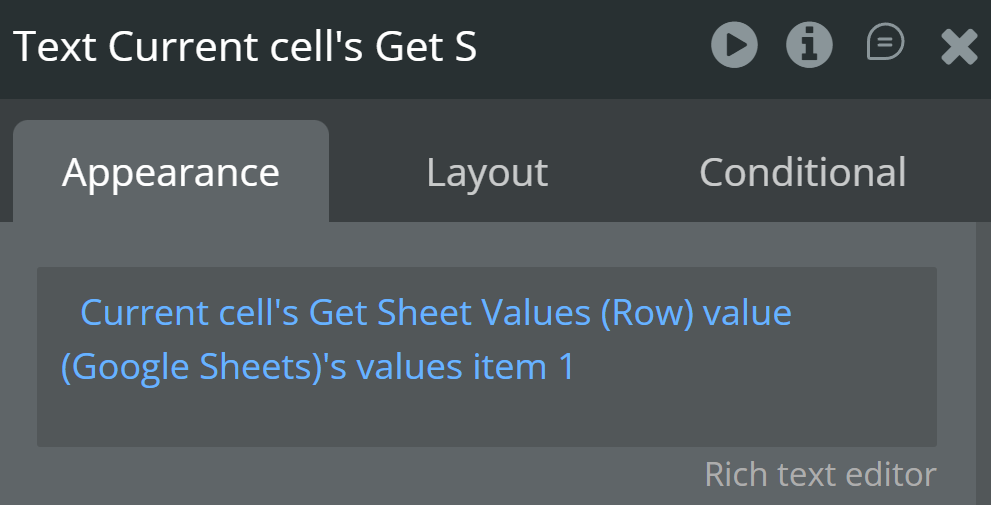
  • Any states/repeating group setup that receives/displays the returned data.
  1. Step-by-step debug output (or a screen recording)
  • Please run the app with debug_mode=true and reproduce the issue.
  • Share the step-by-step output where it errors (or a short screen recording showing the steps + the error).
  1. Exact plugin version
  • Please confirm the exact plugin version you have installed (screenshot from the Plugins tab is perfect).

Once we have those, we can trace where that “temporary bug” message is coming from.

Best regards,
Smorodinov Egor,
Support Team
Browse all Zeroqode Plugins for bubble
Banner_Last3

  1. I followed steps with the key hitting enter on the /n characters in the text. Also my google account has no errors.
  1. I followed the example worksheet and these are screenshots of my editor.

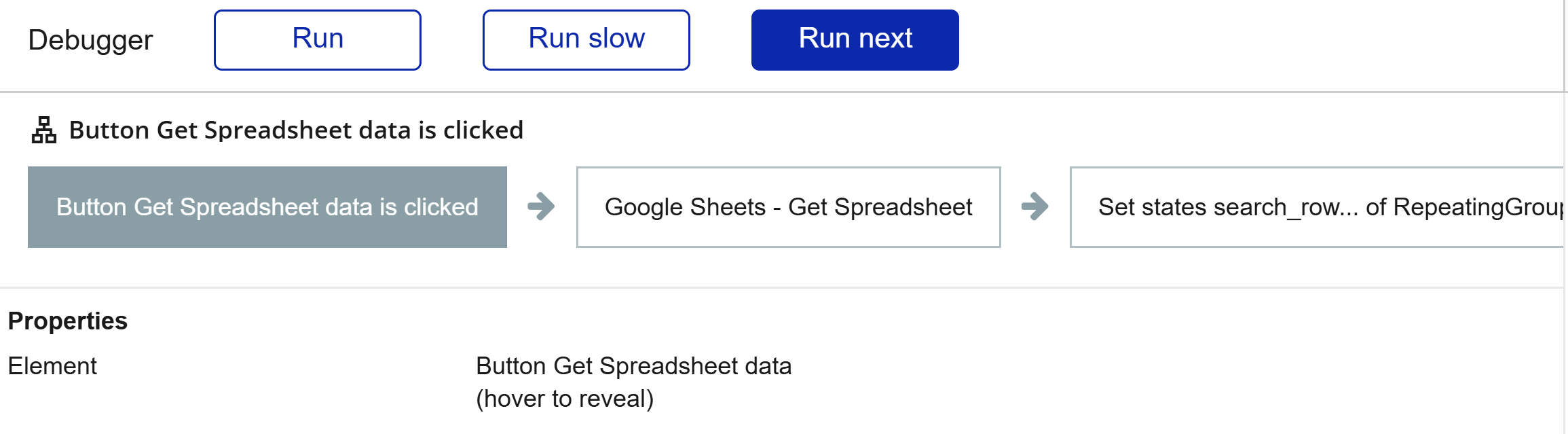
  1. Here are screenshots for each step of the button click.


4. I have the latest version 1.32 and have the paid version of the plugin.

Thank you so much for looking into this

Hi @iriw,

Thank you so much for providing all the detailed screenshots and information! This is incredibly helpful for our investigation.

Our team is currently reviewing your setup and we are going to try and replicate this exact scenario on our end. We will circle back to you as soon as we find a solution to get this working for your app or confirm if this is indeed a bug within the plugin.

We appreciate your patience while we look into this!

Best regards,
Smorodinov Egor,
Support Team
Browse all Zeroqode Plugins for bubble
Banner_Last3

Hello @iriw,

We reviewed the screenshots you provided and compared them against our setup. From what we see, everything seems to be configured correctly, and we couldn’t find any critical issues within your setup.

We’d appreciate it if you could add our Support Team as a collaborator to your app so we can investigate further. You can follow these steps in the Bubble Editor:

  • Go to Settings.

  • Click on Collaboration.

  • Add support@zeroqode.com as a collaborator in your app.

  • Create a test page for us with the same use case and configuration.

  • Let us know where to find the test page for the search functionality.

  • Provide specific steps to reproduce the issue, along with details on the devices and browsers you’ve tested on.

Best regards,
Smorodinov Egor,
Support Team
Browse all Zeroqode Plugins for bubble
Banner_Last3