Services Plugins FAQs

Image Slider Pro for Bubble Mobile issues and request

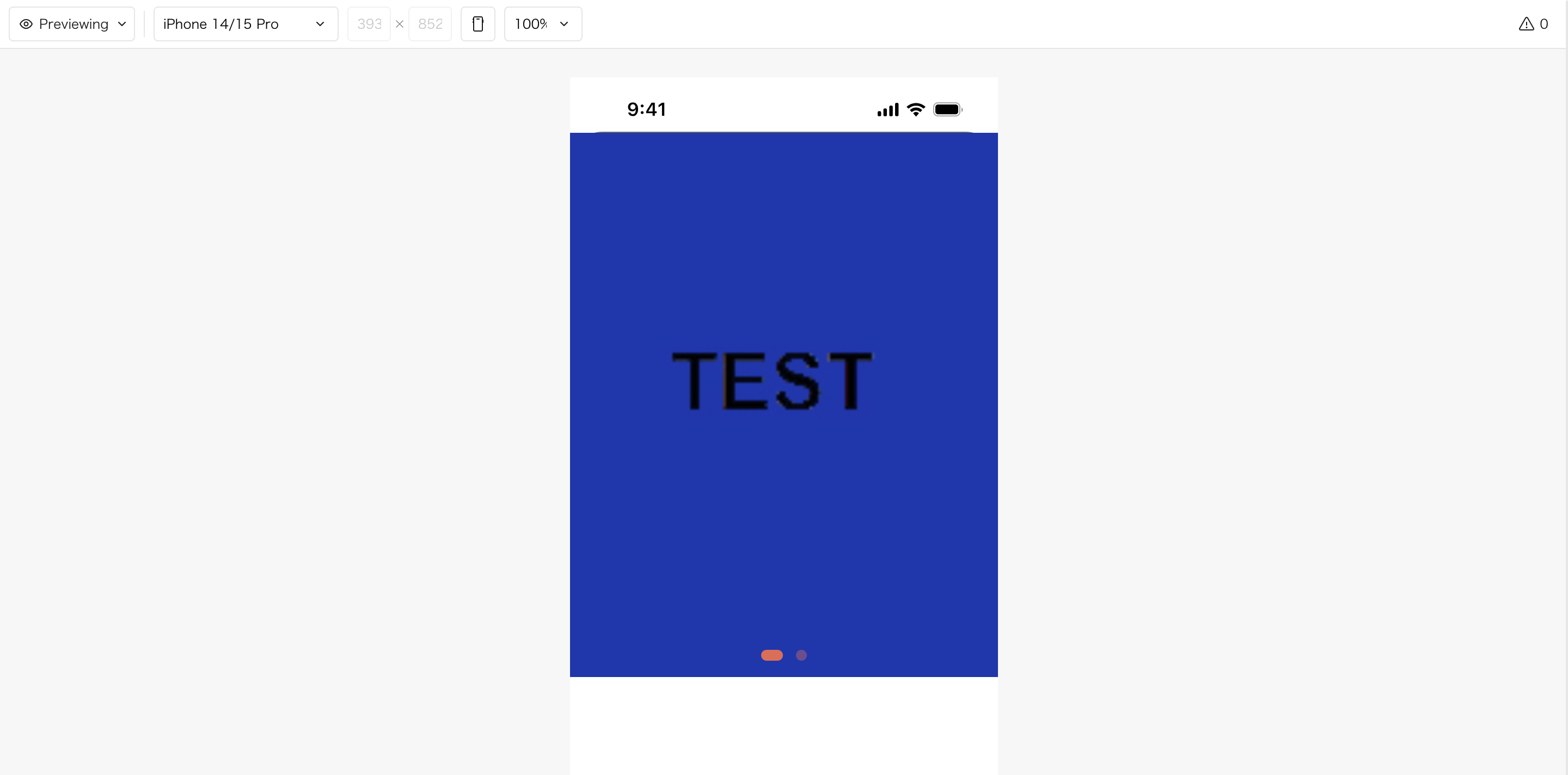
On web browsers, images display correctly and loop works properly.

However, in BubbleGo , images are not displayed and the loop function does not work.

I have not tested this yet on TestFlight.

It would also be great if you could add support for the “Rescale” display mode.

Additional note:
When I enable “Define each border independently,” the roundness no longer applies.

Hi @yoshisss,

Thank you for reaching out and sharing these details with us.

To help us investigate these issues more effectively and find a solution, could you please provide us with some additional details?

  • Screenshots & Settings: Please share screenshots of the plugin’s properties panel from your Bubble editor, specifically showing how your image URLs, Loop settings, and Border configurations are set up.
  • Screen Recording: A short video or screen recording showing the correct behavior on the web browser versus the broken behavior inside the BubbleGo wrapper would be incredibly helpful.
  • Console Logs: If possible, please check the browser console or wrapper logs for any error messages when the images fail to load, and share a screenshot of those errors with us.

In the meantime, you can review our configuration guidelines directly in the official Image Slider Pro for Bubble Mobile Documentation.

Once we have this extra information, we will be glad to look deeper into this for you.

Best regards,
Support Team
Browse all Zeroqode Plugins for bubble
Banner_Last3

Hi @yoshisss,

I hope you are doing well!

I’m just following up to see if you’ve had a chance to gather the screenshots, screen recording, or console logs we requested. These details will help us dig deeper into the image and loop issues you are experiencing within the BubbleGo wrapper.

Whenever you’re ready, please share them here so we can help you get this sorted out.

Best regards,
Support Team
Browse all Zeroqode Plugins for bubble
Banner_Last3

This is a screenshot.

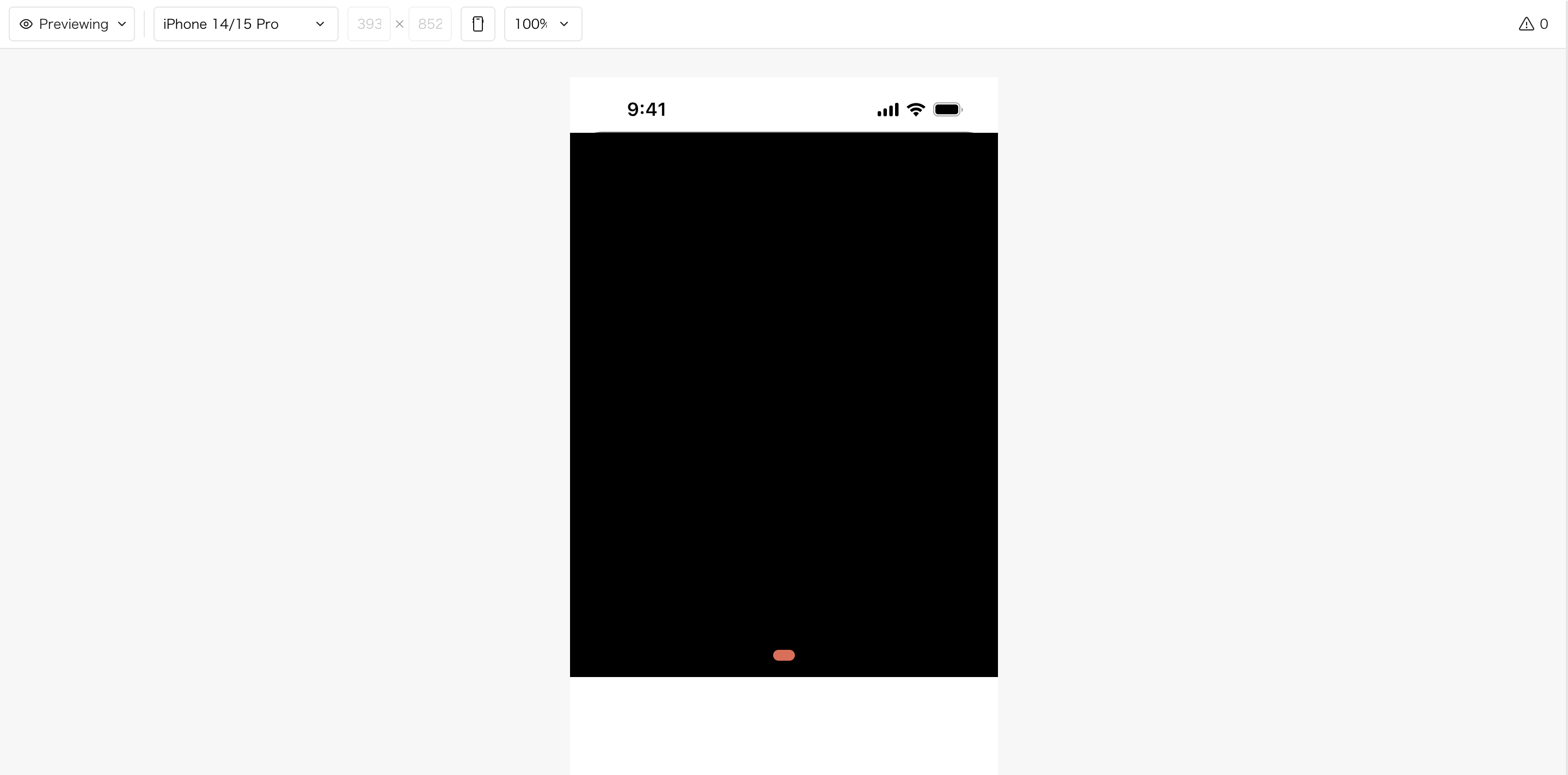
In BubbleGo, the image becomes completely black.
Also, even when “Define each border independently” is enabled, the border style does not change.

Hi @yoshisss,

Thank you for providing those screenshots! They are incredibly helpful in pinpointing exactly what is going wrong with your current configuration.

We can see two distinct setup issues in your editor screenshots that are directly causing the problems with the loop, image display, and borders.

1. The Image URLs and Loop Issues (Data Formatting Error)

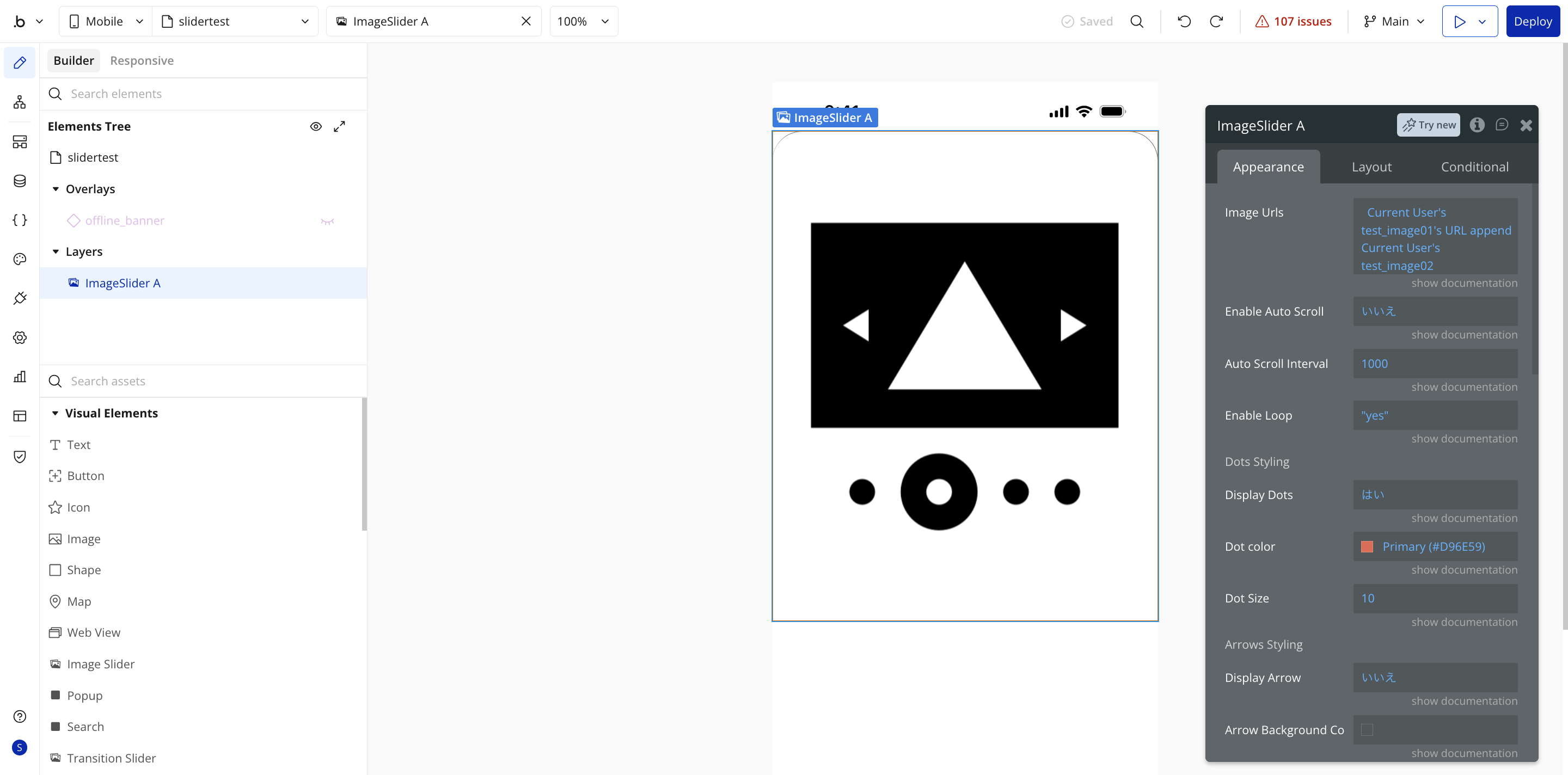
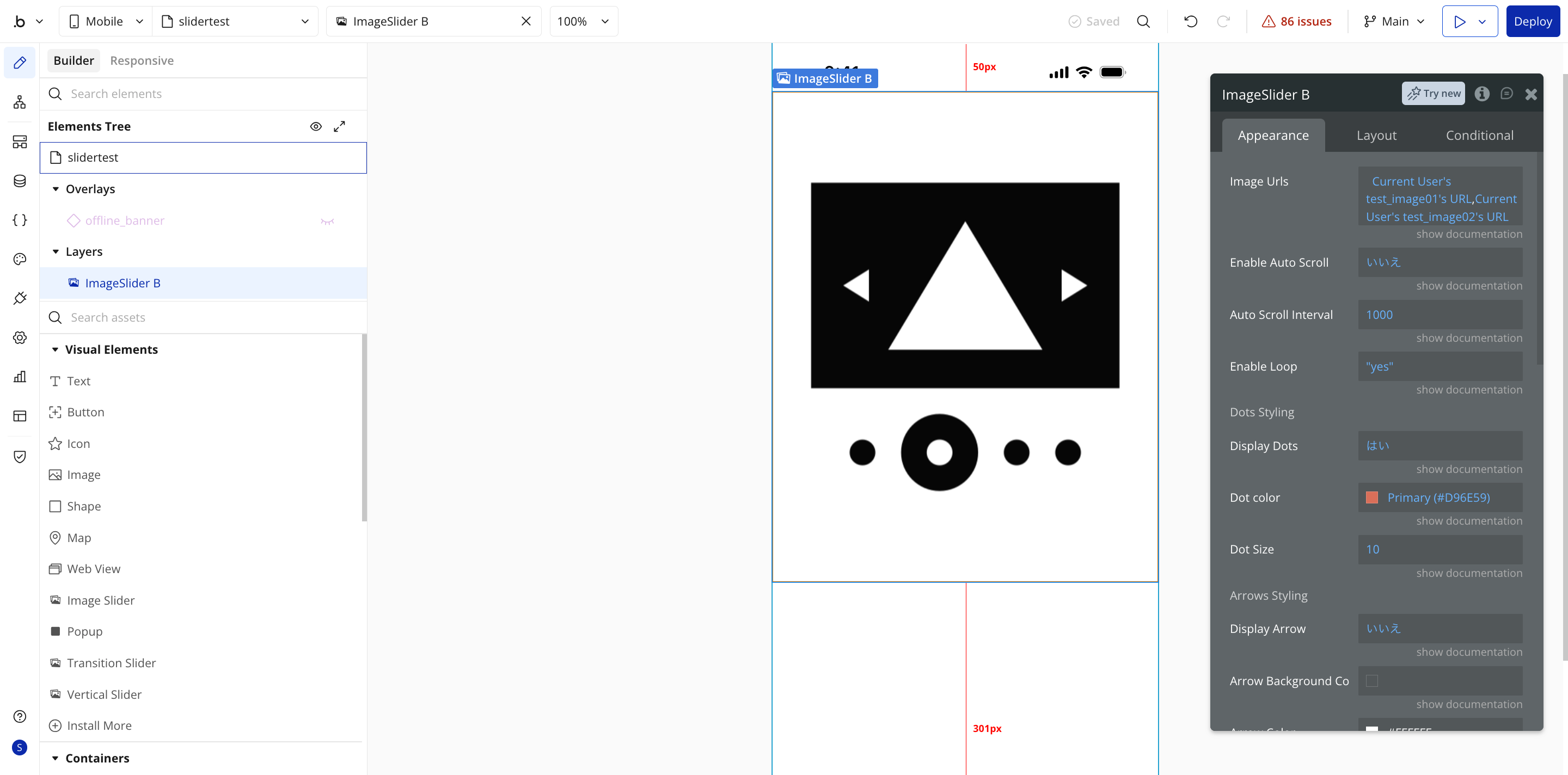
In your first screenshot, the Image Urls field is set up like this: Current User's test_image01's URL,Current User's test_image02's URL

  • The Problem: You have typed these out or joined them manually as a text string separated by a comma. The plugin expects a List of Texts (URLs), not a single text string. Because BubbleGo interprets data strictly, it cannot parse this text string into individual images, resulting in a black screen and a broken loop.
  • The Solution: You need to construct a proper Bubble list. If these images are separate fields on the User data type, you should use the :append operator to merge them into a unified list. Change your expression to look like this: Current User's test_image01's URL :append Current User's test_image02's URL

Additionally, ensure that the Enable Loop field value is evaluated as a proper text or boolean matching our demo setup, rather than a hardcoded static string if it fails to resolve.

2. Independent Border Style Issue

In your second screenshot, we can see why the border styles and roundness are not applying properly:

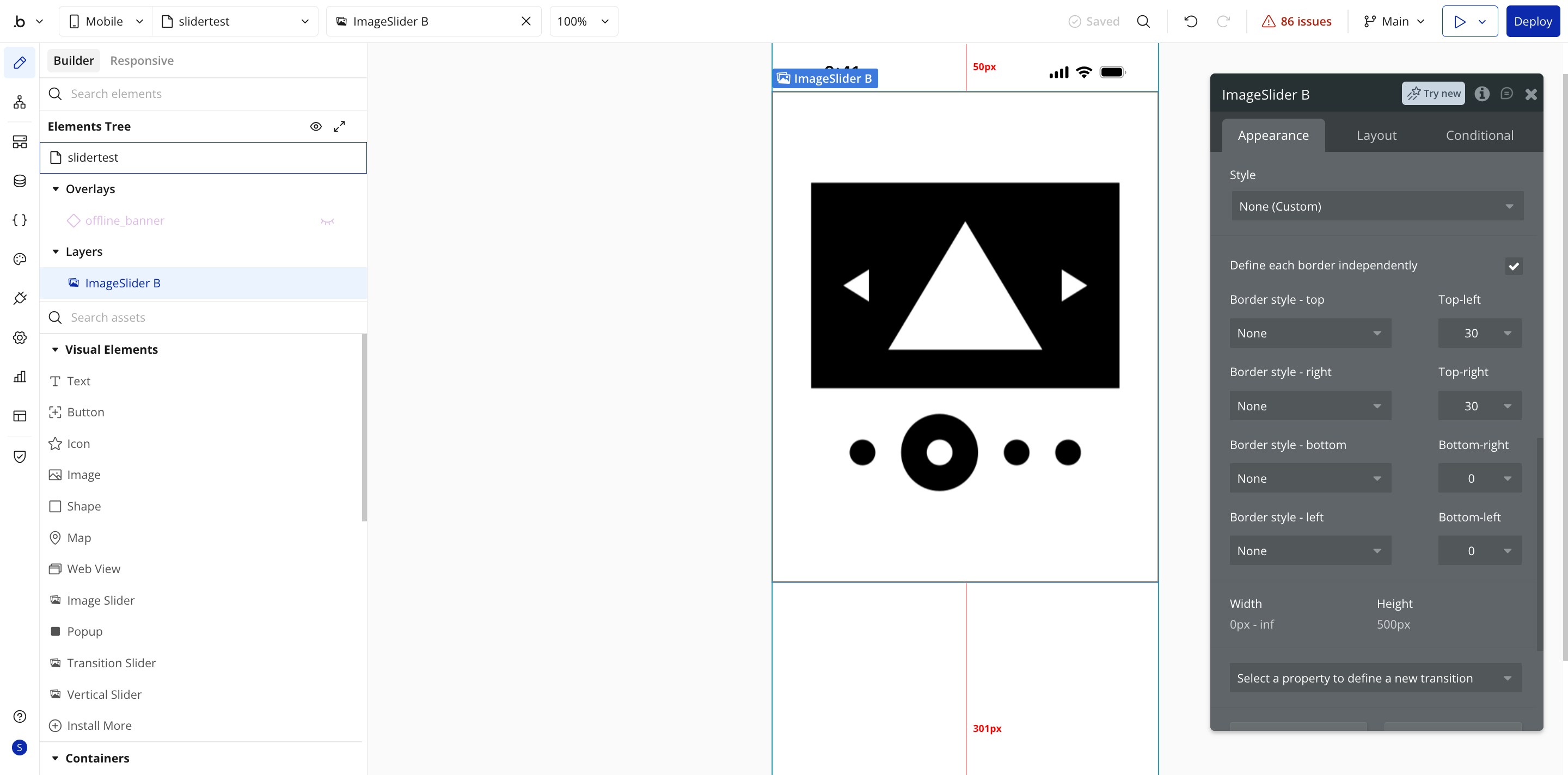
  • The Problem: You have checked “Define each border independently”, set the roundness for the top corners to 30, but the Border style - top, Border style - right, etc., are all set to None.
  • The Solution: In CSS and Bubble logic, if the border style is set to None, the browser completely hides the border properties for that side—meaning your custom corner roundness values are ignored. Change the Border style dropdowns from None to Solid (or your preferred style) for the corners to display properly.

Please apply these changes in your Bubble editor, deploy the updates to your live/test environment, and check how it behaves inside BubbleGo. Let us know if this gets everything working perfectly for you!

Best regards,
Support Team
Browse all Zeroqode Plugins for bubble
Banner_Last3

Thank you for your response.

I updated the Image Urls configuration using :append and also changed the border styles from None to Solid as suggested.

However, the issue still persists both in BubbleGo and in the browser preview:

  • The slider area becomes completely black
  • Images are not displayed
  • Border roundness is still not being applied even though the corner values are set

Additionally, before changing to :append, I also tested using:

Current User's test_image01's URL, Current User's test_image02's URL

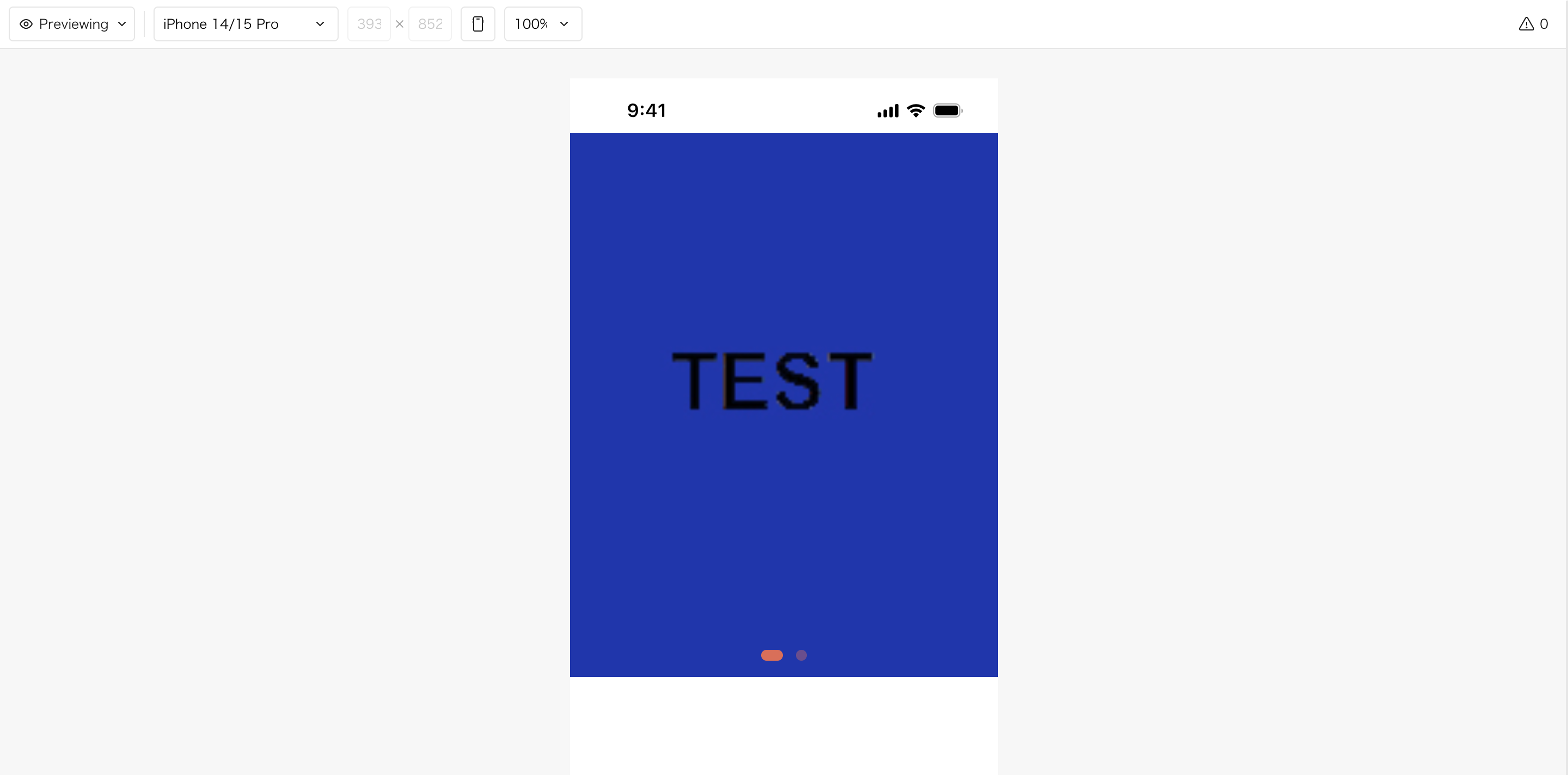
With that setup, the images were displayed correctly in the browser preview, but the border roundness was still not applied even when the border style was set to Solid.

Additionally, when referencing a list of image URLs, the images are displayed correctly in the browser preview, but BubbleGo still shows a completely black screen.

Also, the border roundness is not being applied in either environment (browser preview or BubbleGo), even when the border style is set to Solid .

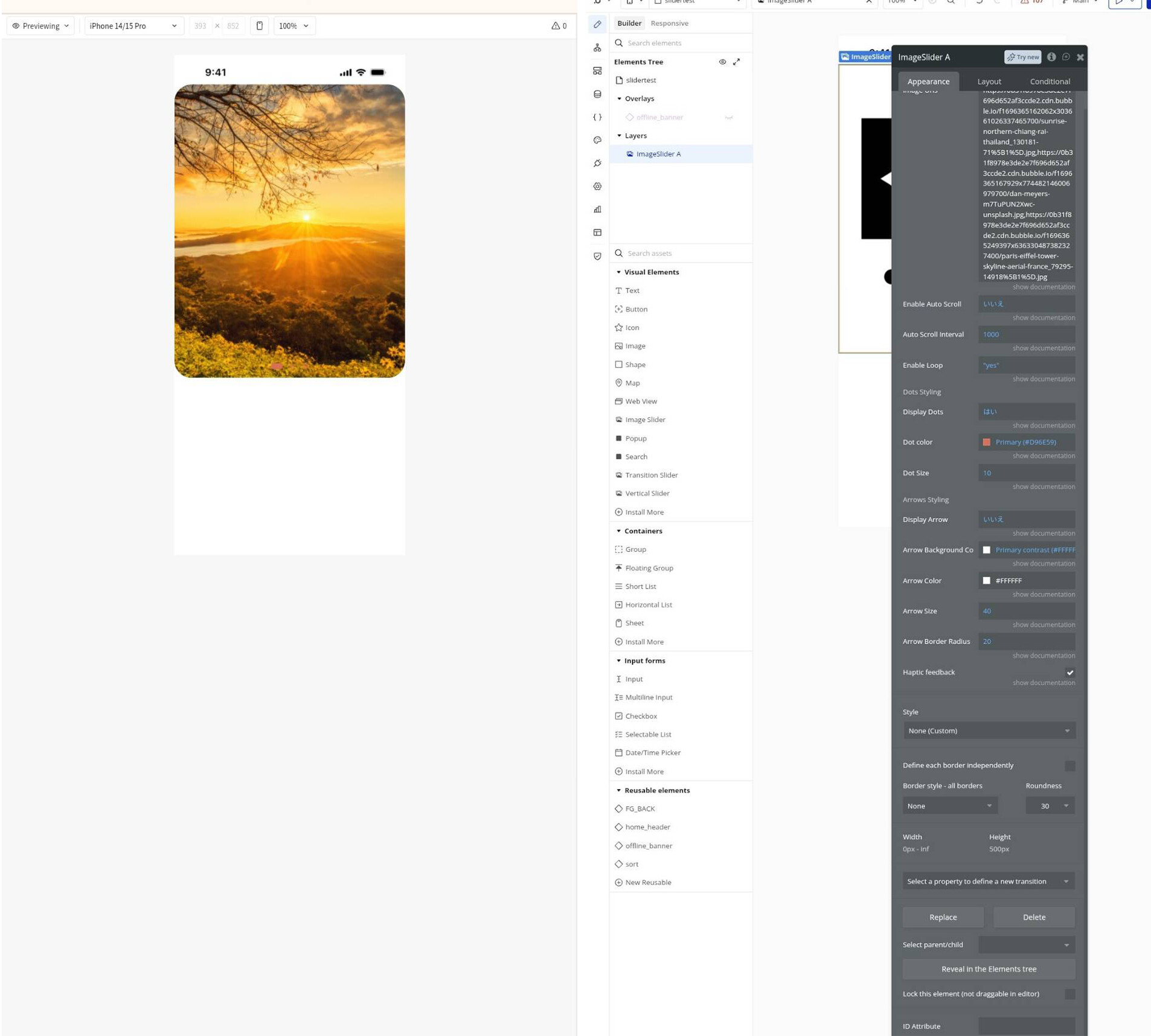
In the screenshot, you can see black outline/duplicate rendering behind the image,

Hi @yoshisss,

Thank you for providing the updated screenshots and clarifying the behavior across both setups! Also, just a quick tip for next time - feel free to upload all your screenshots together in a single message to save you some time.

Let’s break down exactly what is happening with your two distinct setups, as the screenshots reveal some clear syntax and design issues.

Setup A (:append) - Why it goes completely black

In your first screenshot, the Image Urls expression is written as: Current User's test_image01's URL append Current User's test_image02

There are two distinct errors in this expression that break the plugin’s logic entirely, causing it to display a black screen in both the browser preview and BubbleGo:

  • Missing a colon (:): You have manually typed the word append as plain text instead of selecting Bubble’s built-in :append operator from the dropdown menu. When typed out, Bubble treats the entire expression as an invalid text string rather than a functioning list.
  • Missing the second URL property: The second part of your expression points directly to the image object (test_image02) instead of its text path ('s URL).

The Fix: Clear the entire field and let Bubble’s dynamic dropdowns build the expression for you. It must look exactly like this: Current User's test_image01's URL :append Current User's test_image02's URL

Setup B (each item's URL) - Web works, BubbleGo is black

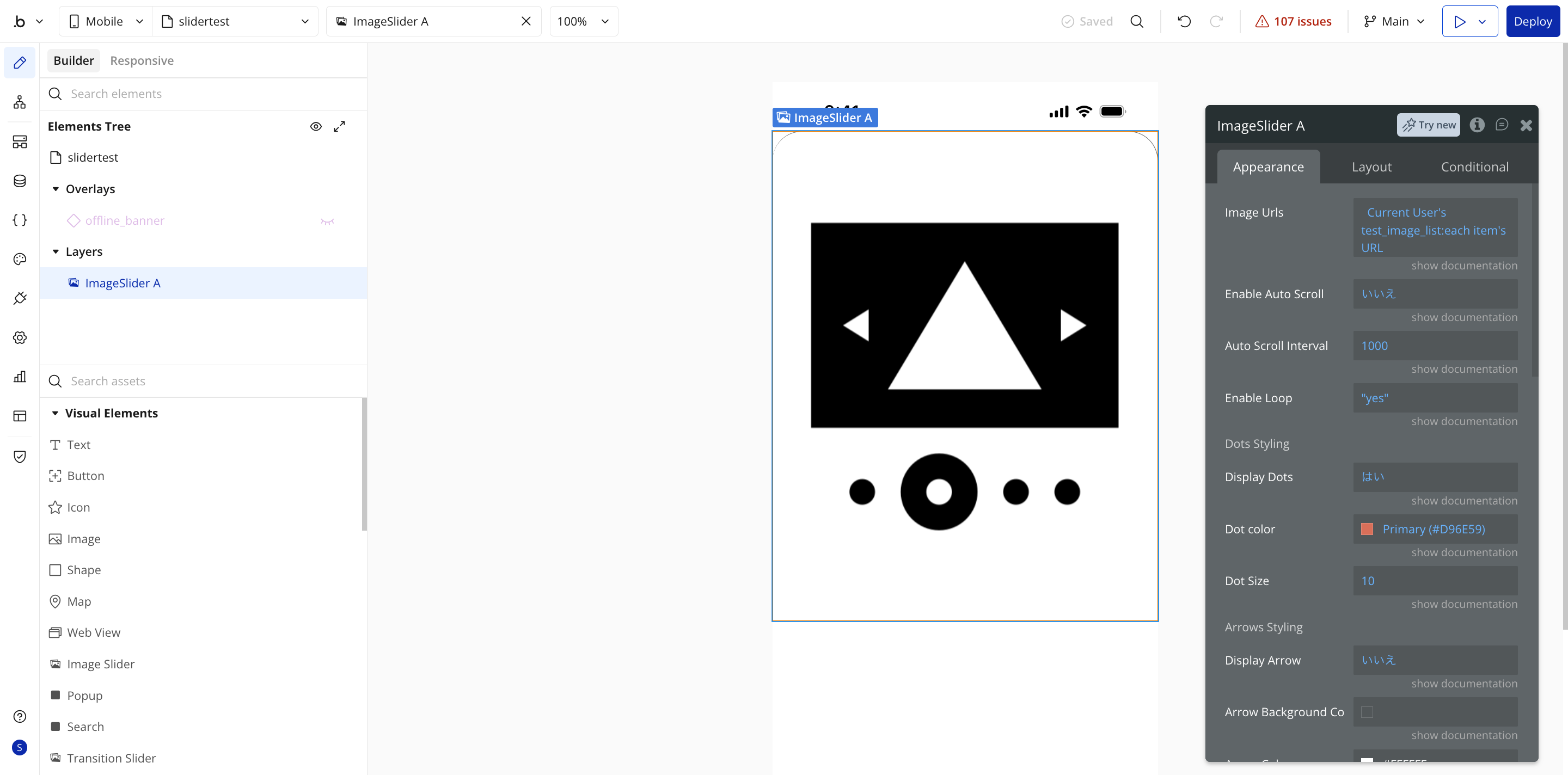
In your fourth screenshot, you changed the data source to a valid list (Current User's test_image_list:each item's URL). This is perfectly formatted, which is why the images display correctly in the standard web browser preview!

  • Why BubbleGo is still black: Native mobile wrappers like BubbleGo often fail to render AWS S3 images if the URL format lacks an explicit protocol header. Bubble natively delivers image URLs starting with a double forward slash (e.g., //s3.amazonaws.com/...). Standard web browsers automatically prepend https:, but mobile wrappers frequently do not, resulting in a failed load (black screen).
  • The Fix: Force the protocol inside your expression by using Bubble’s formatting option: Current User's test_image_list:each item's URL :formatted as Inside the formatting window, prepend https: right before the dynamic link text.

The Independent Border Roundness Issue

In your fifth and sixth screenshots, we can see the “black outline/duplicate rendering” behind your image, and why the corners look sharp.

  • The Problem: The rounded corners are actually working in the browser preview! If you look closely at your sixth screenshot, you can see thin, curved grey lines at the top-left and top-right corners. However, the internal images or the background layer of the plugin are square and overlapping the rounded border container, creating that sharp black artifacting.
  • The Fix: To make the image content clip cleanly to your rounded corners, navigate to the Layout tab of the ImageSlider A element and check the background settings. Ensure that the background color of the element matches your page background, or set the element’s background style to None.

Check Our Live Setup

To see how the fields, dynamic expressions, and styles are configured in a working environment, I highly recommend opening our official demo editor here: Image Slider Pro for Bubble Mobile Demo Editor

Please try adjusting the syntax for your lists and adding https: for the wrapper environment, and let us know if this gets everything rendering beautifully!

Best regards,
Support Team
Browse all Zeroqode Plugins for bubble

Banner_Last3

I would like to keep multiple images within a single post, but because this is a new user account, I am currently limited to one image per post.

Also, regarding the roundness issue, the border radius is only not applied when “Define each border independently” is enabled.
If I use the normal background/border settings instead, the roundness works correctly.

Hi @yoshisss,

That completely makes sense about the forum’s new user limitation for attachments - thank you for letting me know!

Looking at your latest screenshots, it is great to see your images are now loading beautifully in the browser preview. Let’s look at why the “Define each border independently” option isn’t rendering the roundness properly compared to standard border settings.

The Independent Border Roundness Issue Explained

By default, the standard Roundness setting applies a unified border-radius property directly to the outer container of the slider plugin, which successfully clips all the internal slide elements.

However, when you check “Define each border independently”, Bubble changes the underlying CSS properties generated for the element. Because of how the slider plugin initializes its internal layout layers, these specific independent border properties are not cascading down to clip the square images underneath, causing the sharp edges you see in your second screenshot.

The Workarounds

Since the standard unified roundness settings work perfectly for your design, here are the best ways to achieve your layout:

  1. Use standard Roundness with a bottom cover group (Recommended): If you only want rounded corners at the top and sharp corners at the bottom, keep the standard Roundness setting at 30. Then, place a small, square-cornered floating or standard Bubble Group matching your page background color directly over the bottom edge of the slider to visually “mask” and flatten out the bottom rounded corners.
  2. Wrap the Slider inside a Bubble Group: Set the Image Slider’s borders back to default (sharp corners). Place the entire Image Slider element inside a regular Bubble Group. On that parent Group, enable “Define each border independently”, set your top corners to 30, and most importantly, make sure to check “Apply border radius to clip content” (if available in your responsive layout settings) or set its overflow behavior to hidden via custom CSS if needed.

Moving Forward with the BubbleGo Black Screen

Since your images are now correctly showing up in the web preview using the text list, please let me know if you’ve had a chance to test adding the https: prefix using the :formatted as text setup we discussed previously. This step is critical for native wrappers like BubbleGo to recognize the asset paths.

Best regards,
Support Team
Browse all Zeroqode Plugins for bubble

Banner_Last3

Hi @yoshisss,

I hope everything is going well on your side!

I’m just checking in to see if you’ve had a chance to test out the workarounds for the independent borders, or if adding the https: prefix using the :formatted as text option resolved the black screen issue within your BubbleGo wrapper.

Please let us know how it went or if you need any further assistance with your setup.

Best regards,
Support Team
Browse all Zeroqode Plugins for bubble
Banner_Last3