
Hey everyone 
Excited to share something that turns your Bubble native app into a full-blown messaging experience - Chat Bubble Mobile is live!
If you’ve ever wanted a real chat inside your mobile app - not a clunky workaround, but something that feels like the messaging apps people use every day - this is it. Text, images, files, reactions, replies, editing, deleting - all in a single element.
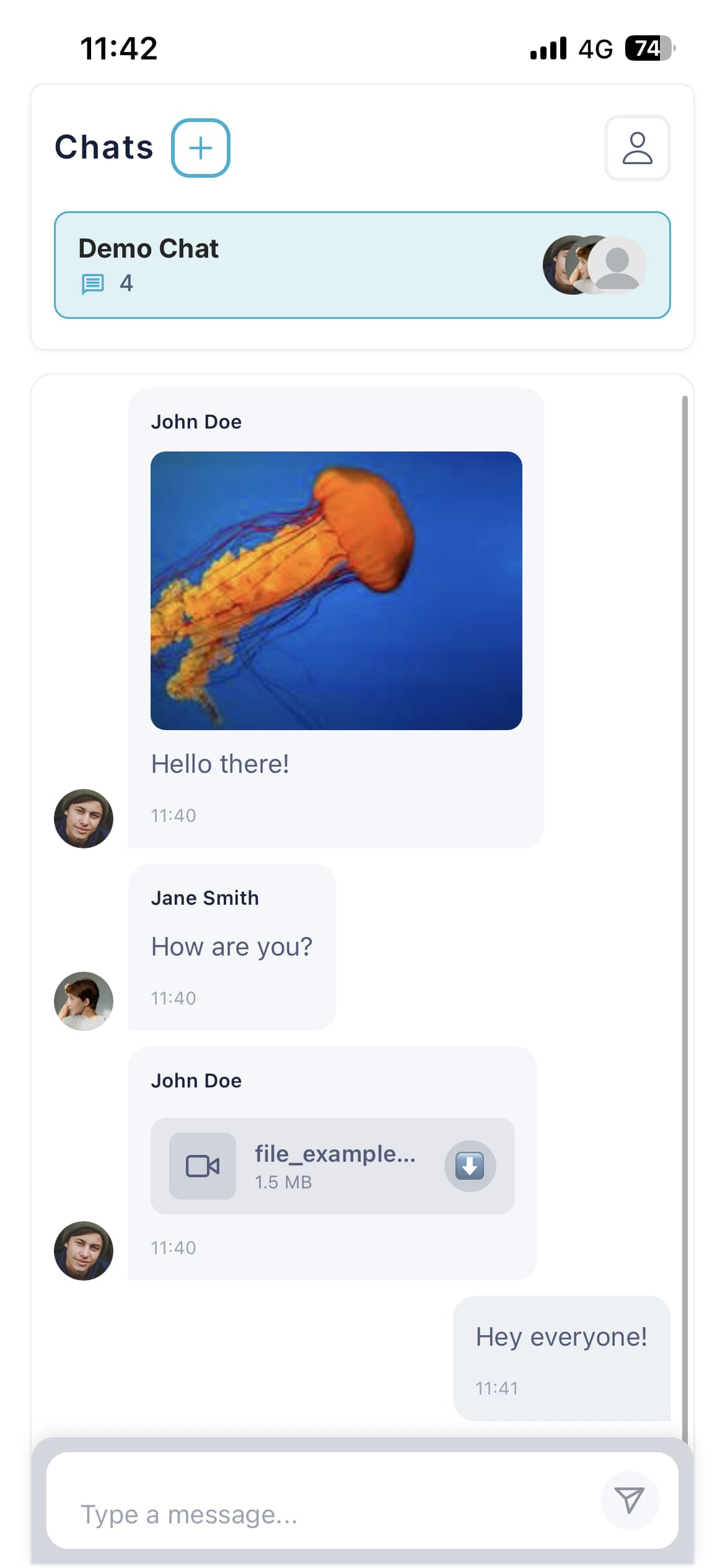
A few reasons it’s worth a look:
 A full chat in one element. Messages, image + file attachments, emoji reactions, threaded replies, edit and delete - all native on iOS and Android.
 Optimistic UI that feels instant. Messages appear the moment you hit send, then sync to your database in the background.
 Yours down to the pixel. Light and Dark themes, or go full custom: bubble colors, fonts, avatars, corner radius, even your own icons.
 Reactions & replies done right. Long-press to react, tap to reply, customizable emoji set, and see who reacted - with events wired up for easy saving to your database.
 Ready to ship anywhere. Every label is translatable, file size limits built in, plus a background image option for extra polish.
Great for anything social - community apps, marketplaces, support chats, dating, team tools, or any product where people need to talk to each other.

Drop your questions below or send over a feature request - always happy to hear what you’re building! 
Support Team
Browse all Zeroqode Plugins for bubble