
Services Plugins FAQs

📤 New Plugin Release: File Uploader Pro Native Mobile

Hello everyone!

Introducing File Uploader Pro Native Mobile - the ultimate solution for uploading files directly from your Bubble Native mobile app.
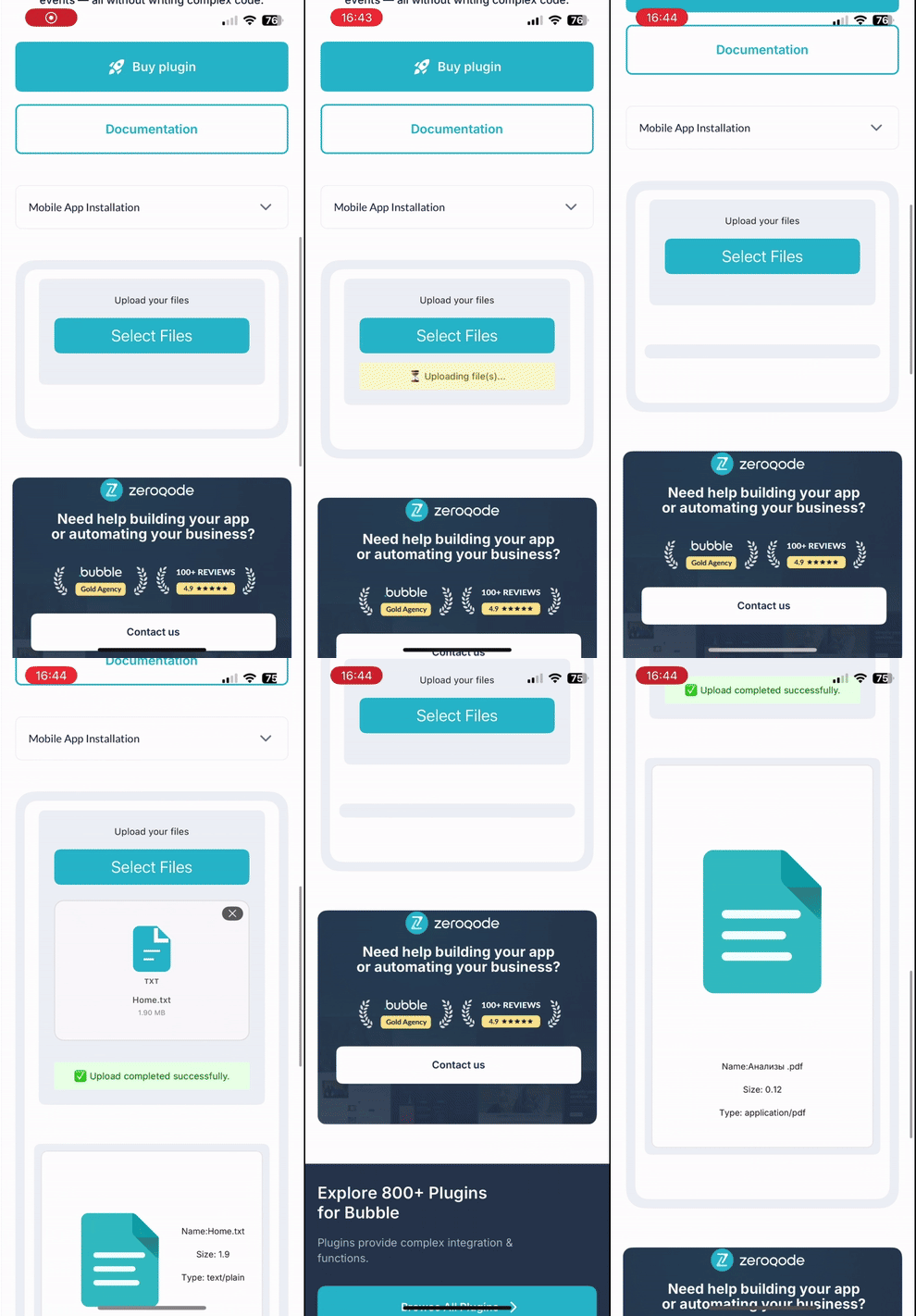
ezgif-64a4209102cc88

:open_file_folder: Key Features:

  • Universal File Uploads: Let users easily upload images, documents, videos, or any file type - right from their device.

  • Real-Time Upload Progress: Show smooth progress indicators to give users instant feedback during the upload process.

  • Dynamic Styling: Tailor the look and feel to perfectly match your app’s design - from icons to animations.

Designed for forms, user profiles, and media submissions, File Uploader Pro Native Mobile ensures a fast, intuitive, and well-integrated upload experience.

:point_right: Demo | Documentation

Empower your users with frictionless file uploading - native, responsive, and beautifully integrated!

:bell:For a simple, lightweight way to upload only images in your Bubble app, try our basic File Uploader Bubble Native - perfect for quick and easy visual uploads.

Mishel Arzamastseva
Executive Assistant @ Zeroqode

Browse all Zeroqode Plugins for bubble
Banner_Last3

1 Like

Hi everyone,

We have officially released version 1.21.0 of the File Uploader Pro Native Mobile plugin.

What is new in version 1.21.0:

This release introduces Headless mode, giving you complete flexibility to design custom user interfaces while maintaining native file uploading functionality.

  • Headless mode: Run the uploader without displaying the default visual element on your page.
  • Open Picker action: Trigger the native mobile file picker programmatically using Bubble workflows.
  • Hide Built-in UI: Conceal the default plugin interface so you can attach upload workflows to your own custom buttons or icons.
  • Is Busy state: Track whether a file selection or upload process is currently active. Use this custom state to display loading spinners or temporarily disable submit buttons.

How to update:

  1. Open your Bubble editor and navigate to the Plugins tab.
  2. Select File Uploader Pro Native Mobile from your installed plugins list.
  3. In the version dropdown, select 1.21.0 .
  4. Refresh your Bubble editor to ensure all new actions and states are properly indexed.

For comprehensive configuration guides and element documentation, visit our official documentation at File Uploader Pro Native Mobile.

If you have any questions or need technical assistance with this release, reply directly to this thread or reach out to us here or via support@zeroqode.com.

Best regards,
Support Team
Browse all Zeroqode Plugins for bubble
Banner_Last3