Services Plugins FAQs

Plugin: Google Maps Custom Markers - Tracking dot/marker not showing and no exposed Zoom state

Tracking dot
The tracking marker is not showing in Google Maps Custom Markers plugin after using the “start tracking action”.

Is this by design, or a bug? How would I go about adding a marker if by design… missing that classic Google Maps pulsing dot.

Exposed Zoom level state
Also, the Zoom state is not exposed. Any chance you can expose that? - The Build in Maps Element have it, same goes for most of your other Map plugins. I really really need it :slight_smile:

Hi @siticum,

Thanks for reaching out.

Regarding the Start Track Location / Stop Track Location action - this feature is intended to show the current device position and track its movement on the map.
If the tracking marker is not appearing as expected, could you please share a bit more about your setup so we can better understand what’s happening?

Specifically, it would help if you could provide:

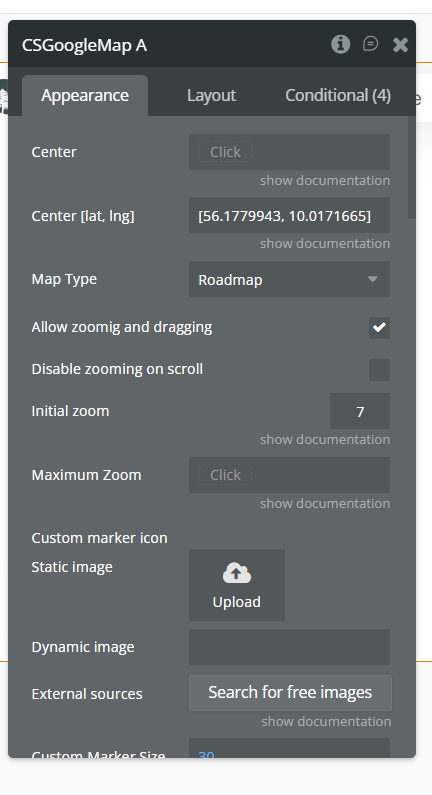
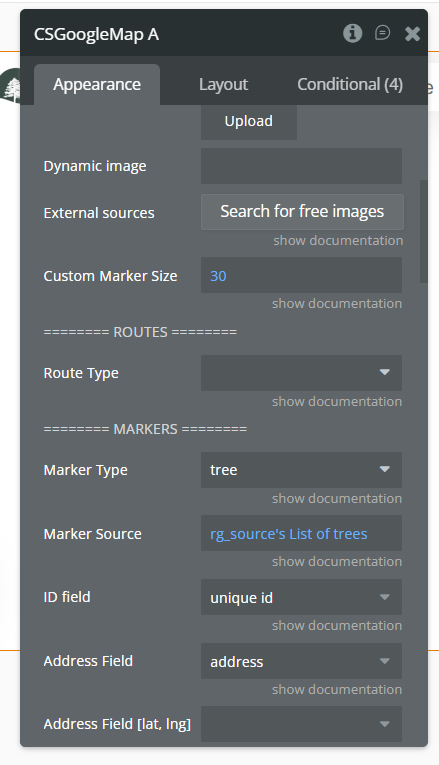
  • screenshots of the map element settings
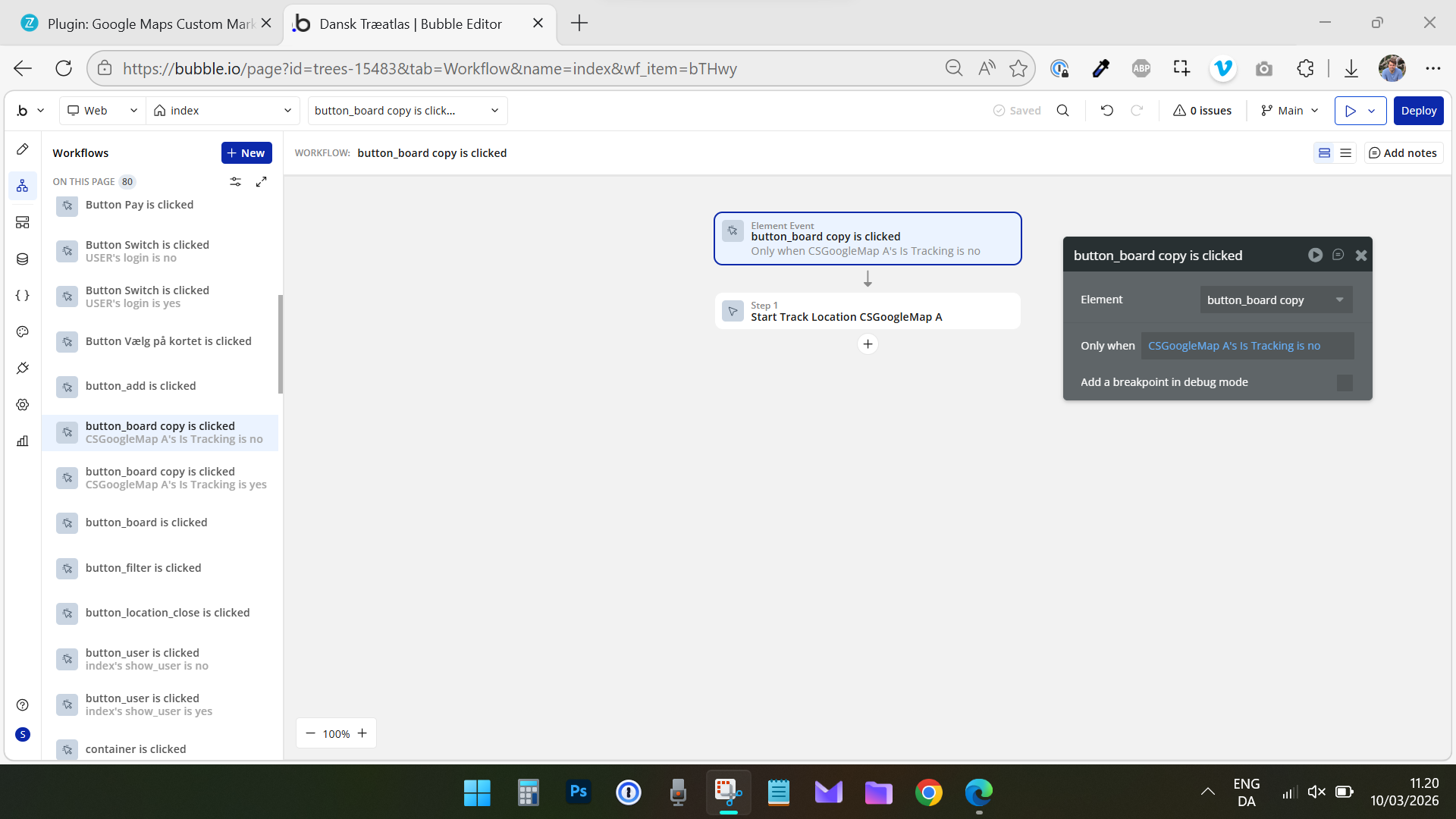
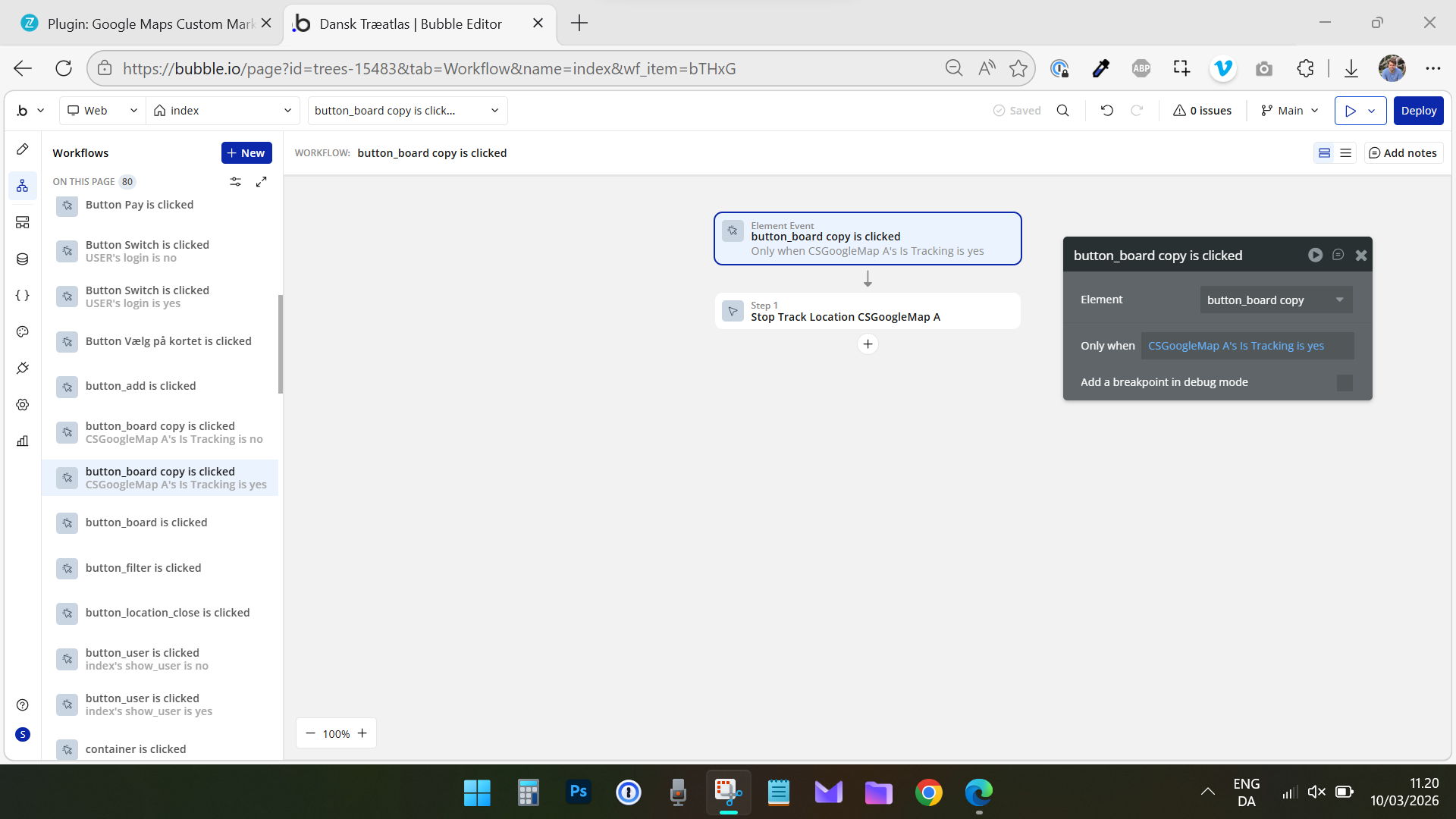
  • the workflow where Start Track Location is triggered
  • a short screen recording showing the behavior on the page

This will allow us to try reproducing the issue on our side.

As for the Zoom state, you’re correct - the current zoom level is not exposed as a state in the plugin at the moment. However, if you could describe your use case in a bit more detail (for example, whether you need just the numeric zoom level or some dynamic value that updates when the map zoom changes), I’d be happy to share this request with our developers so they can review the feasibility of adding this in a future update.

Looking forward to your reply.
Thanks!

Best regards,
Support Team
Browse all Zeroqode Plugins for bubble
Banner_Last3

Hi @constantin.raicovici

Thanks for the quick reply.

Expose zoom level
Use case: User zooms map when placing a new marker in www.traeatlas.dk. Center of map is used to place marker, and the zoom level needs to be at least 17 for the marker placement to be precise enough. I want to use a condition on a “confirm” button to approve the position and the zoom level of the map.
Request: No, currently the zoom state is not exposed as a state in the plugin at the moment. I would like an exposed Zoom State on the Map element that changes once the Zoom level on the map changes as the user zooms in and out. It is a “dynamic value that updates when the map zoom changes” as you mentions.

Trigger: When zoom is changed
A trigger on “when zoom level is changed” would also be good to have and allow me to add actions to enable / disable tracking once the zoom is changed - for improved user UX.

Map tracking marker
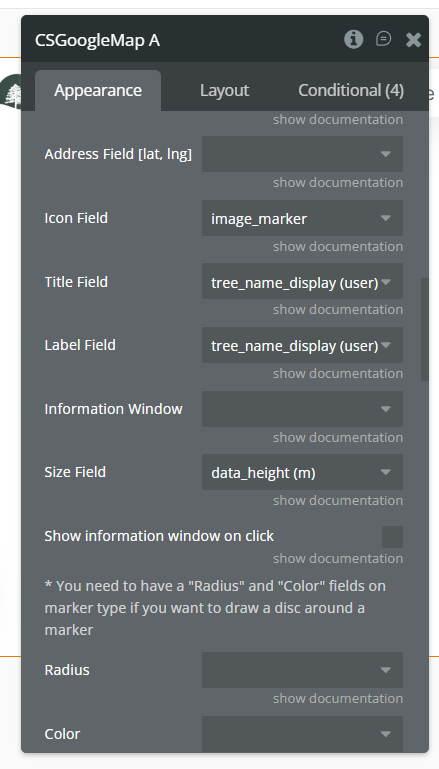
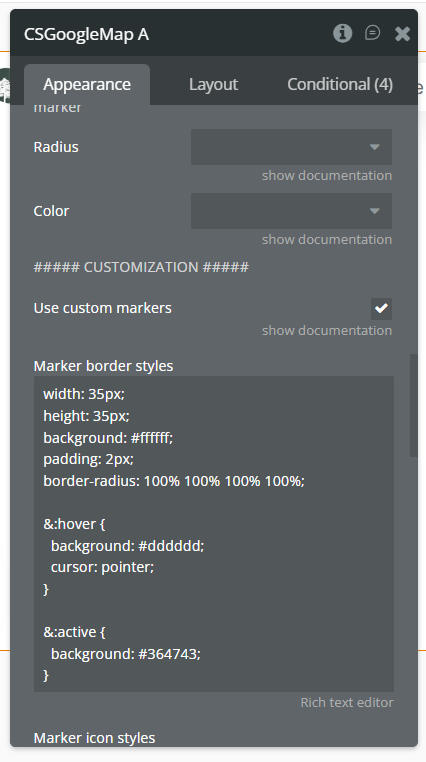
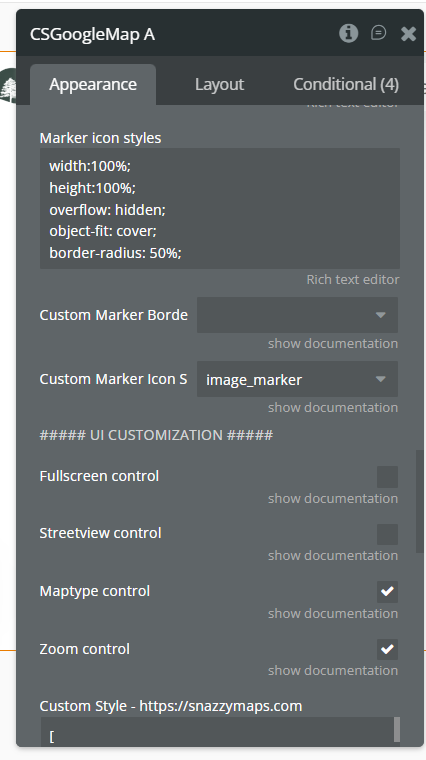
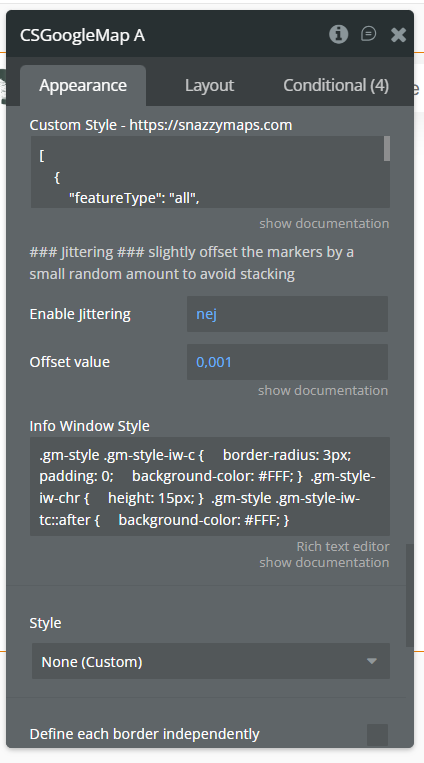
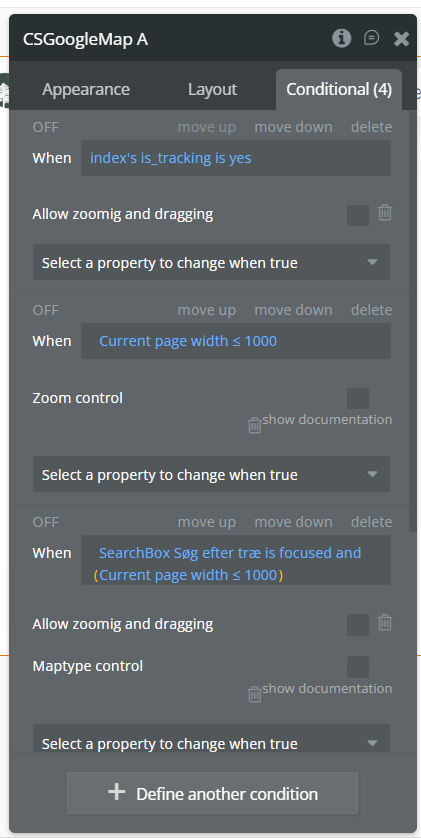
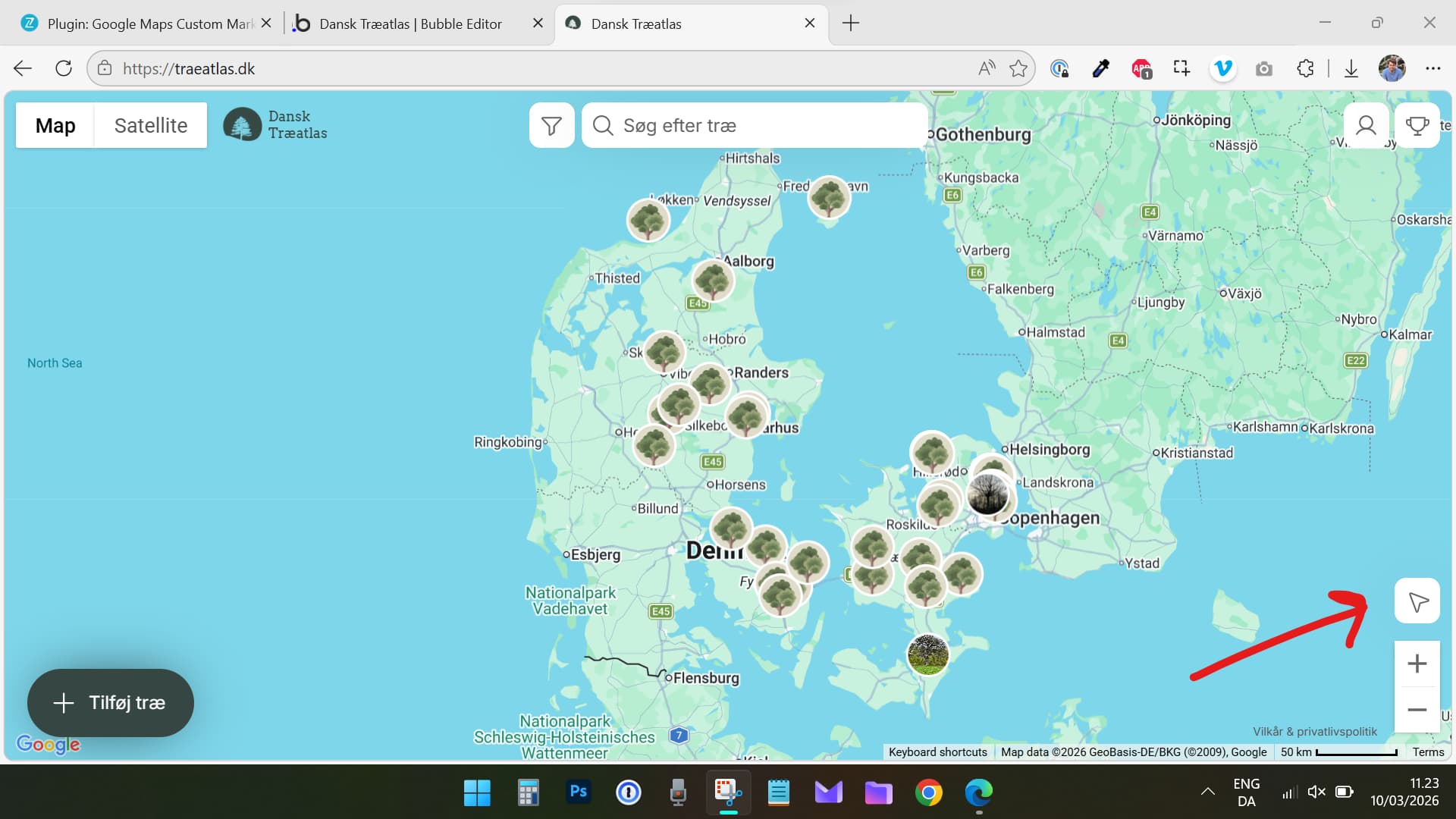
See screenshots below.
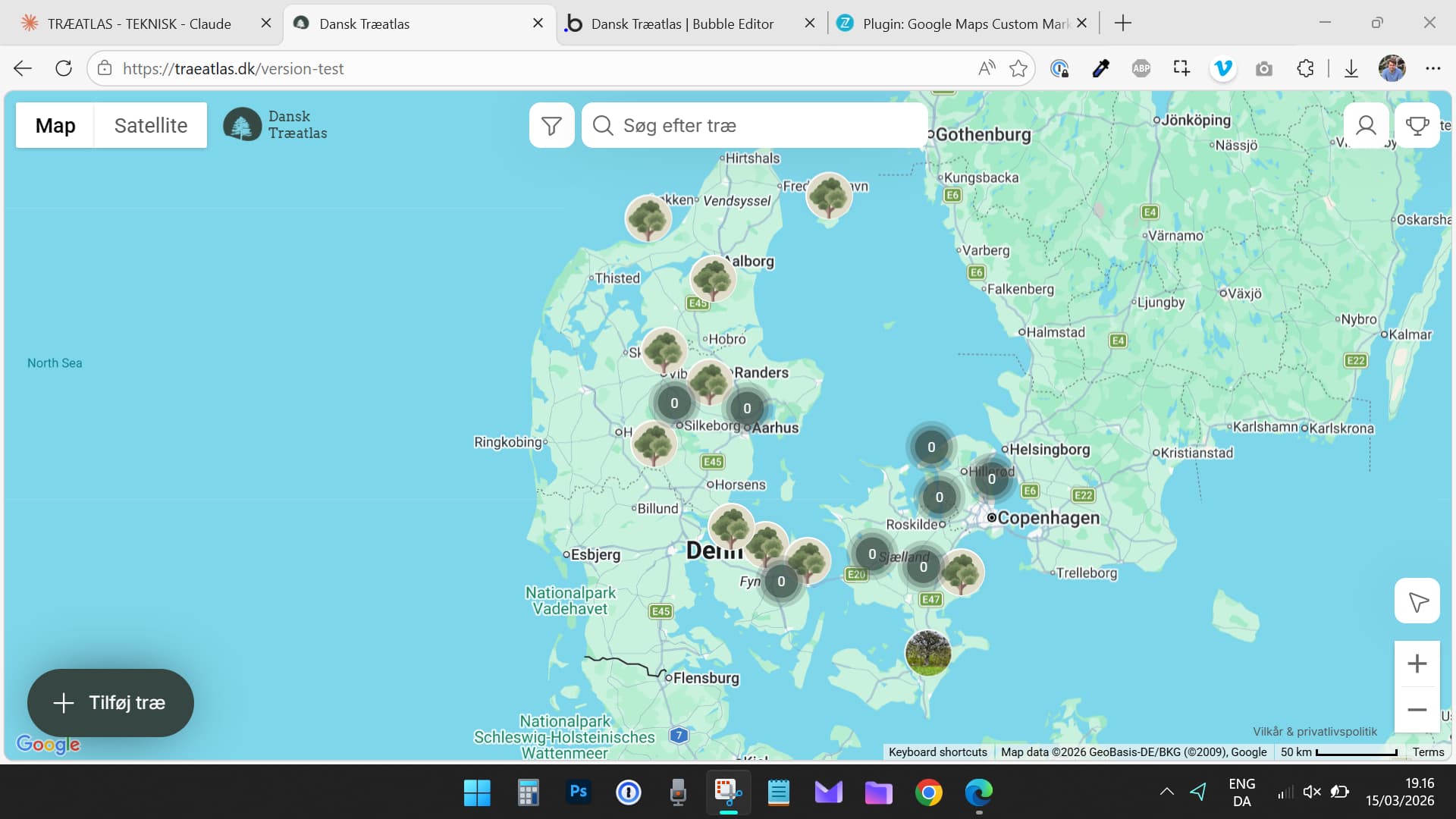
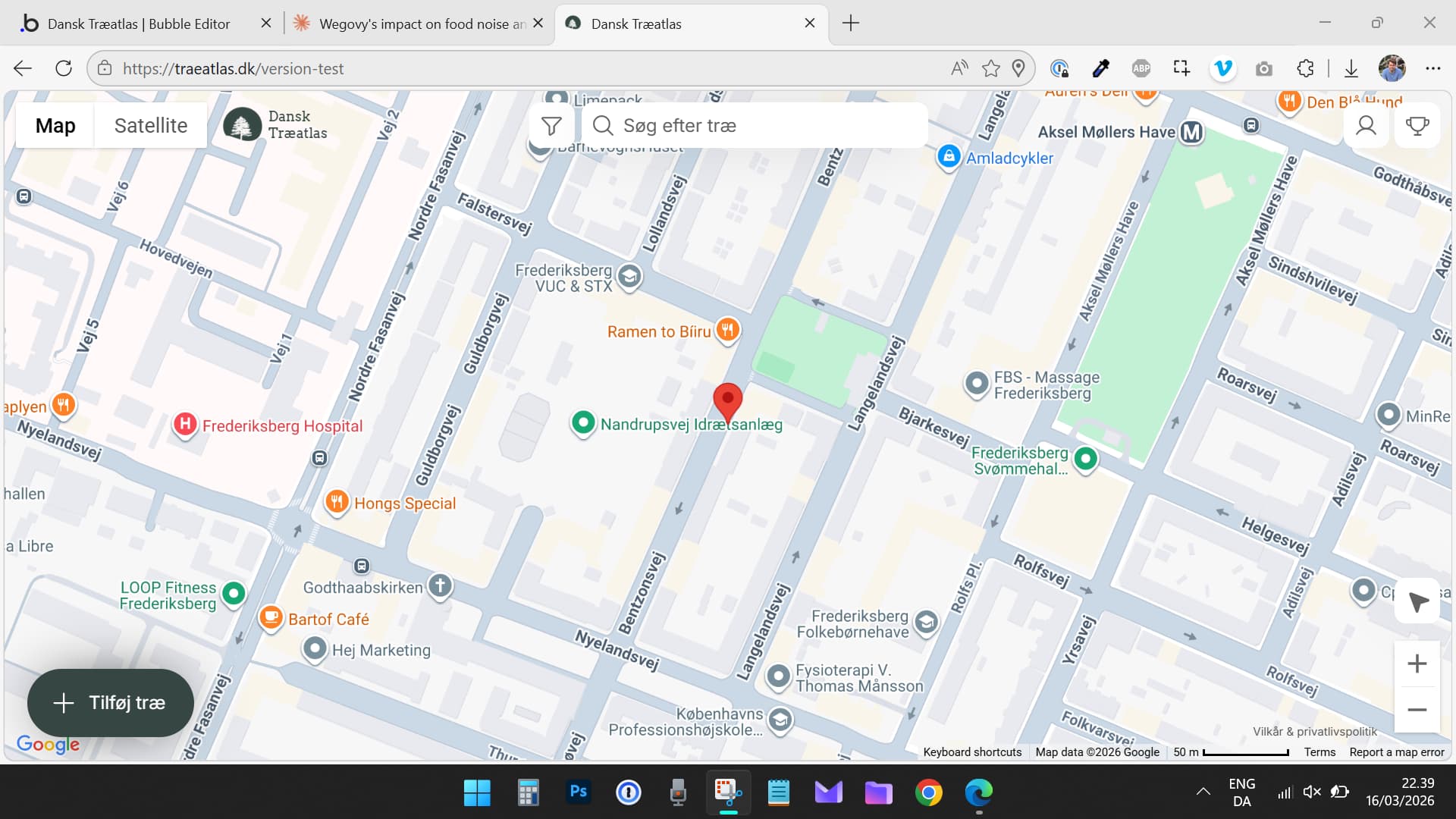
Workflows: Click starts tracking action, second click stops tracking action. The browser requests location access (desktop and mobile ) and the Map element “is tracking” state changes to “yes”. But the marker is not shown on the map. Checking the “center map” tickbox works, but the marker is still not shown.
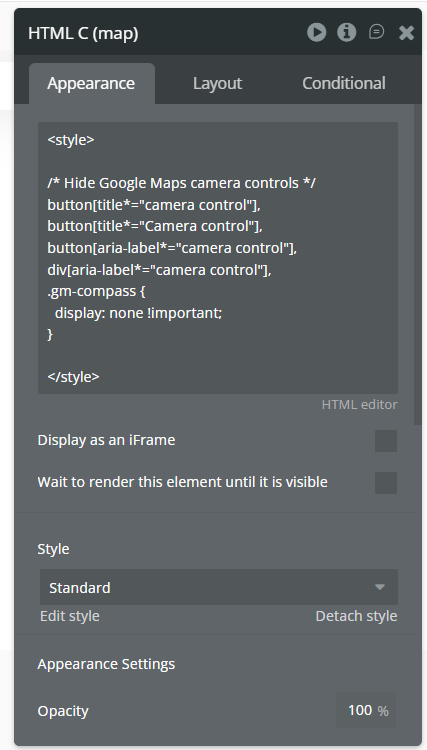
Setup and tests: Bubble app on paid plan. Google API key working. I have tested it on both Web and Mobile. Its not working on either. Others cant get it to work either on my app. I don’t have any fancy code or plugins installed. And no other map plugins. A bit of CSS to hide the map controls for zooming etc. which works well. I really need this plugin, the customer marker parts works really well compared to other plugins as I can customize them with CSS. Consider adding that feature to your other Google Maps plugins as well :slight_smile:

Try it yourself on: Dansk Træatlas (www.traeatlas.dk - in Danish).

Screenshots:


Let me know if you need anything else or access to the app.

Hi @siticum,

Thank you for the detailed explanation and screenshots - that helps a lot.

Zoom level state

Your use case makes sense. At the moment, the zoom level is not exposed as a state in the Google Maps Custom Markers plugin. However, your explanation about needing a dynamic zoom value that updates when the user zooms in or out is very clear.

I’ll share your request with our developers so they can review the feasibility of adding:

  • an exposed Zoom state on the map element that updates dynamically when the zoom changes
  • potentially a “Zoom changed” trigger that could be used in workflows

Once I have feedback from the dev team, I’ll update you.

Tracking marker

Regarding the tracking marker, the Start Track Location action should display the device’s current position and track movement once location permission is granted.

From the screenshots, your workflow logic looks correct (start tracking when Is Tracking = no and stop when Is Tracking = yes). However, since the element state changes to “tracking = yes” but the marker itself is not displayed, we’ll need to try reproducing this behavior.

To help us investigate further, could you please confirm a couple of things:

  • Does the map center change when tracking starts if Center map is enabled?
  • Are you testing this on HTTPS (location tracking requires it)?
  • Does the browser location permission prompt appear and get accepted when starting tracking?

If possible, it would also help if you could share:

  • a temporary editor link or collaborator access (support@zeroqode.com) so we can check the setup directly
  • or a short screen recording showing the behavior when the tracking starts

We’ll do our best to reproduce the issue and understand why the tracking marker is not appearing.

Thanks again for the detailed report and suggestions - we really appreciate it!

Best regards,
Support Team
Browse all Zeroqode Plugins for bubble
Banner_Last3

Much appreciated!

Added support@zeroqode.com as a collaborator.

Hi @siticum,

Thank you for the detailed explanation and for adding us as a collaborator - that was very helpful.

From what we can see so far, the tracking itself appears to be working correctly in your setup. The browser requests and accepts the location permission, the map centers correctly when tracking starts, and Bubble is able to pull the current location. This indicates that the Start Track Location action is functioning as expected and the geolocation watch is active.

The part that seems unusual is that no visual tracking marker appears on the map, even though tracking is active. After reviewing the setup screenshots, the most likely cause appears to be related to the custom marker configuration and additional CSS customization applied to the map.

Specifically, we noticed that “Use custom markers” is enabled and the marker icon source is set to the image_marker field. Your database markers use this field correctly, but the tracking marker is not created from the same data structure as regular markers, so it may not have access to that field. Because of this, the plugin may be trying to render the tracking marker using the same custom marker logic and ending up with no visible icon.

In addition, there is a custom HTML/CSS block on the page that modifies Google Maps UI elements. While the CSS appears to target camera controls and the compass rather than markers directly, it still affects the Google Maps DOM structure, which can sometimes interfere with map overlays or plugin-rendered elements.

To help narrow this down, could you please try the following quick tests?

  1. Disable custom markers temporarily
    In the map element, uncheck “Use custom markers” and test the tracking again. This will help confirm whether the custom marker configuration is preventing the tracking marker from rendering.
  2. Temporarily remove the HTML CSS block
    Disable the HTML element that injects the custom CSS and test the tracking again to see if the marker becomes visible.
  3. Test with minimal map configuration
    If possible, try a quick test page with the same plugin element and API key but without:
  • custom markers
  • custom CSS
  • additional conditional stylingThen run Start Track Location again and see whether the marker appears.

These tests will help determine whether the issue is related to custom rendering rules rather than the tracking action itself.

Could you please let us know the results after trying the steps above? That should help us identify exactly where the marker rendering is being affected.

Thanks again for the detailed report and for giving us access to the app - we really appreciate it.

Best regards,
Support Team
Browse all Zeroqode Plugins for bubble

Banner_Last3

Hi @constantin.raicovici

Once again, appreciate the help.

  1. Tested, still not working
  2. Tested, still not working
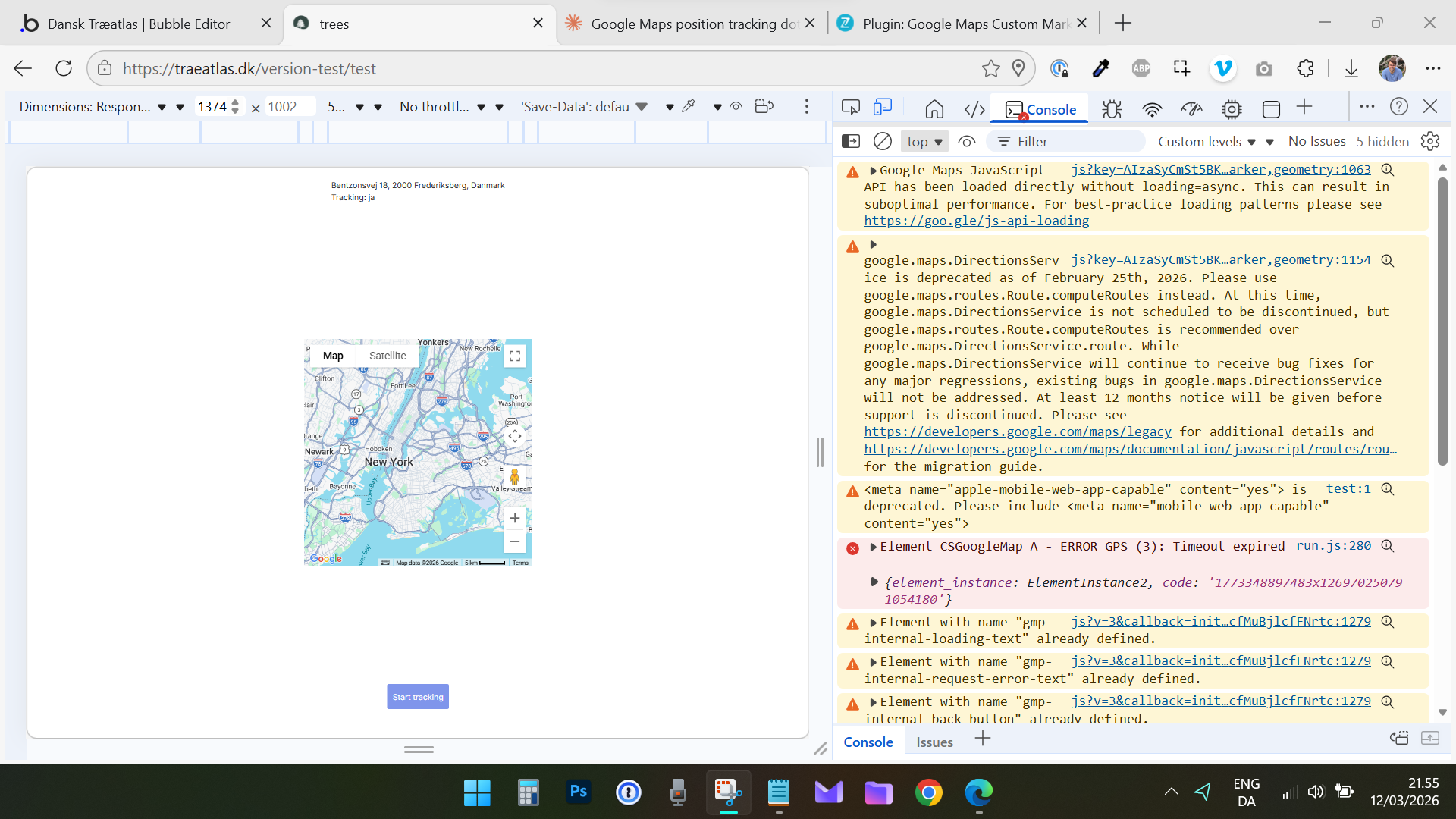
  3. I made a new page called /test on the app. Nothing on that, but the map, 1 button and 1 action to start tracking. trees Try it out. Maybe test it in your own app somewhere. Atm. I cant get it to work on Edge and Chrome on desktop, and not on my phone either.

After running some serious debugging of timeouts and console logs with Claude, it concludes:


Since geocoding works but geolocation doesn’t, and you’ve confirmed:

  • Browser geolocation works on other sites
  • This plugin fails on all devices
  • No timeout settings available

I think the plugin’s geolocation code is genuinely broken.

  • Pass this on: “Start Track Location action fails with GPS timeout (Error 3) on all devices” Plugin version: 3.5.0

Key diagnostic questions for Zeroqode:

  1. The element shows “Tracking: ja” but no position is acquired - the tracking state is set, but the GPS callback never succeeds
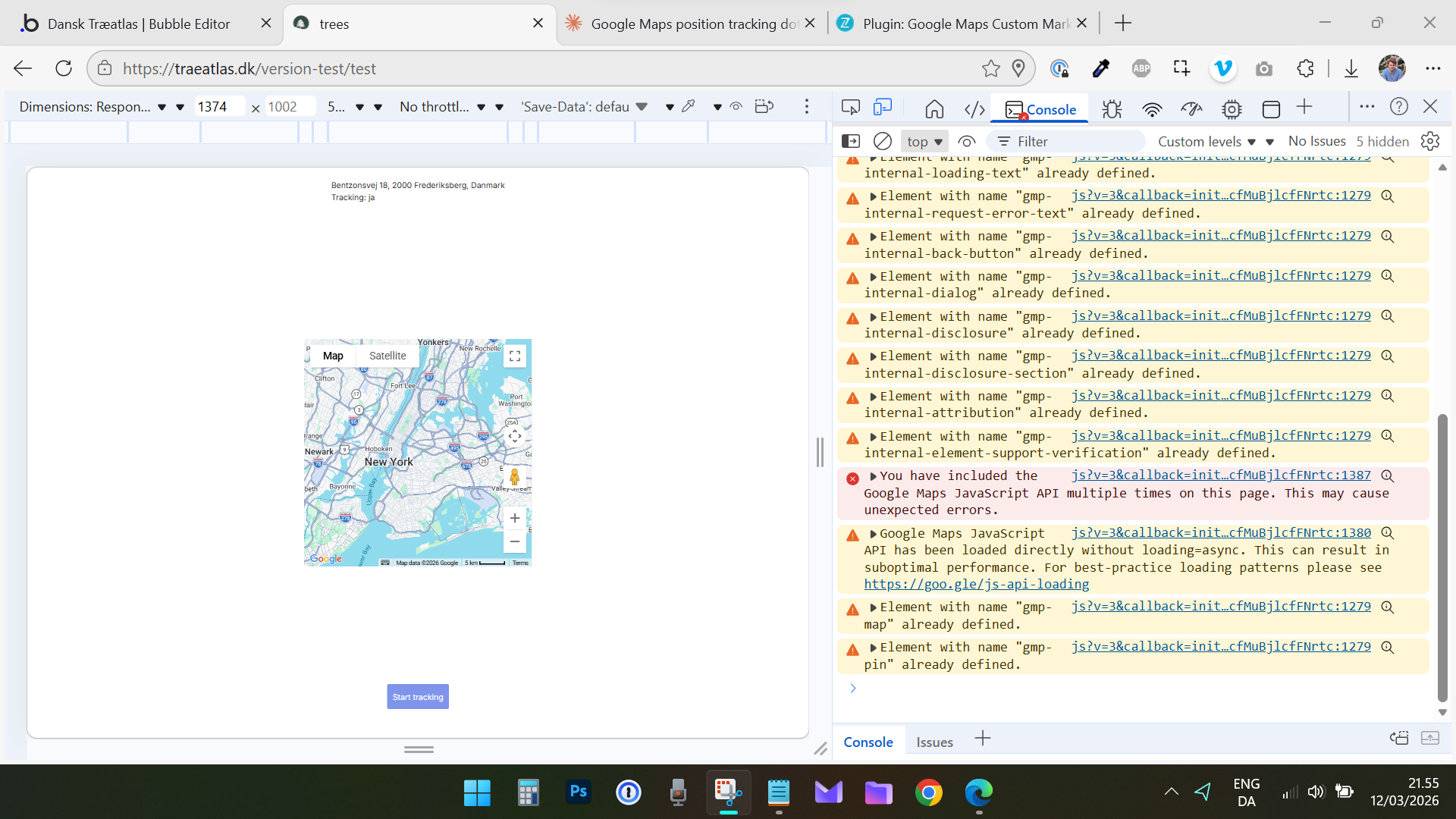
  2. Google Maps API is being loaded multiple times on the page - could this be causing the geolocation API to fail? (The warning about multiple loads)
  3. The console shows the map loaded without async - could this affect the timing of geolocation initialization?
  4. Does the plugin properly handle the case where the map is loaded multiple times? The “gmp-internal-*” errors suggest something is being initialized twice.

Any my console logs - There is a suspicious loading error.


Hi @siticum,

Thank you for the update and for sharing those console screenshots.

I’ve reviewed the errors with our team, and we have successfully replicated the issue on our end.

I am now passing this to our developers to investigate the root cause within the plugin’s rendering logic.
We will keep you posted on the progress and notify you as soon as a fix or a workaround is available.

Best regards,
Support Team
Browse all Zeroqode Plugins for bubble

Banner_Last3

@constantin.raicovici

Very cool! Keep at it and thanks at a lot! Keen on publishing the app.

Seeing that cluster numbering is not working either in the plugin

Hi @siticum,

I’m reaching out with some great news!

Our developers have finished the update, and we have just published version 3.6.0 of the Google Maps Custom Markers plugin.

This update includes the feature you requested:

  • New Zoom Level field: You can now access the map’s current zoom level as an exposed state.
  • New Event: We’ve added a specific event that triggers when the zoom level changes, allowing you to run workflows dynamically based on how far the user is zoomed in or out.

To take advantage of these new features, please go to the Plugins tab in your Bubble editor and update to the latest version.

Regarding the previous issues with the tracking marker and cluster numbering, our team is still investigating those as part of the broader library conflict we discussed. I will keep you updated on those specific fixes as soon as I have more information.

In the meantime, feel free to test the new Zoom Level state and let us know if it works as expected for your setup!

Best regards,
Support Team
Browse all Zeroqode Plugins for bubble
Banner_Last3

I dont need to say this, but the speed and quality of your plugin support are stellar. That’s you and the dev team! Added 5 stars to the plugin :slight_smile:

Both features works, smooth sailing.

Additional: Adding a field for cluster style (CSS) to the Map element or create cluster action makes this plugin even better… and aligned with the “custom markers” angle. I will be doing it with CSS anyway, why not in the plugin itself.

Hi @siticum,

Thank you so much for the 5-star review! We really appreciate the kind words - I’ve shared your feedback with the dev team, and it’s a huge motivation for us to keep pushing.

I’m also happy to let you know that we have just published version 3.7.0, which includes a fix for the Start Track Location action. This should resolve the visibility issue we were troubleshooting earlier, so the tracking marker should now appear correctly on your map.

Regarding your suggestion for the Cluster Style (CSS) field, I’d love to dig into the details before I pass it to the devs. Since you’re already doing this with custom CSS, how do you envision this working within the plugin?

Are you thinking of a simple text field where you can paste a CSS class name, or more of a set of UI controls for colors, fonts, and sizes? Any specifics on which elements you’re currently targeting would be super helpful for us to build the right solution.

Please update the plugin to the latest version and let us know if the tracking works smoothly now!

Best regards,
Support Team
Browse all Zeroqode Plugins for bubble
Banner_Last3

1 Like

Fantastic. Looking forward to the cluster fix.

Location tracking
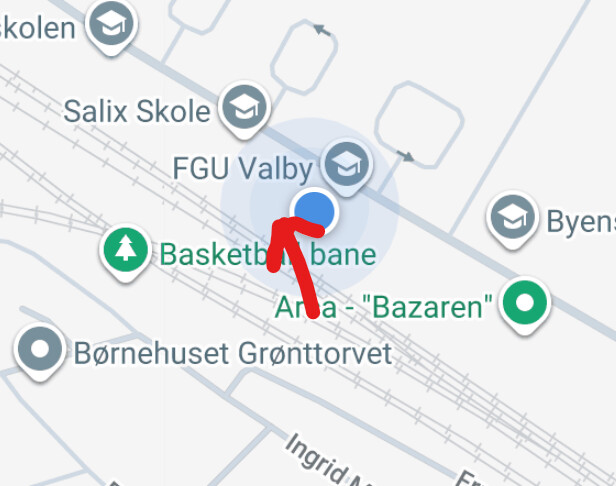
On the latest version I see that the team got rendering to work. But I seen an ordinary place / makeshift marker instead of the build in location marker with heading etc. Google Maps uses. See screenshot.

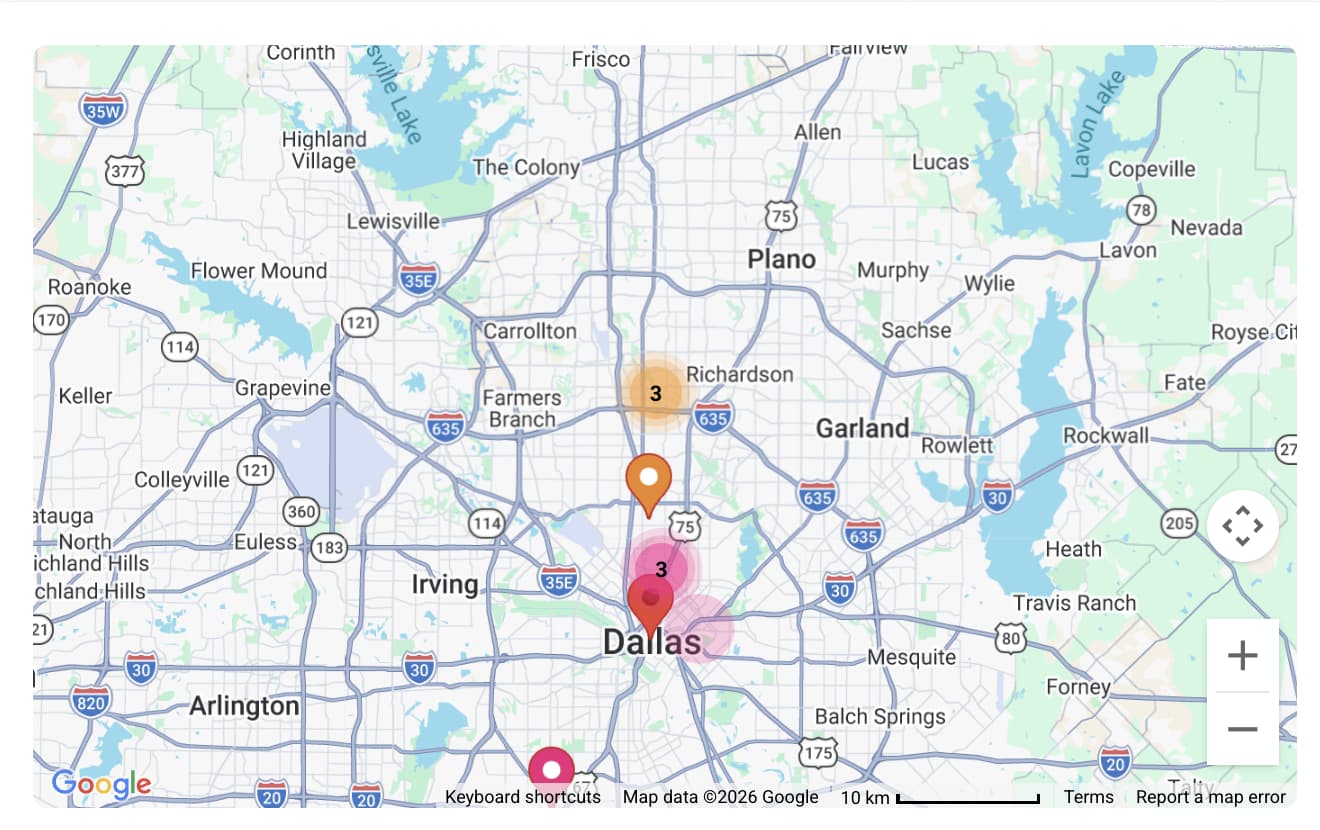
It should look like this:
image

The static marker wont cut it. Precision indicator and heading indicator is missing in my use case; the users need to know where to go, and they are familiar with the blue marker and how it works.

I hope the dev team implement the build-in tracking maker and system.

Cluster styling (potential)
Good to hear. I was thinking of a simple CSS field like the “marker style” field and “border style” field on the Map element. The css wold override the workflow action settings.

More custom settings on the action makes less sense, but some would find it useful. In my case, removed: 1) Cluster text bolding making them look and feel lighter, and 2) removed the 2 outer circles on the clusters, making them look more flat and inline with the individual marker style. They look bulky and old school with the 3 circles. The other settings in the cluster action is excellent and useful for size and colours.

Hope they can use it.

Hi @siticum,

Thanks for the detailed breakdown!

Regarding your points:

  • Location Tracking: I see exactly what you mean. The “makeshift” marker is missing that critical orientation and precision data. I’ve shared your screenshot with the dev team to see how we can implement the native Google Maps “My Location” blue marker system (including the heading indicator) directly into the plugin.
  • Cluster Styling: Your vision for a simple CSS override field to flatten the clusters is very clear. Removing the “bulky” nested circles and bold text to make them lighter and more modern is a great UX improvement. I’ve noted your specific desire for fields that override the workflow action settings to keep things streamlined.

I’m passing all this over to the developers now. I’ll check back with them on the progress for the cluster numbering fix and these new improvements.

Best regards,
Support Team
Browse all Zeroqode Plugins for bubble
Banner_Last3

1 Like

Hi @siticum,

Great news! I’m following up to let you know that we have just published version 3.8.0 of the plugin.

In this update, we have fixed the Location marker logic. The team has worked on moving away from that static makeshift pin to better align the tracking with the native feel you were looking for.

Please update the plugin to the latest version in your Bubble editor and give it a spin. I’d love to hear if the rendering and the “blue dot” style are now appearing as expected on your end.

I’m still keeping a close eye on the cluster numbering fix (the “0” issue) and the CSS styling fields we discussed. I’ll be sure to notify you the moment I have more news on those fronts.

Best regards,
Support Team
Browse all Zeroqode Plugins for bubble
Banner_Last3

Looking much better. Its dons’t look like Googles own library, but I will do in our case :slight_smile: Much appreciated.

Feedback:
The blur circle effect centering is a bit off. Not much.
image

When using the “start tracking” action (without center), and then “start tracking” (with centering) again, the dot is not showing. A bug I guess.

Haven’t found anything else :slight_smile:

Hi @siticum,

I’ve got some great news to share!

We’ve just successfully published version 3.9.0 of the Google Maps Custom Markers plugin.

This update specifically addresses the cluster numbering bug you reported. The clusters should no longer be stuck at “0” and should now correctly display the actual count of markers within each group.

To see the fix in action, please head over to the Plugins tab in your Bubble editor and update to the latest version.

Please give the new version a spin and let me know if the clusters and the recent tracking marker updates are all working smoothly on your end now!

Best regards,
Support Team
Browse all Zeroqode Plugins for bubble
Banner_Last3

Hi @siticum,

I’m just checking in to see if you’ve had a chance to test the v3.9.0 update.

How are the cluster numbering and the new tracking marker looking on your end?

I’d love to hear if everything is now working smoothly for your project.

Best regards,
Support Team
Browse all Zeroqode Plugins for bubble
Banner_Last3