
Services Plugins FAQs

Problem with Image Uploader and Compressor

Hello, I have a bubble web application the has a lot of uploaded images. I use your image compressor and uploader, mostly because it can accommodate .heic images. But I am having a problem. The plugin is resizing images, but no longer compressing them. And it is not converting to .jpeg, but to .png instead. The incoming files are way too large and it’s causing performance issues on the app.

I tried talking with your ai bot last night, but they said I’d have to wait a day for a real person, so I’m contacting you here.

I decided to completely start over on a new page with a fresh compressor to see if it would fix it. It did not. So here’s what I have

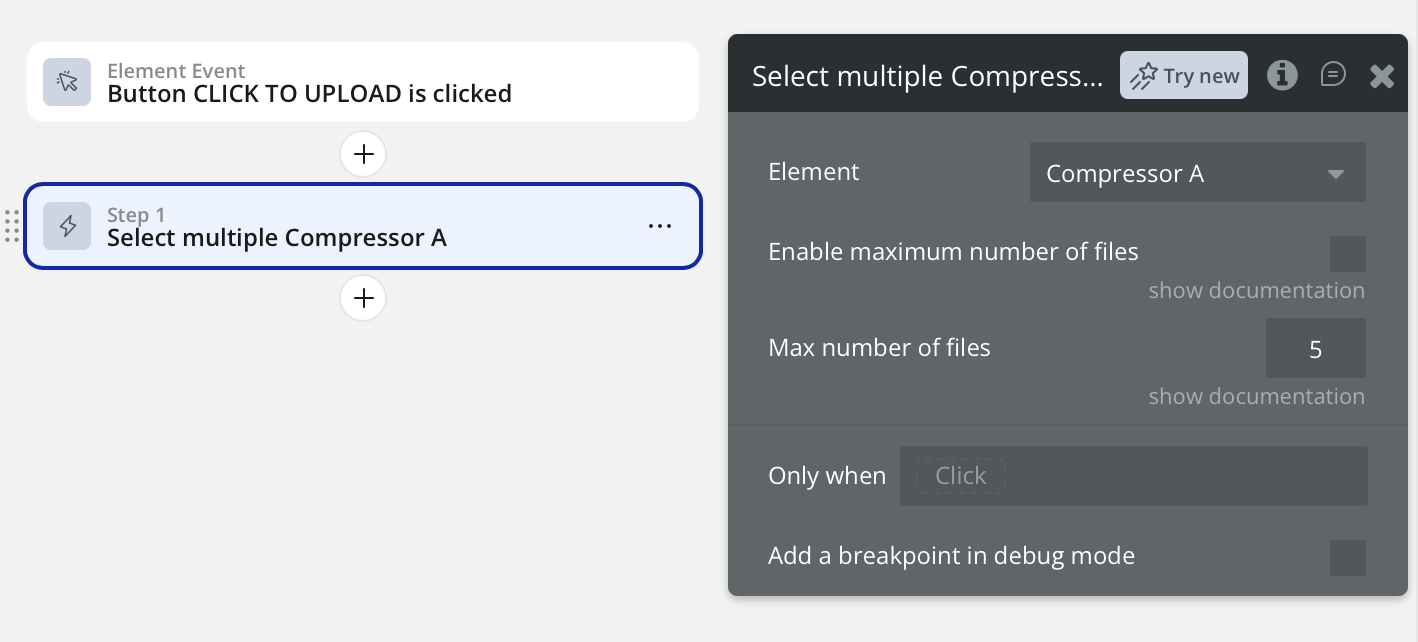
First, the user clicks an “upload” button. This triggers a “select multiple compressor” workflow. See the pic
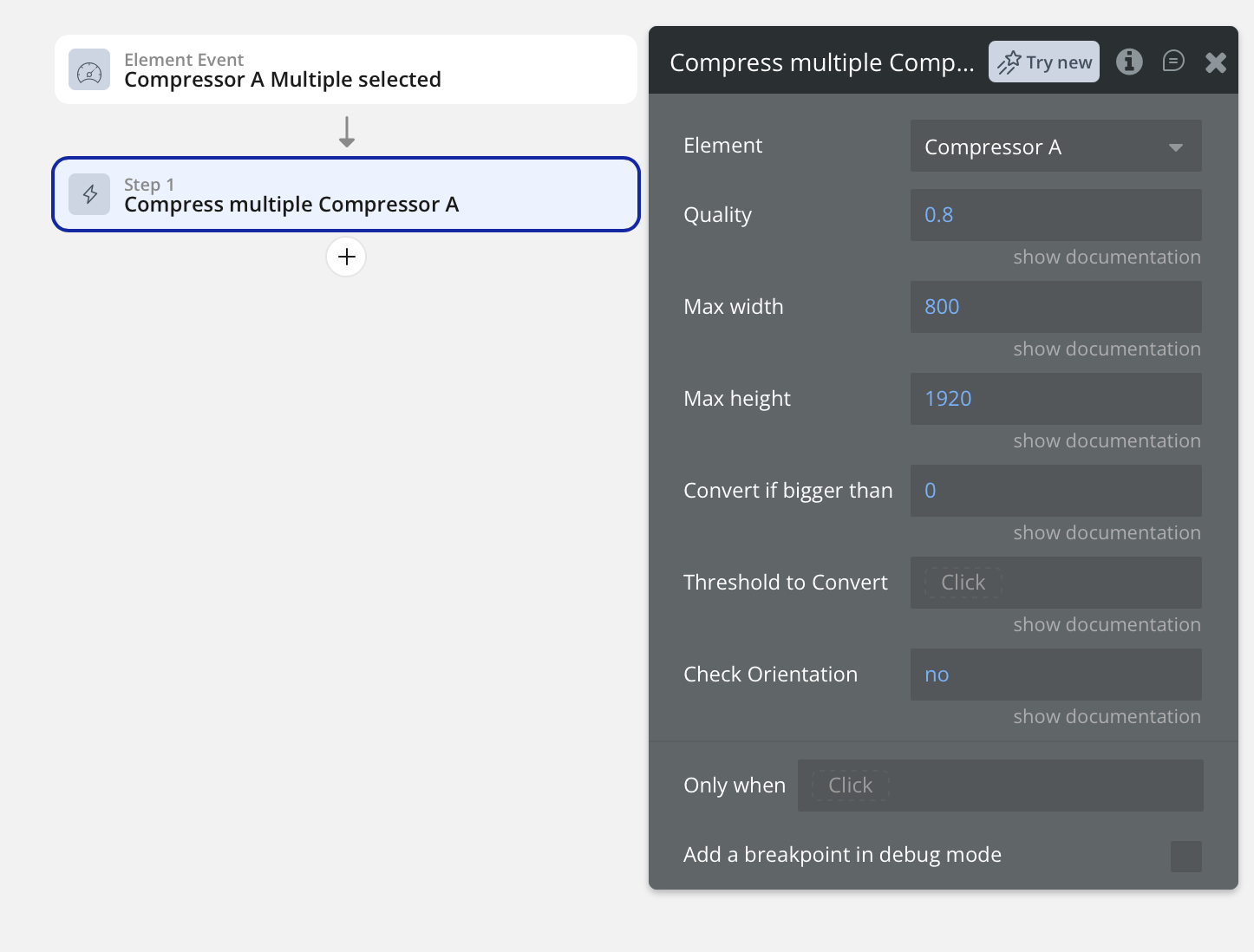
I then trigger the “Compress multiple Compressor” workflow, and have it set to a max width. And I set the “convert if bigger than” field to “0” and leave the “threshold to convert” field blank. This used to work, but it is no longer compressing the images. And it’s converting to a .png and not a .jpg. See the pic.
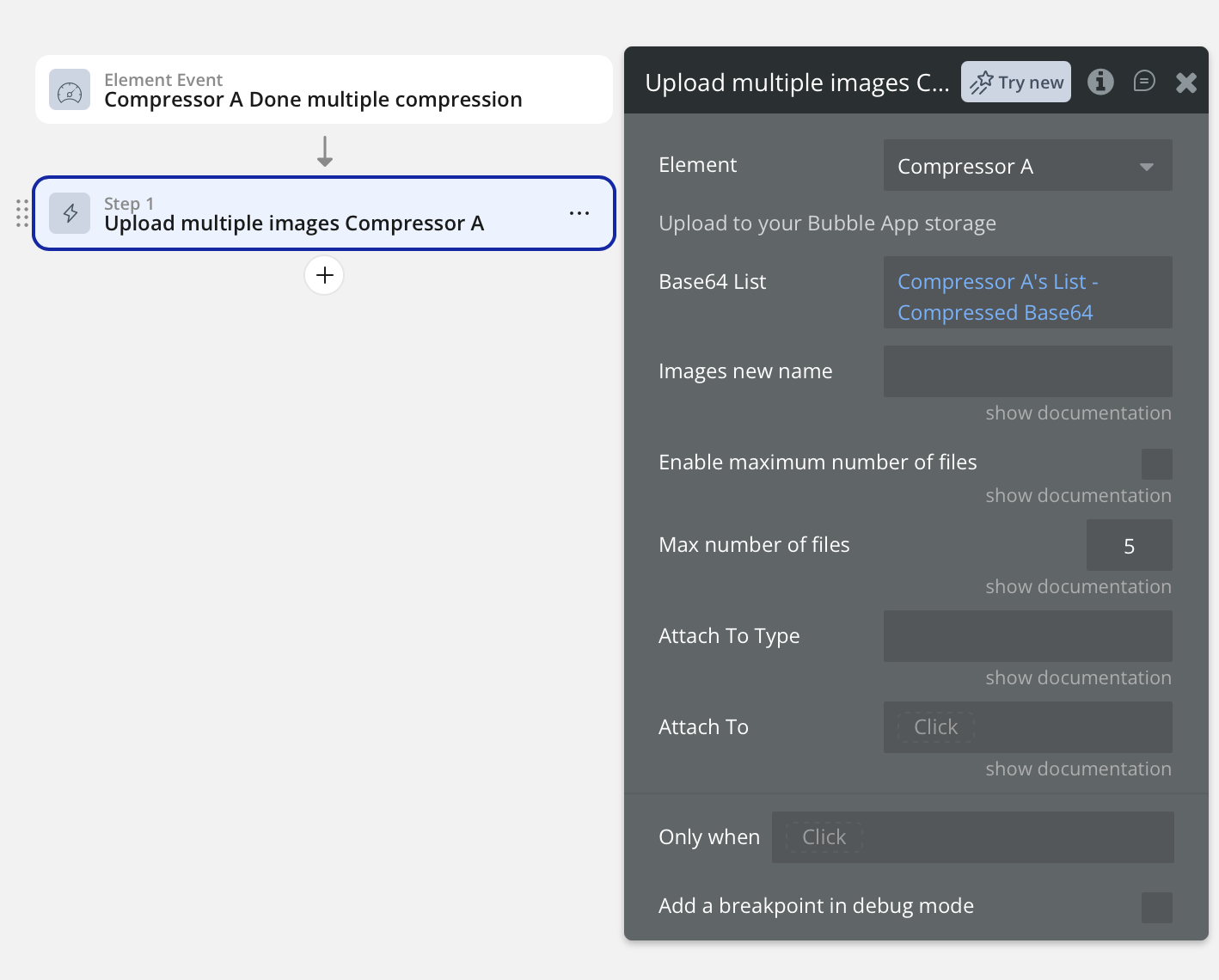
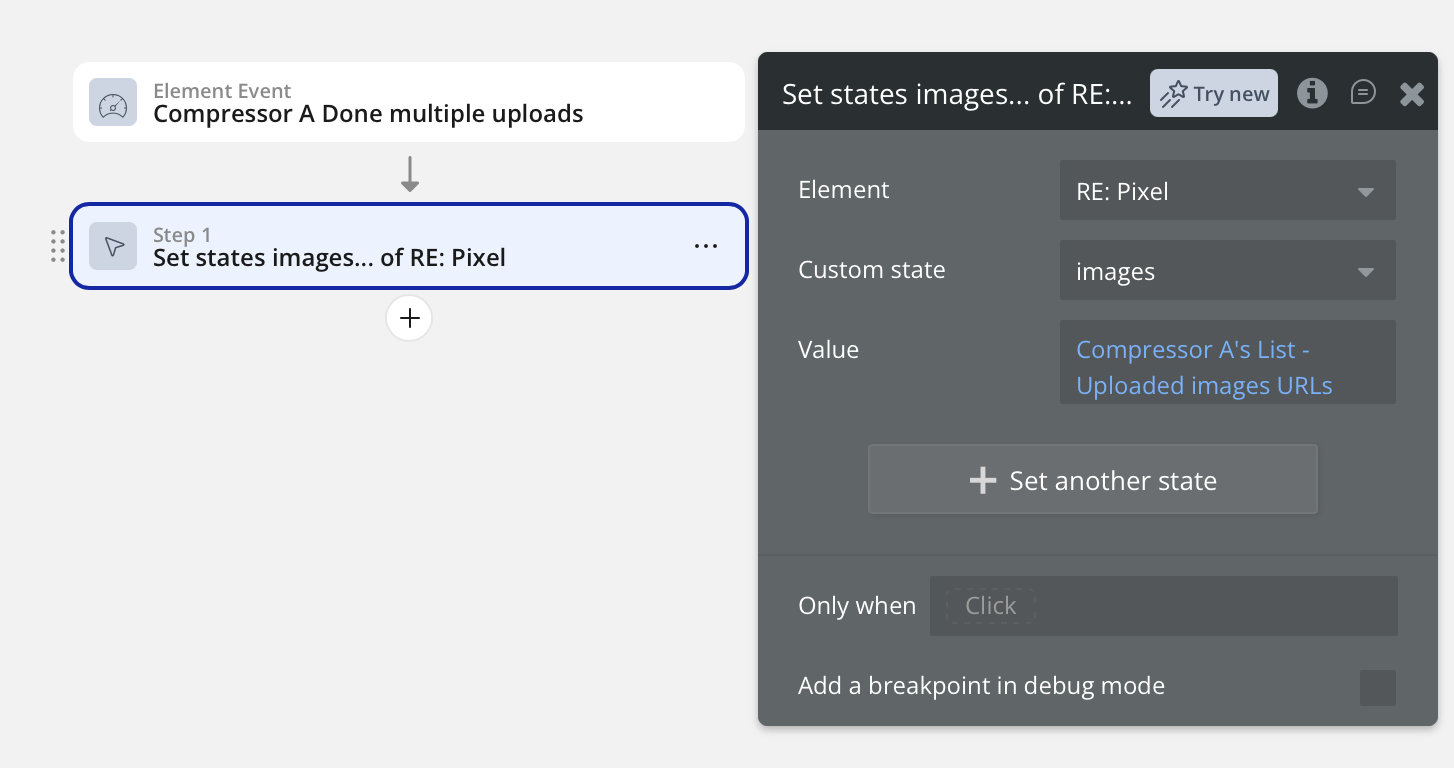
I then trigger the “Upload multiple images Compressor” workflow. See the pic, and save to a custom state, so I can view the image on the page.
Can you tell from what I’ve sent if the problem is with something I’m doing? Or is it a problem with the plugin. Oh, and, yes, I did try updating the plugin to the current version. Didn’t help.

Thanks for your help… Chris

Hello @mudtowncleaning ,

Thanks for the detailed report. I did some testing on my side and I’m not able to reproduce the behavior you described.

Here’s the editor link:

And the preview page (debug mode):

For testing, I used the sample PNGs from File Examples (0.5 KB, 1 MB, and 2 MB):
https://file-examples.com/index.php/sample-images-download/sample-png-download/

How to test

• Open the preview page and follow the steps on the numbered buttons.

• After the files upload, check the Data tab here:

On my end, the uploaded outputs are saved as image/jpeg and appear to be compressed.

Could you confirm whether this matches your setup (element/workflow configuration and the way you’re uploading/saving the file)?

Best regards,
Smorodinov Egor,
Support Team
Browse all Zeroqode Plugins for bubble
Banner_Last3

Hey Smorodinov,

Honestly, I have no idea what was causing that problem. Something was conflicting with something. I couldn’t figure it out and got a bit panicked, so searched for solutions and ended up created an api connection with TinyPNG. Took me awhile to get that set up and working, but so far, that seems to be doing what I need just as well. So really appreciate your efforts to help me out. But I think I found a solution.

Chris

p.s. I say I “think” I found a solution, as we haven’t used the new image uploading process much yet, so… who knows what fresh problems will present themselves. But, so far so good!

Hi @mudtowncleaning ,

No problem at all — glad you found a solution that works for you! Whatever gets the job done best for your setup is what matters. :+1:

If you ever run into any new issues with the image uploading process or decide to fall back, feel free to give our setup a try — we’re happy to help you get it working. The door’s always open!

Best regards,
Smorodinov Egor,
Support Team
Browse all Zeroqode Plugins for bubble
Banner_Last3