Hey @arensbpa,
Thanks for sharing the video! 
It looks like the issue stems from the “Only When” condition. The debugger is showing that the ID exists in the field (because it’s being evaluated). This often happens because of timing issues , the real-time event fires before the data is fully available, causing a mismatch when the ID is checked.
Here’s how you can fix it:
-
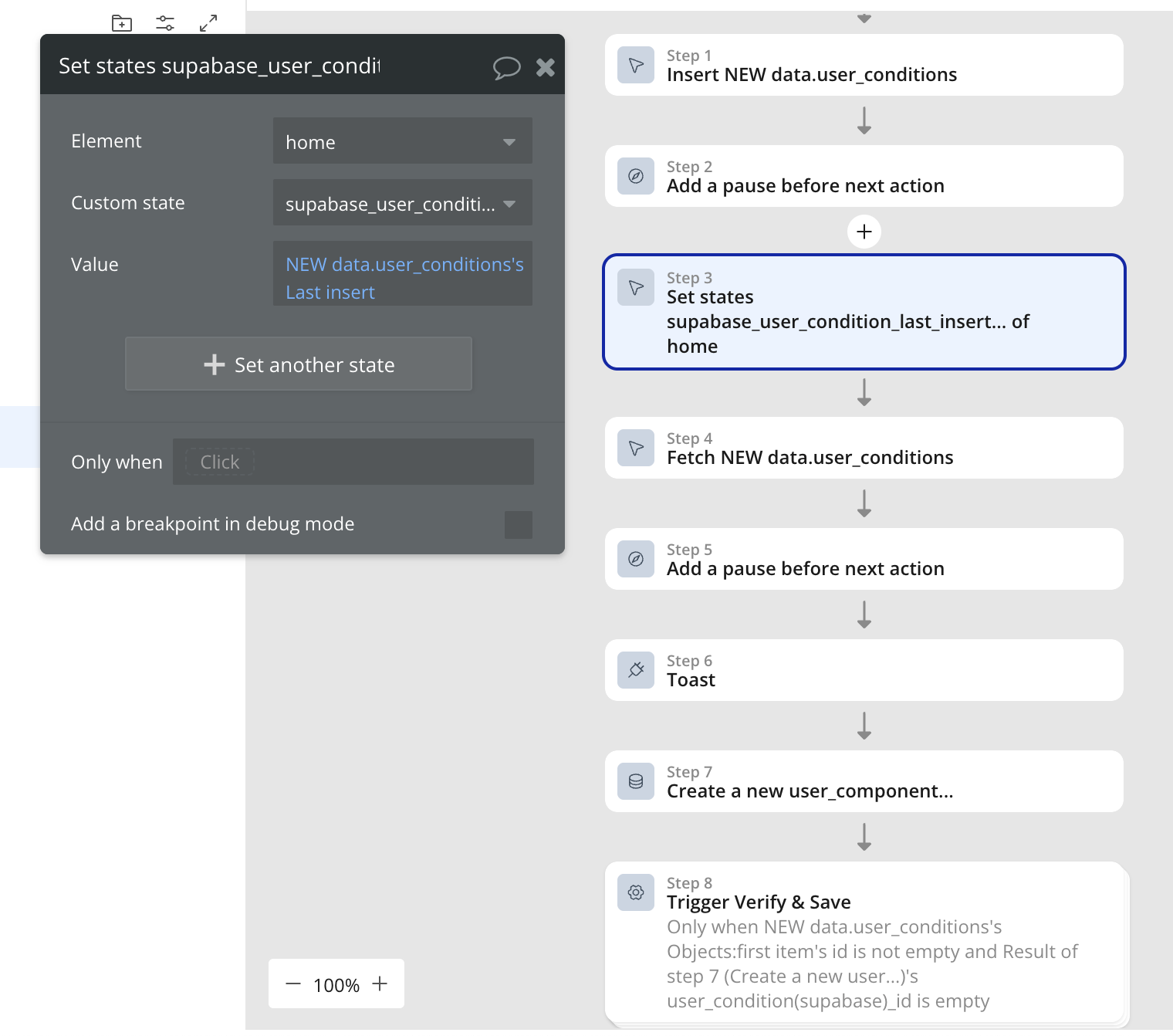
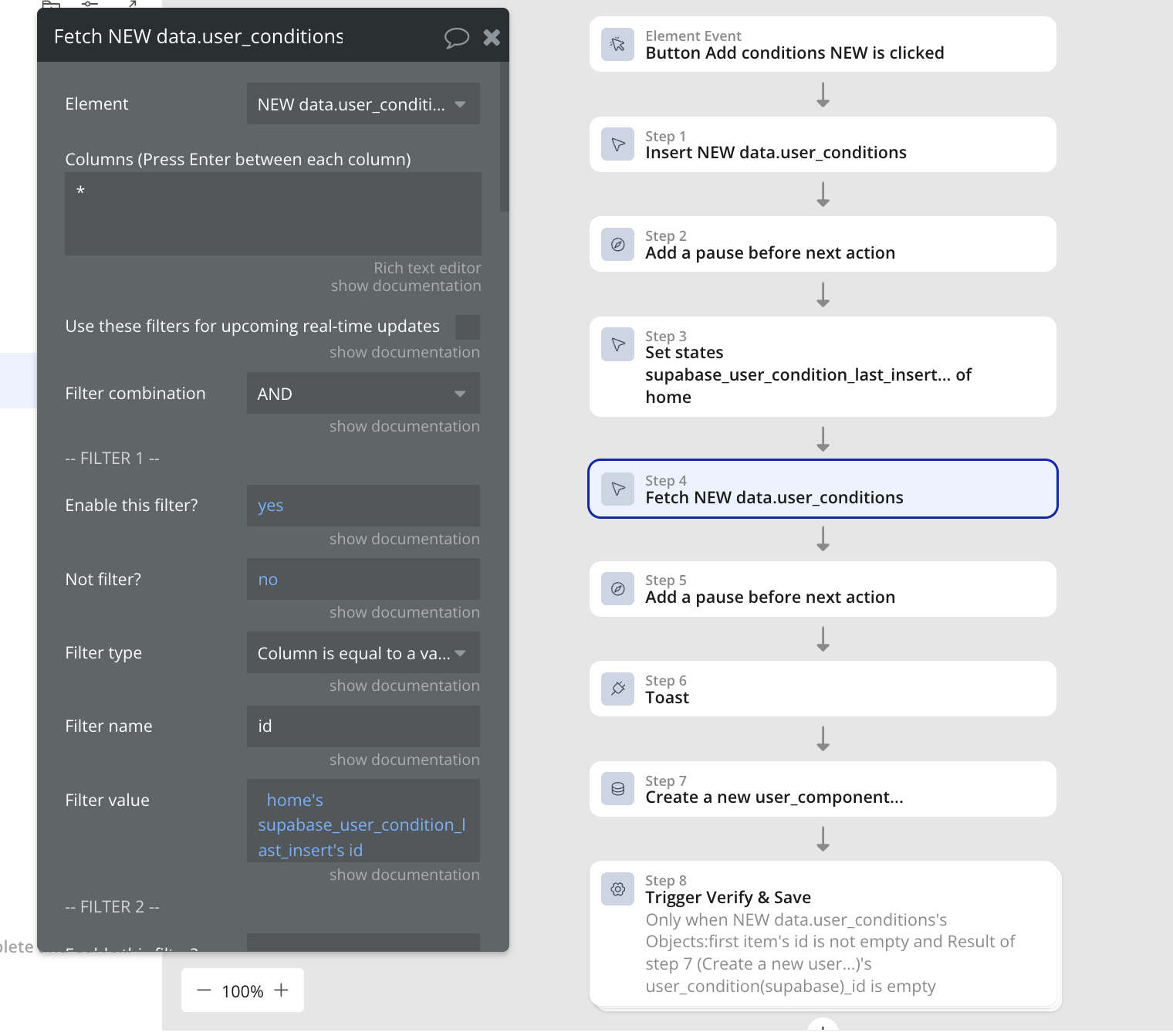
Use the “Supabase Database Fetch” action to pull in the latest data, especially the ID. Make sure to filter by unique identifiers like user_id = Current User's ID.
-
After fetching, add a pause to give it time to fully load before the next action.
-
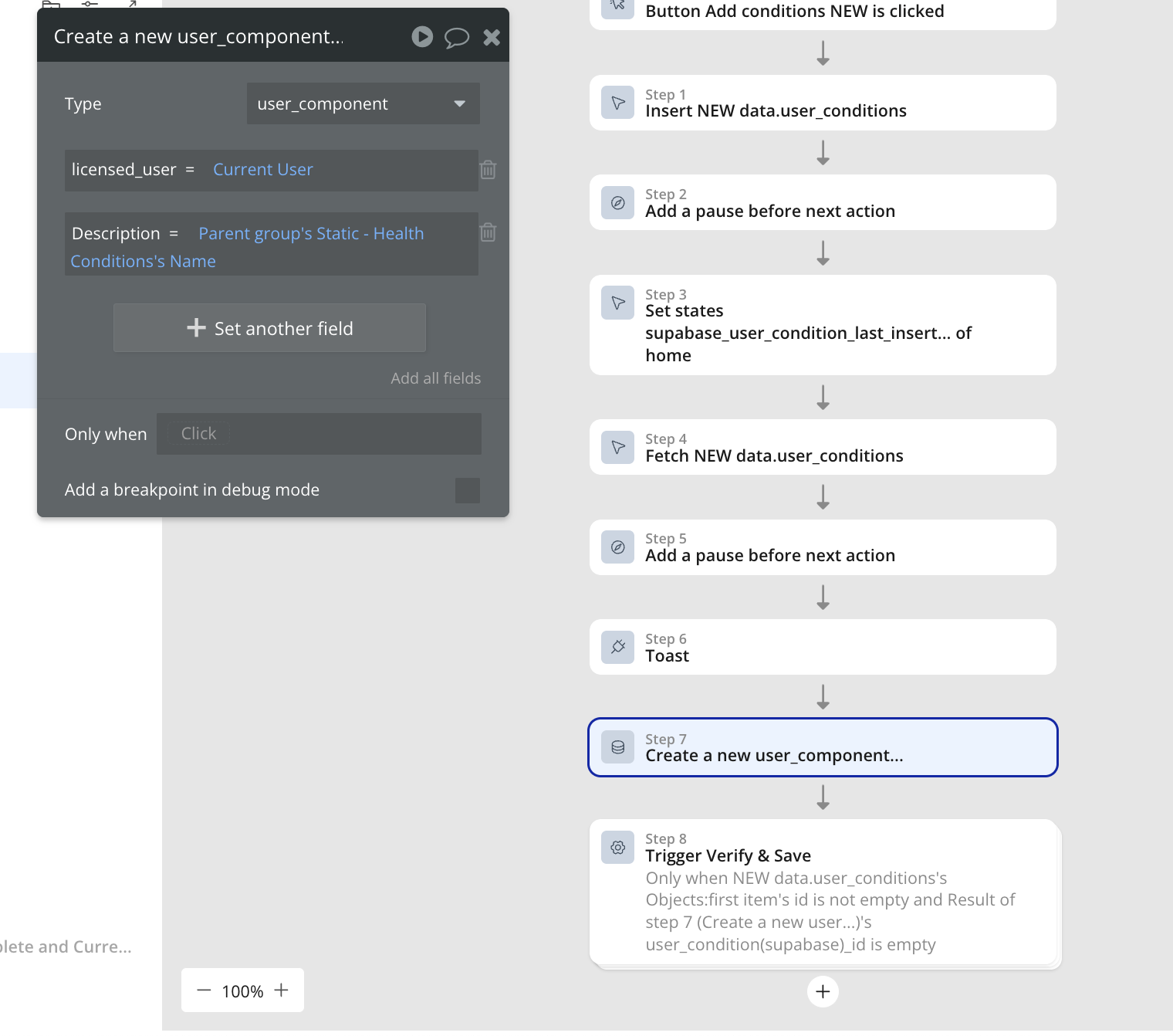
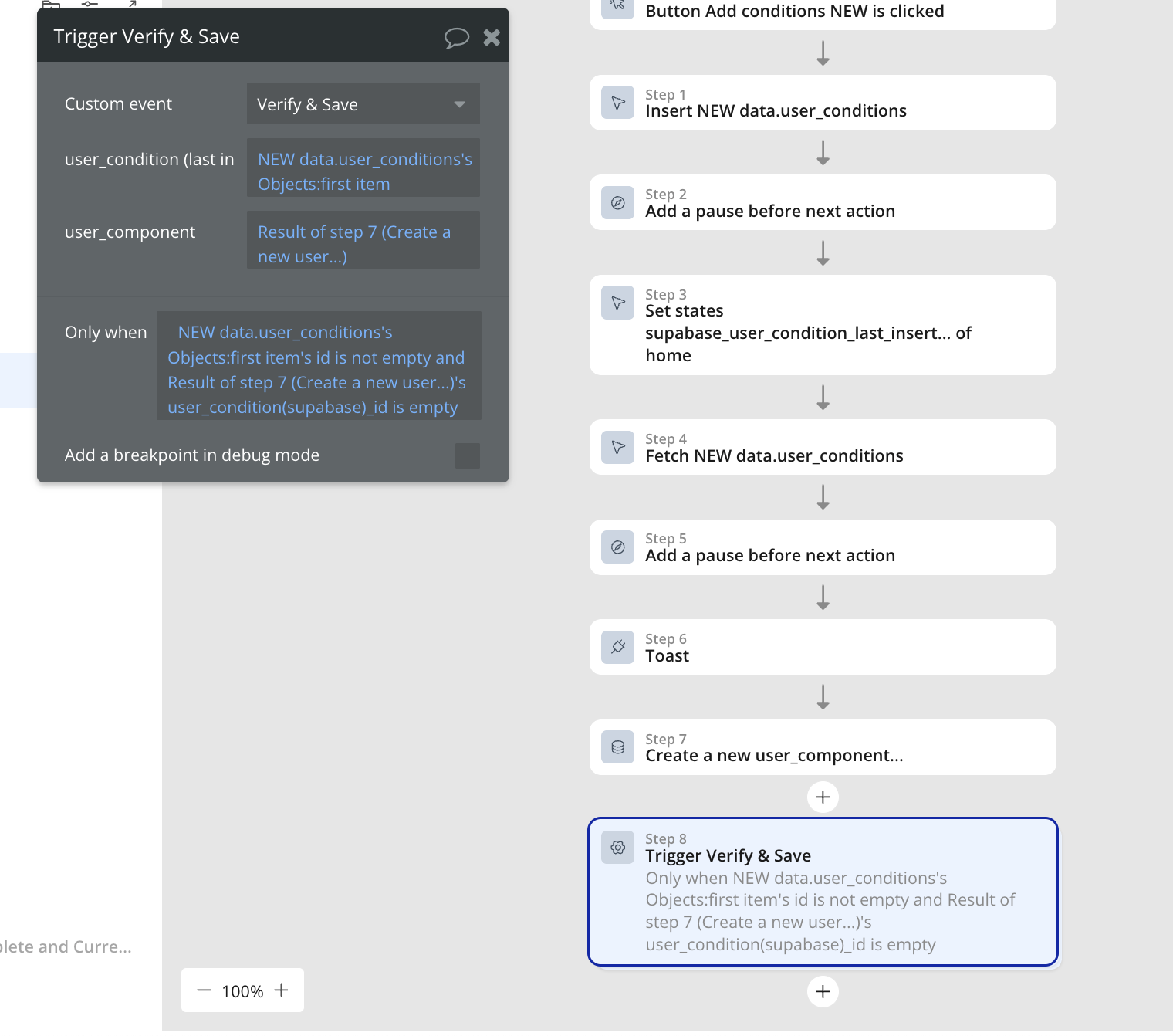
Instead of using the “Only When” condition in the modify action, schedule a custom event. In that event, check if:
-
user_condition(supabase)_id is empty, AND
-
Supabase Database Fetch’s Result: first item’s ID is not empty.Then, in the custom event, you can use “Make changes to user_component” to set the
user_condition(supabase)_id to the fetched Supabase ID.
This approach checks if the ID is empty before setting the value, so it won’t try to set an ID until it’s correctly fetched. By using a custom event, we’re ensuring that the ID is only saved once the data is fully available, preventing the race condition where the data isn’t ready when the workflow runs.
Hope that helps.
Best,
Support Team
Browse all Zeroqode Plugins for bubble


 I believe i’ve implemented this the way you suggested, here is a video demonstrating the race condition still occurring somehow