Hi @dennis1
Thanks for the screenshot, and for your patience over the weekend.
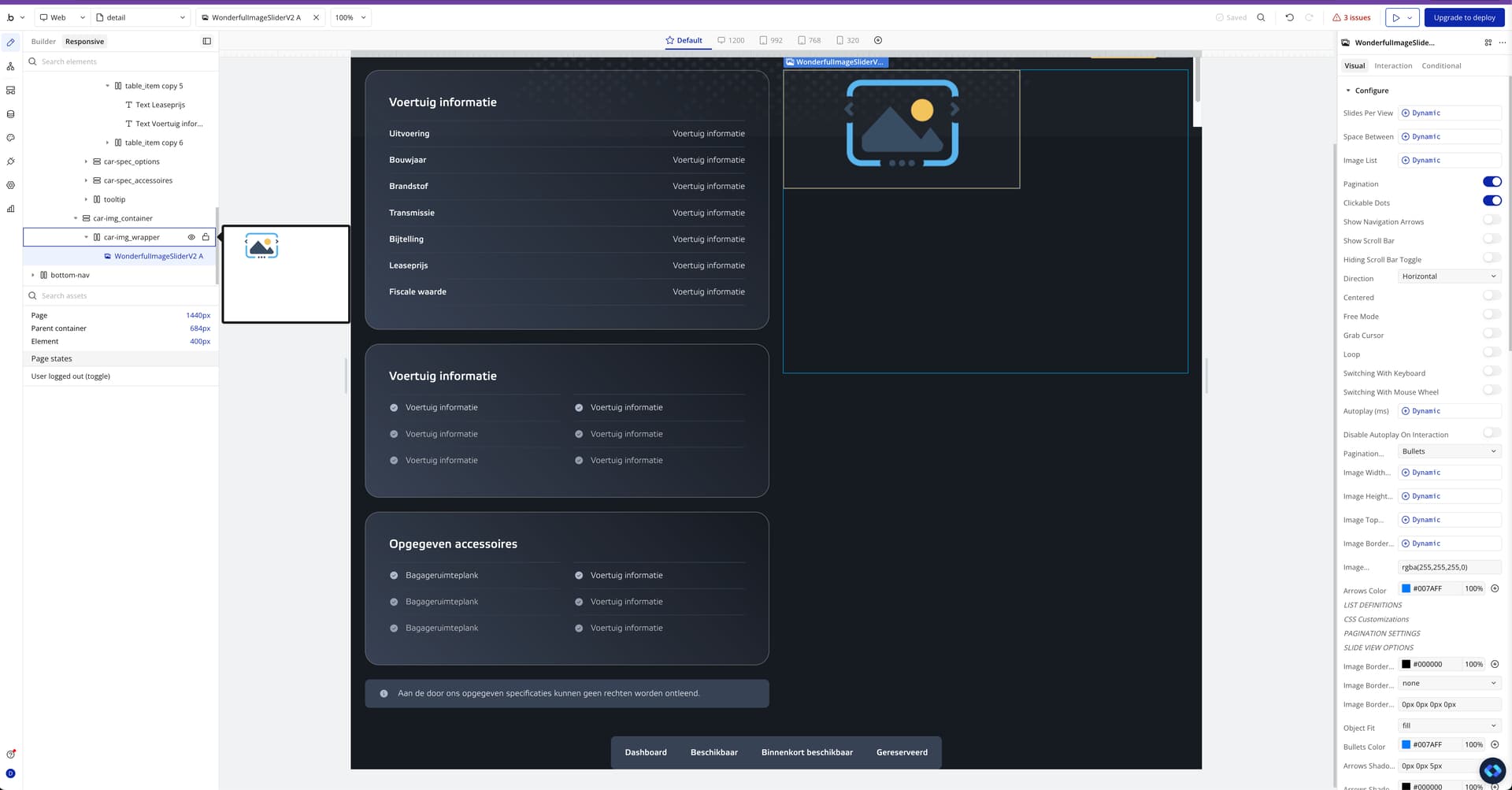
From what we can see, the Wonderful Image Slider itself is behaving correctly. The reason it’s staying at a fixed width is related to the layout rules of the parent group, not the slider element.
Here are a few things to double-check in order:
1) Parent group layout
- Make sure the group that contains the slider is set to Layout → Row or Column (not “Align to parent”).
- The parent group should have:
- Width: 100%
- A defined max width (optional, but recommended)
- Avoid fixed pixel widths on the parent group.
2) Slider element settings
- Slider width: 100%
- Minimum width: 0 (important, otherwise Bubble may keep it fixed)
- Make sure it’s not pinned left/right in a way that forces a fixed size.
3) Check for nested containers
If the slider is inside multiple groups, any one of them having:
- a fixed width, or
- “Align to parent” layout
will prevent the slider from expanding. This is usually the main culprit.
4) Responsive mode
You’re already using the new Responsive engine
Just make sure the page itself doesn’t have a fixed width constraint that limits children.
If you’d like, feel free to share:
- whether the immediate parent group is Row / Column / Align to parent
- or a short Loom showing the group tree
and we’ll point out exactly which container is blocking the responsiveness.
Once the parent layout is adjusted, the slider will stretch just like in the demo.
Best regards,
Support Team
Browse all Zeroqode Plugins for bubble