
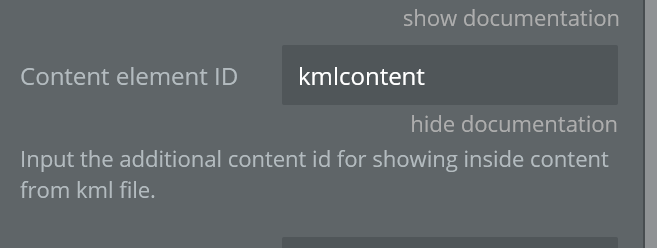
Does anyone know how to get the KML Content field to work? I can view the kml but doesnt give any additonal info about the kml item…
Hi, @siteovation!
Thanks for reaching out!
Let me check this out and I’ll get back to you asap.
Best, Julia.
Hi, there!
So, I have investigated the plugin and it turns out that the field works, but the KML file should be correct in order to display its content.
Here are the steps of how to test the plugin.

- Once the file is uploaded click on the layer on the map
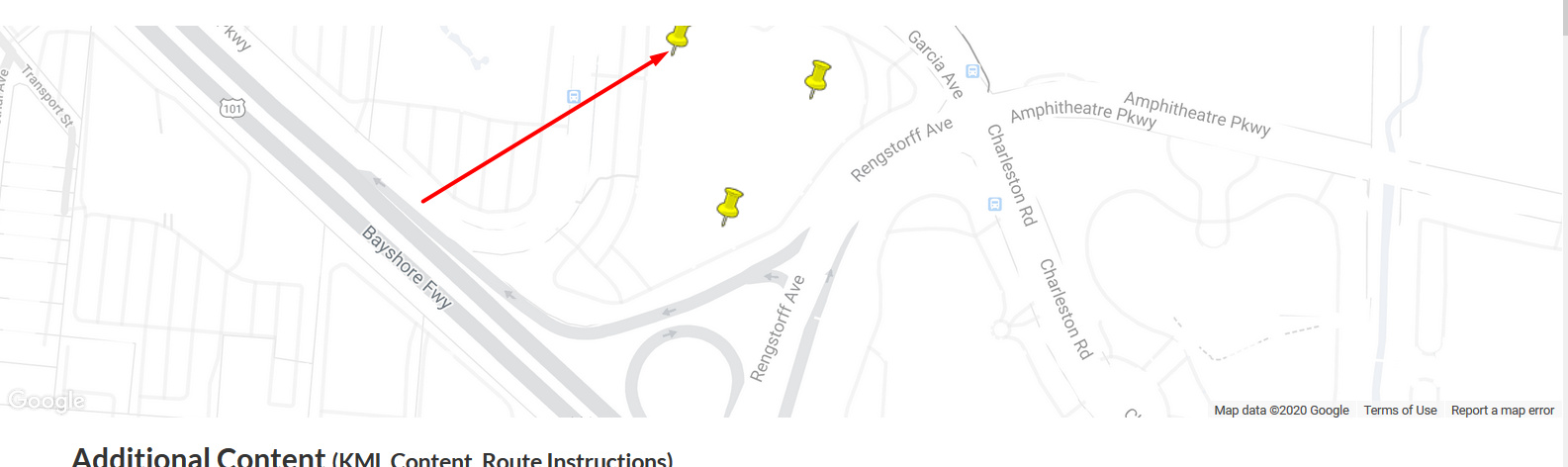
and you will see the additional info about the kml item under the map near the Previously saved groups
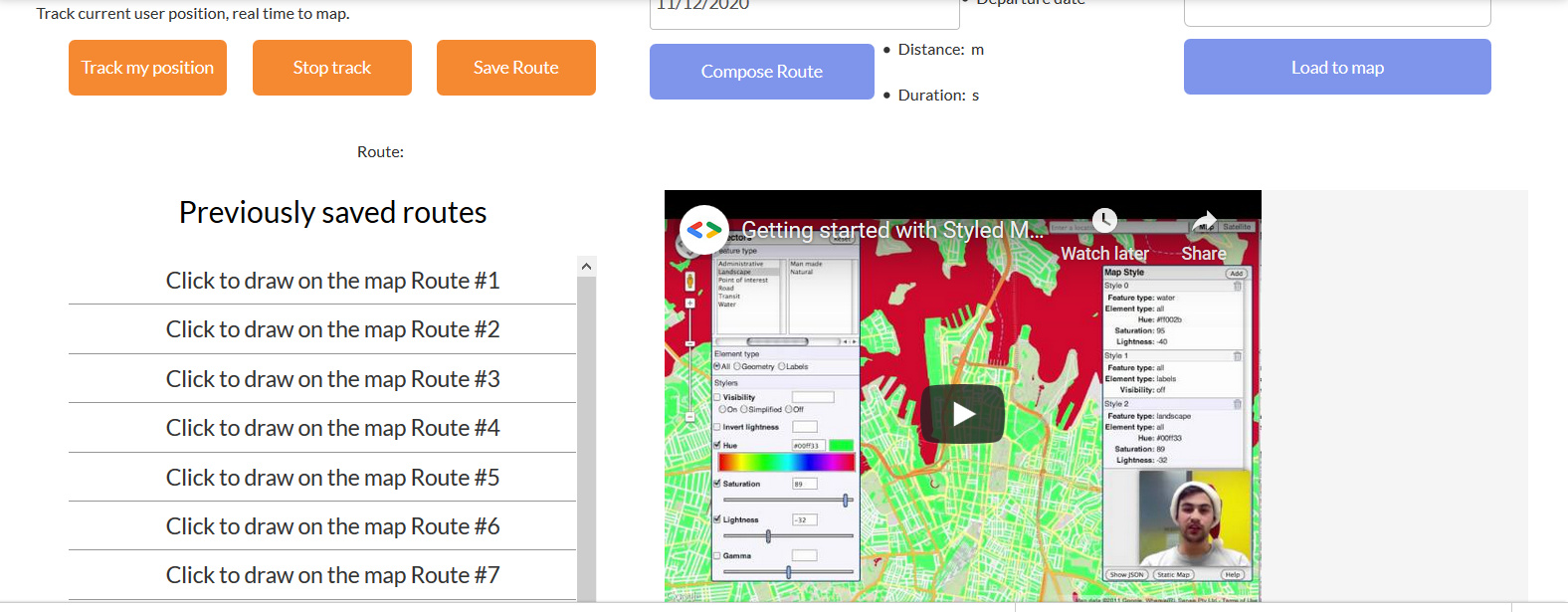
Hope this helps!
Best, Julia.
Hey everyone! 
We are happy to announce that we finished redesigning our Demo page. Now it looks like our new web design. Also, we tried to make it easy and clear to use. Please check it out: https://zeroqode-demo-12.bubbleapps.io/map_extender.
Hope you’ll like it 
If you have any questions or suggestions please feel free to reach out to us!
Best, Julia
Hey Zeroqoders! 
Usual Google Maps in Bubble can’t add layers, switch to 3d mode, show directions, track route, display KML… and many other things.
However THIS plugin brings Maps in your app to a new level 
 See the demo: Bubble’s Google Map Extender Plugin for Bubble
Best regards,
Veronica Kornilova
Marketing Manager @ Zeroqode
#1 Bubble Publisher and Developer

100+ Bubble Templates
25+ Bubble Courses
250+ Bubble Plugins
20+ Bubble Building Blocks
Convert Web to iOS & Android
No-code Development Services
Zero Code Conference Replay - watch all the no-code industry leaders share their expertise and insights on building and scaling startups without code
I’ve just purchased the plugin so I can use GeoJSON to overlay a “mask” on top of our existing map element.
I’ve followed the documentation, added the MapExtender element to the page with the map using the map’s ID attribute (“map” in this case):
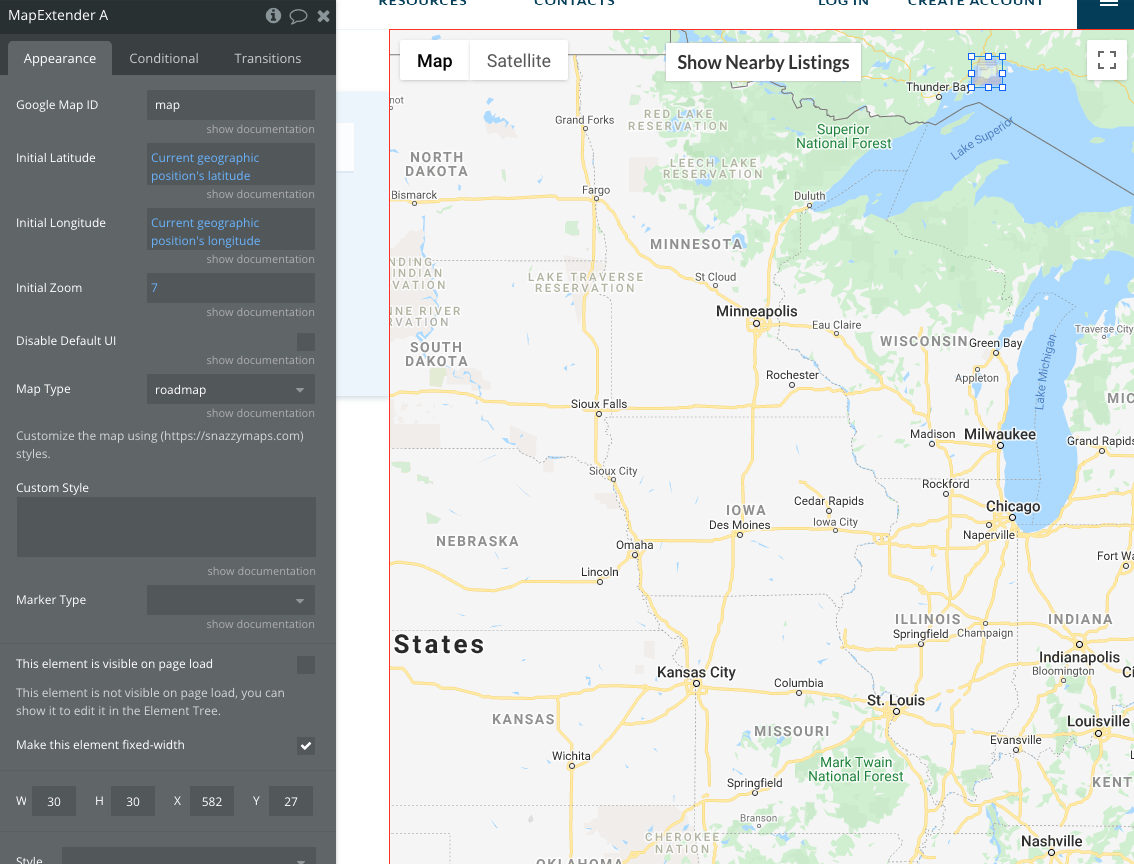
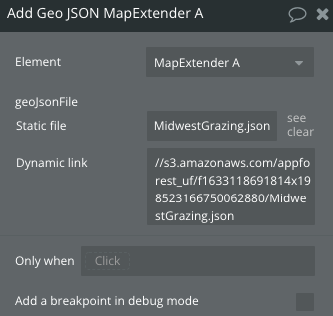
I then created a workflow so on page load, the GeoJSON file is added to the MapExtender element:
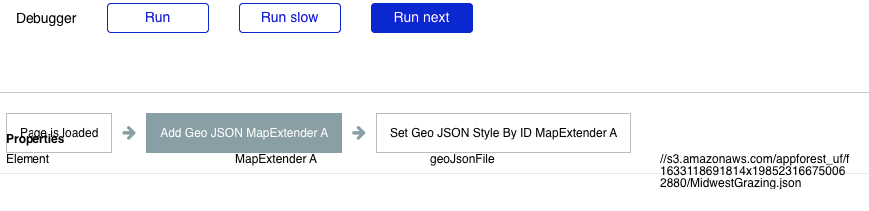
And I confirmed in the Bubble debugger that the workflow is running as expected:
However, after the workflow runs, my next action to set the style by the ID of the added GeoJSON ID shows no ID available, and the GeoJSON ID shows as blank on the MapExtender element:
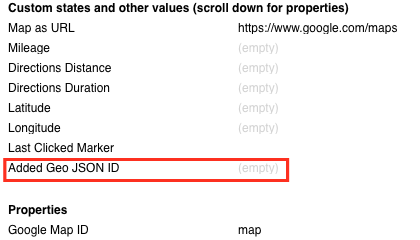
Where have I messed up?
I think I solved my own problem … I had the MapExtender element hidden. After making it visible, it does seem to be loading the GeoJSON correctly now 
Hi @cbennett, thanks for your messages
Glad to hear that plugin is working properly on your side.
In case any other plugin related question will appear, you know where to find us 
Have a nice day!
Regards,
I’m trying to add a list of markers to my Extender and it doesn’t seem to be working.
In my database I have a type called “Listing” that contains a field called “Location” that is a geographic address.
Here are the element properties:
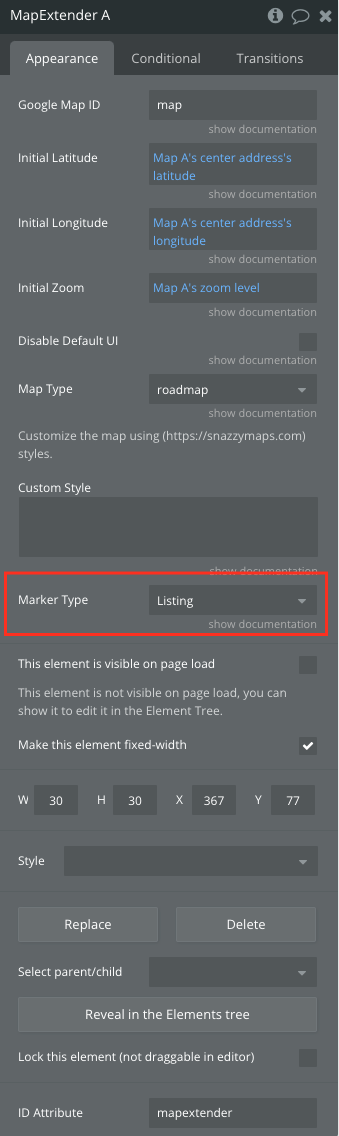
Here is the workflow and settings (I’m using a Repeating Group to generate a list of Listings that match certain criteria):
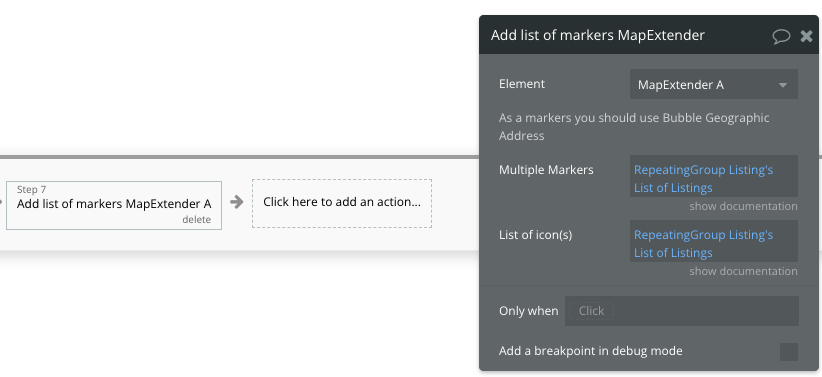
I think the problem is that in my Listing type, I have multiple image fields including the map pin icon and Map Extender might only work with a single image field, is that correct?
Hi @cbennett, thank you for your message, and thanks for using our plugin
Thanks for sharing the screenshots above with the setup from your side. We will need some time to double-check with our Devs team regarding the proper functionality of the Markers with Repeating Groups. Thank you for your understanding, I will get back with an update asap.
Hi again @cbennett, thank you for your patience.
Can you please let us know more details regarding your use case with the repeating group. As we do not fully understand what is the purpose on storing the data in a repeating group and then using it with our Map Extender plugin. Please share more information regarding your use case.
Indeed, the Map Extender plugin will not work with multiple images as it retrieves only one icon/image to be displayed on the map.
Let me know if there is anything else we can assist you with.
Have a good day!
So in our app, we have a search page that allows users to search Listings (our custom data type) using some filters, and then the results are shown on the page in a Repeating Group. With the built in Bubble Map, we can use the Repeating Group as the data source so the markers automatically update when the Repeating Group updates (our data type has a geographic location and map icon image field).
However I’m trying to use Map Extender to add some GeoJSON information on this map, which means the markers no longer display and instead need to be added to the Map Extender, if I understand how it works correctly.
Is it possible to add an additional option in Map Extender where I can choose which field has my custom icon? The standard Bubble Map element has this option:
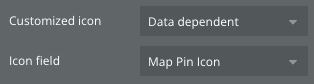
I think this would solve my issue and really help with the usability of Map Extender. If it can only support custom icons when the data type only has a single image field it really limits the use cases, or forces you to derive an additional data type specifically for the Map Extender markers, which I would prefer not to do.
Hi @cbennett, thank you for your patience.
We will need some additional time, to test and reproducing your use case with the plugin.
Thank you for your understanding, I will get with an update asap 
Hi again @cbennett,
In regards to your setup, I have discussed with our Devs team about the possibility to recreate your use case. Therefore, I would recommend you to store the data about the markers from the RG inside the database, afterwards retrieve the stored data and use it to display the markers on the map.
Another workaround, when using GeoJSON you can add ‘points’ to the map that will be displayed in based on the options that users will select.
Please check the below articles for reference -
As well, I found this tool where you can generate the JSON code - https://geojson.io
Hope this helps.
Let me know if there is anything else I can assist you with.
Hello,
Amazing plugin! Thanks for it! I have one question, is it possible to check if some object from my database which I tracking live is out of some zone which I previously set by GeoJSON?
For example I set zone for whole New York, and when one of tracking object get out of New York I will receive notification about that?
Also could I track live position of different object?
Regards
Kamil
Hello @ktarczynski, thank you for your message, and thanks for your interest in our plugin
Unfortunately, the Map Extender plugin will allow to draw and save the polygon on the map, though it does not have an option to track the user of the map.
I would recommend you to check instead our MapBox plugin that has the option to draw the polygon area on the map and to locate the user (tracking objects) when they are outside the polygon (New York).
You can test this function on MapBox’s demo page.
- Allow the app to get your location - you will see the marker/blue point with your location
- Draw the polygon on the map
- Try to move the polygon outside the range of your location (point) - this will trigger an alert that will appear on the page
- Check the related actions on the demo page
- Read through the documentation of the plugin to get familiar with its functionality
Let me know if this helped, or if there is anything else I can assist you with.
Sounds nice, but If I got X objects to track on, which I cannot look all the time I could do this in backend?
I mean, I would like to get an email when one of the object, when I dont look on map or even dont have app open in browser get out of assigned area? I think that would be littly tricky to accomplish.
Hello @ktarczynski,
Sure, you can track multiple users at the same time when using the MapBox plugin. I would best recommend you to check the plugin’s documentation and the demo page to get familiar with it.
That is also possible to achieve with the plugin and the Bubble functionality.
It is needed to set the current user’s position as a marker, then you can use the ‘Get Markers in Drawed Polygons’ action. The last point is to set a condition that will be triggered once the user is out of the polygon. You can do that by adding an event ‘Do when condition is true’ that will be responsible for when the user will be out of the polygon and will send an automatic email.
Let me know if you sorted it out, or if you got any other questions.
Hi All!
We have pushed a plugin update, that has added an earlier requested feature, namely, the possibility to show a custom marker info popup.
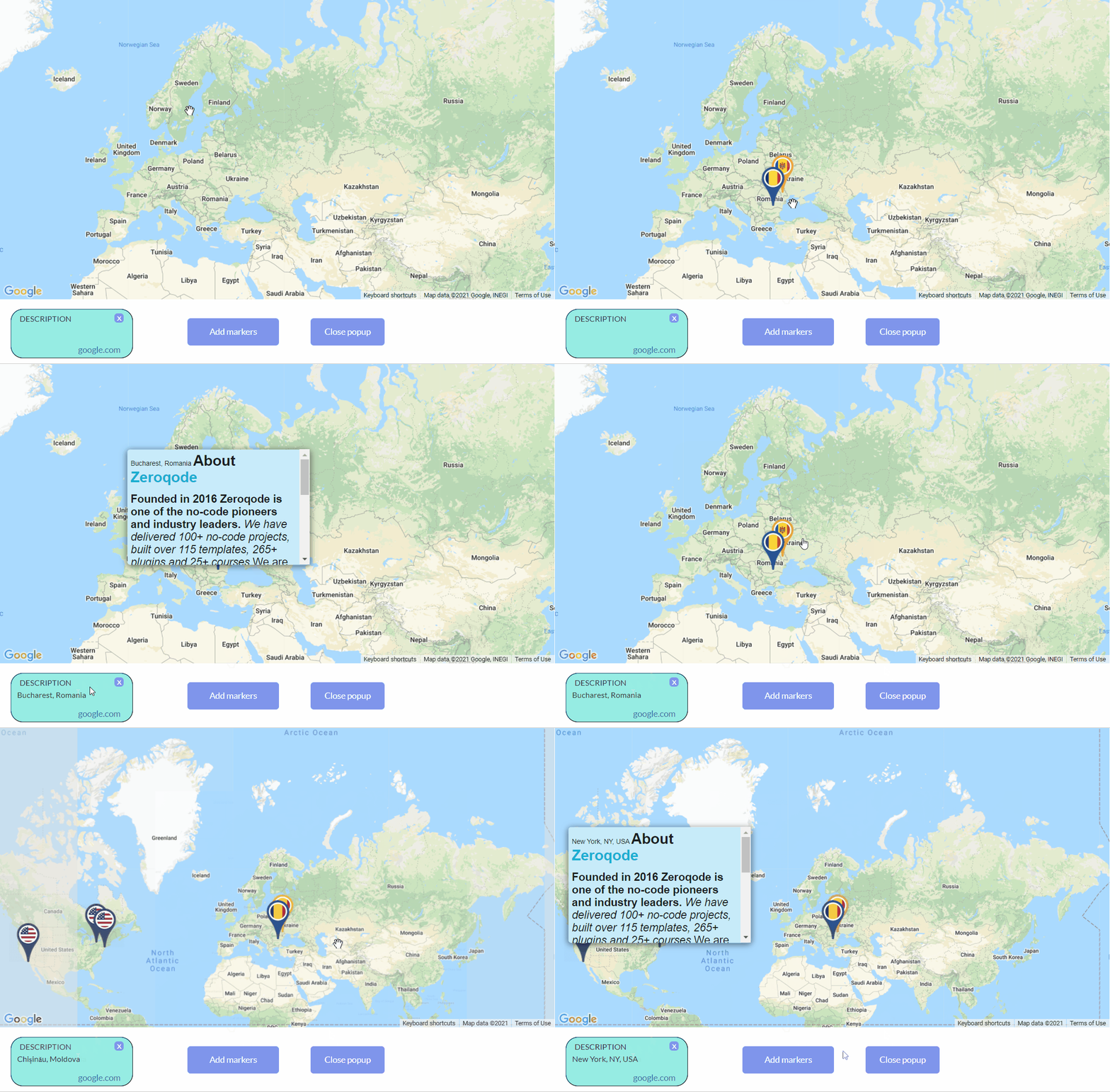
It is ensured by two actions:
-
Show marker info
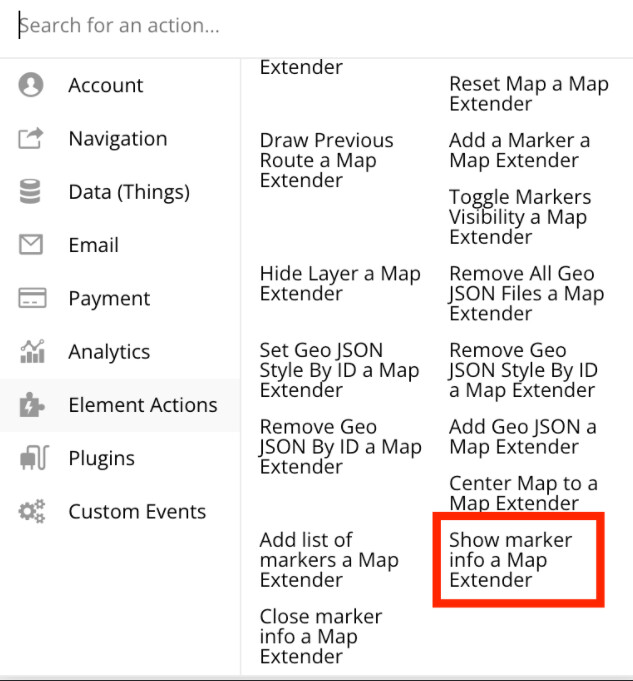
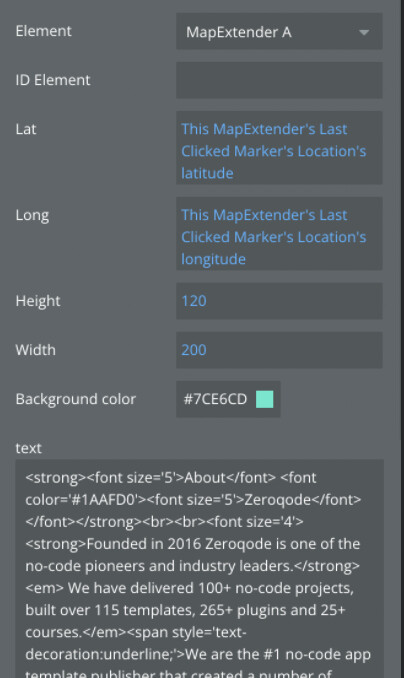
In this action, we can address an earlier created group (which will be a popup for displayed information).
Or we can create a popup, setting the height and width of the desired popup, in which we can upload the text or HTML, to display the required information
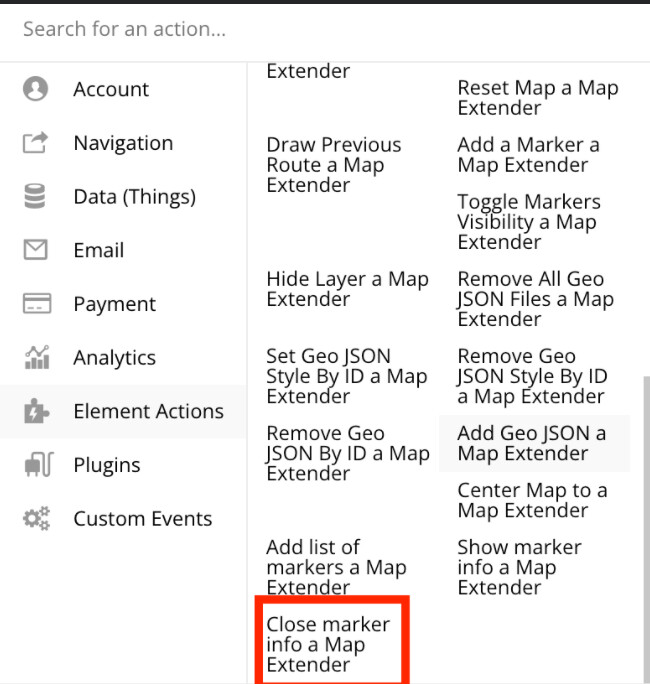
- and Close marker info - this action can be attached to any button or group, to close the displayed information popup.
To check changes, please upgrade your plugin to the latest version (Version 1.8.0: Fixed CORS error. ) and give it a try.
In case of related questions, you know where to find us 
Have a good week ahead
Regards,
1 Like