
How is the change log looking like? Was that the only option updated?
Does this mean my only option is to start afresh with the updated template?
It seems like on desktop, it’s also hidden. I prefer the option of having it permanently displayed on desktop while scrolling
Hello @djpapzin,
Unfortunately, there is no changelog of the templates. The updated version of the template is that only one, present in the list for creating a new app from the template.
You can create a new app from the template but keep the old version with your changes. That will allow you to have available both versions of the template at a time and reproduce the changes applied to the updated template to your app.
In this case, you will have to develop a logic that will verify which screens size is used by the user and show or hide that element depending on that criteria.
I hope that will help you!
Best Regards,
Alex
Hi @alex.grimacovschi, I know it can be frustrating at times but I believe it will get better with tine
I follow these instructions successfully but I noticed something odd, the download icons don’t download the files, there are 2 workflows: when GROUP Track Download is clicked and user’s FullAccess is “yes”, dynamic link is set to track and file name set to name. What could be missing?
Hello @djpapzin,
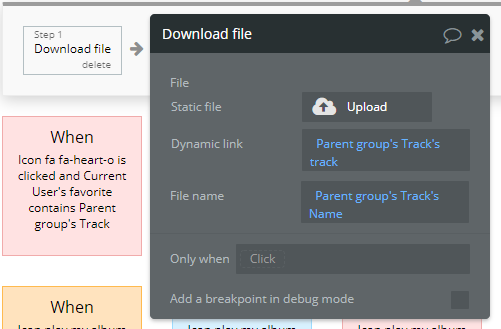
These two workflows are related to two different objects form the page, download from Search Results and Favourites groups. The action’s settings for downloading should be as here:
Best Regards,
Alex
Things have been going well lately. I have another question.
The workflow for Group Profile is clicked, the condition website home URL is empty what does it mean? Those conditions are never met (I never see the pop up), I always end up at the page profile
Hello @djpapzin,
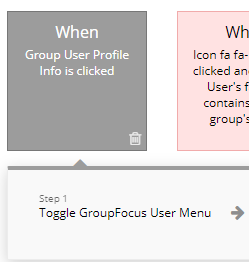
Could you please share a screenshot of this workflow? From what I can see in the template we have only one workflow " Group Profile is clicked" and it doesn’t have any condition.
Best Regards,
Alex
Sorry for the late reply, here are the screenshots:
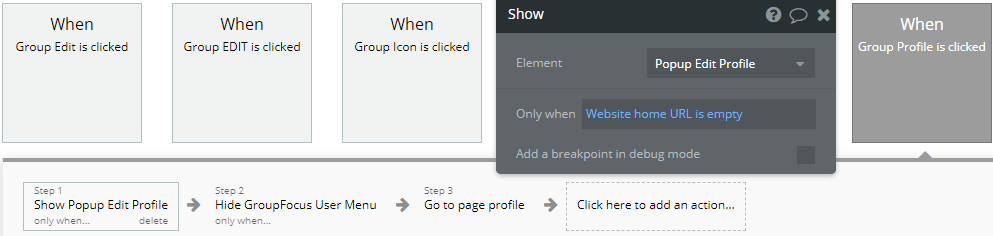
Perhaps this was added to pop up when the music is playing and not to interrupt the player?
I have another question regarding the three inputs: Input, Input 02 & Input 03
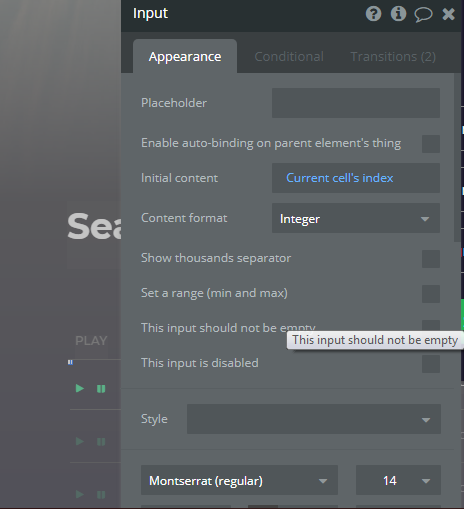
Would you please help me understand what their function is? Perhaps direct me to a place where I can find more information?
Hi @djpapzin,
Thanks for reaching out. Let me jump in and help you here. Unfortunately, this popup logic was not meeting the condition to be true, in order to actually appear in your app. It is an old logic tailored to a previously removed functionality, which was not fixed as well. Here is how you could make things work:
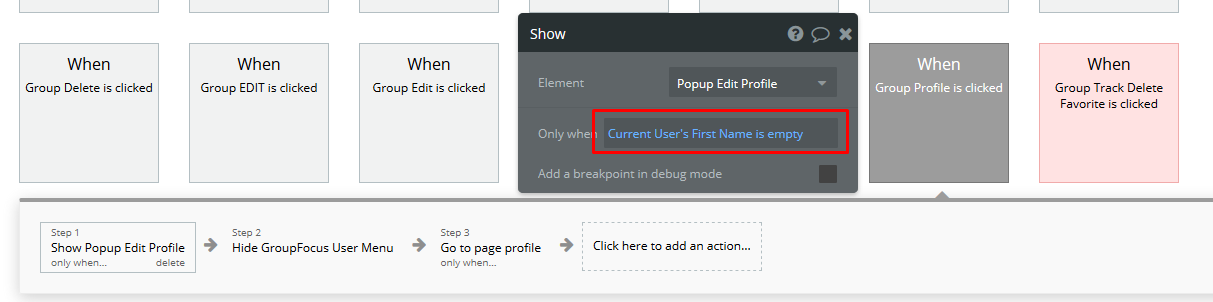
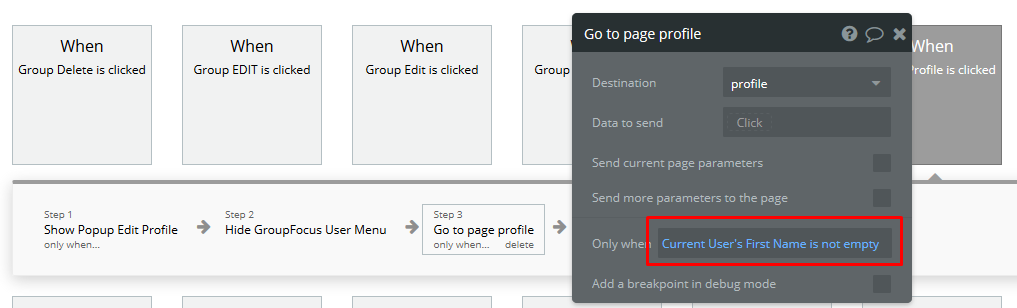
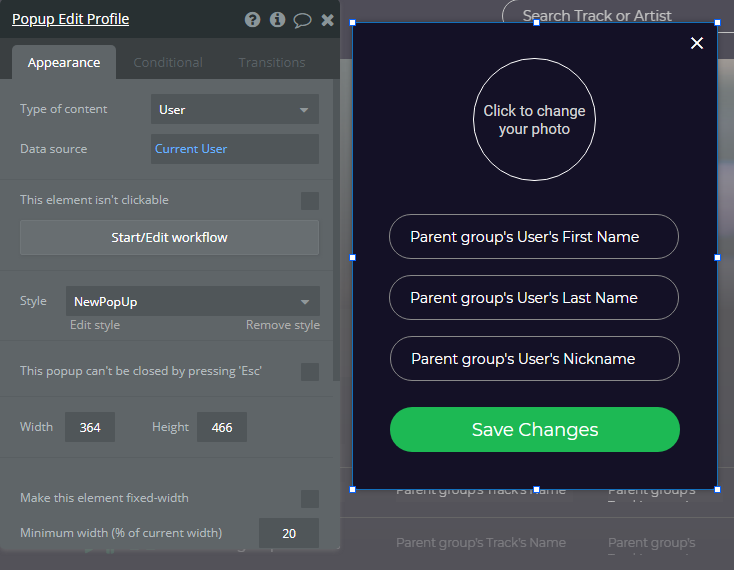
So this popup will only appear when user’s name is empty, so you actually have to fill in this data as it is the first time when new user creates an account. Or, you could implement any other modification to this condition and make your Bubble app look and function as you desire!
There are 3 Repeating Group elements on this page, and for each of them is used an Input, in order to create a state of type number, which calculates the number of tracks of that specific Repeating Group element. So, when you press the arrow buttons that change the playing track, it is used to display the appropriate track being played in the AudioPlayer.
If you have some more questions, please let me know.
Note: we recommend to have an intermediate experience with Bubble to easily tweak this template, or at least a basic understanding to be able to work with embedded functionality.
Thanks!
Best,
Alex
1 Like
Thank you for clarify everything, I understand better now, I’m able to tweak it as I need.
I have a question regarding creating a new page and cloning the original page from the template. Does Bubble allow this? Or I need to create a new app from the template?
Example: Add a New page mymusic2 and clone from mymusic (from original template, not the version I have modified
Hi @djpapzin,
Yes, you can add as many clone/new pages as you like. It is not required to create a new app.
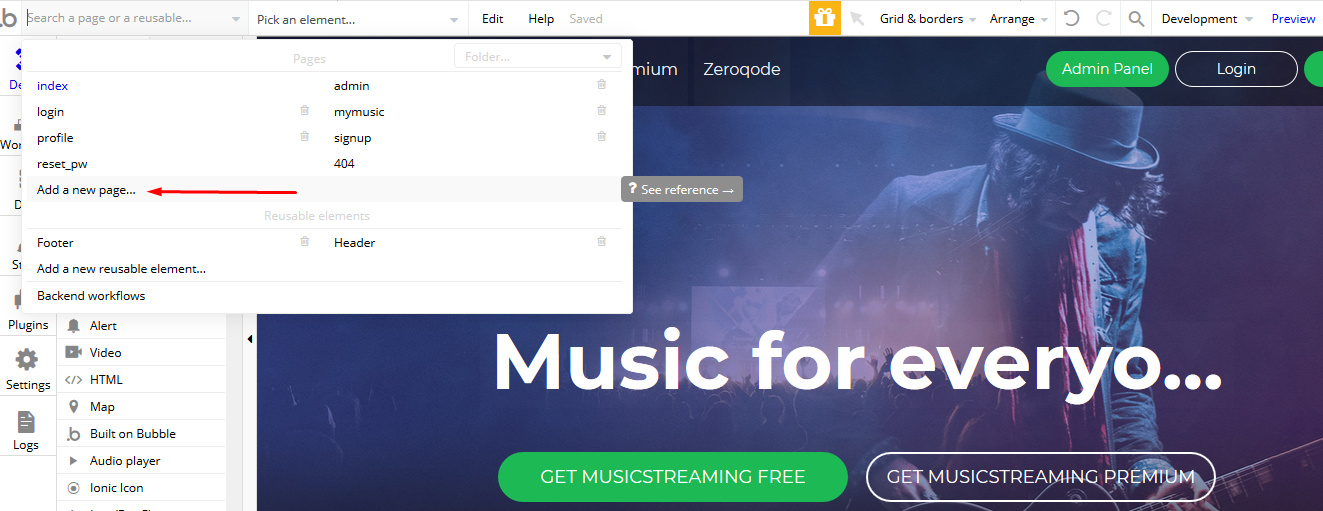
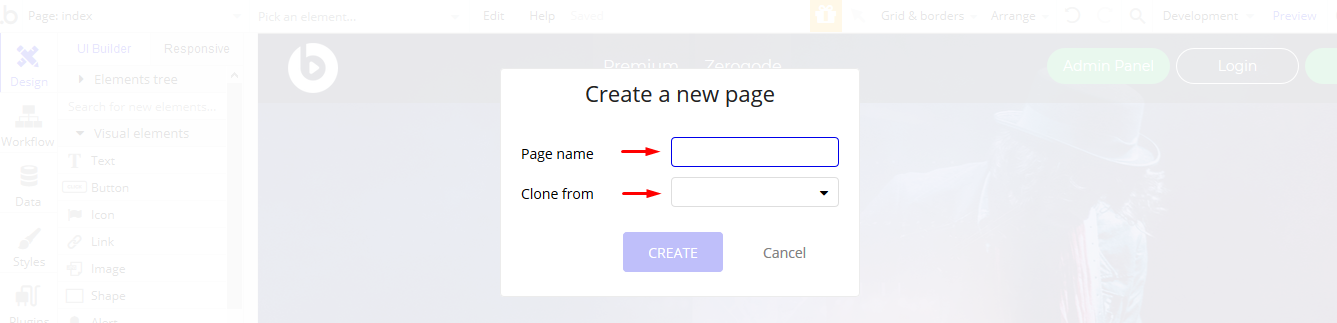
Where you can give it a name, then select a page you’d like to clone if you will.
If you have more Bubble development related questions, please post your request here https://forum.bubble.io/ or you can find some existing threads with questions solved.
Thanks!
I believe my problem was not clear enough…
Follows the screenshots, would give me a new page cloned from mymusic (already modified). Want I would like to do is get a new page cloned from mymusic (unedited/as in the template)
My problem is I have modified all the pages as j need but I messed up the mymusic page…So I want to clone the page but using the original copy from the template, not clone the page I already messed up…
Hope I’m making sense…
Hi @djpapzin,
Thanks for this feedback. So, in case you’ve already modified your mymusic page, the only way to get back would be to Undo all changes to the page, or as another alternative you could create a new clone page (so you keep the modified one as well) and copy all elements/workflows from original one (but, it will be required to create a brand new project with this template, indeed, so you’ll be able to copy).
Hope it helps.
Thanks for your suggestions. I tried the copy and paste method, but when pasting, the elements don’t align well on the page. Is there an extra step that’s needed to get a perfect copy and paste? or the only way is to manually adjust the elements after pasting?
Hi @djpapzin, unfortunately - yes, it will be required to manually align the elements. However, you could try a workaround in this case. In your new project, you could try to wrap all elements inside a Group element, then copy and paste the whole group into your original project. Hope it helps.
That doesn’t seem to help either but I have forwarded the question to the Bubble forum.
1 Like
To use Spotify clone template workflows for the music player, could I confirm whether I can get help from an excellent Spotify Playlist Downloader Mac, which can download music from Spotify without a Premium subscription. And it’s able to get local MP3, FLAC, WAV, etc. from Spotify songs.
I have this tool on its Thanksgiving Sales. Please let me know what can I do with it.